If a visitor rings the doorbell and the front door is opened manually without the call having been answered on any device, it's useful for the visitor's active call to end automatically.
This can be implemented, for example, with a door contact or a motion detector on the inside behind the door, which sends the hang-up command to the outdoor station.
The following example shows how to implement this with a commercially available motion detector and a Shelly wireless switch.
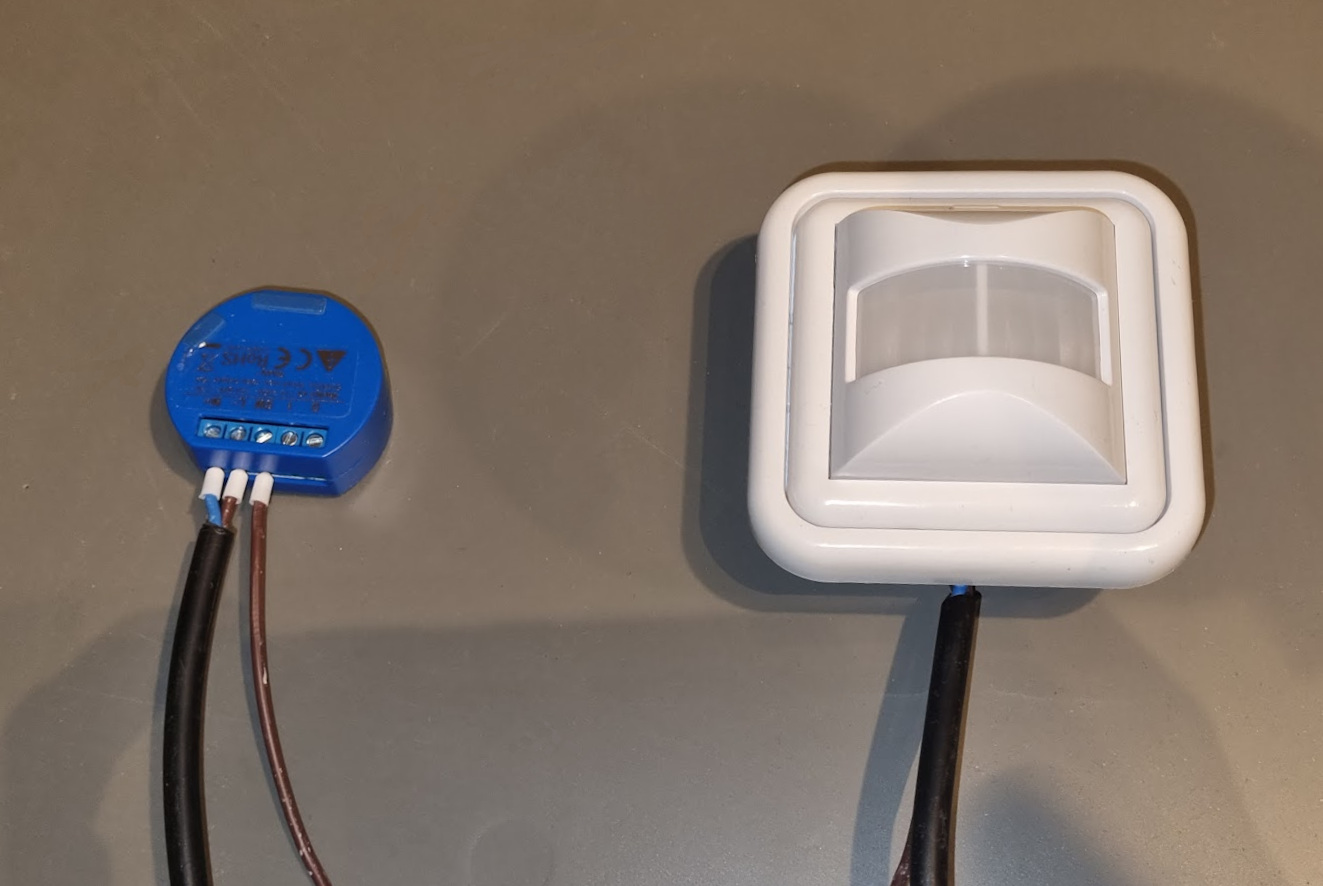
Preparing the motion sensor and Shelly wireless switch
Connect the Shelly wireless switch to the local network via Wi-Fi.
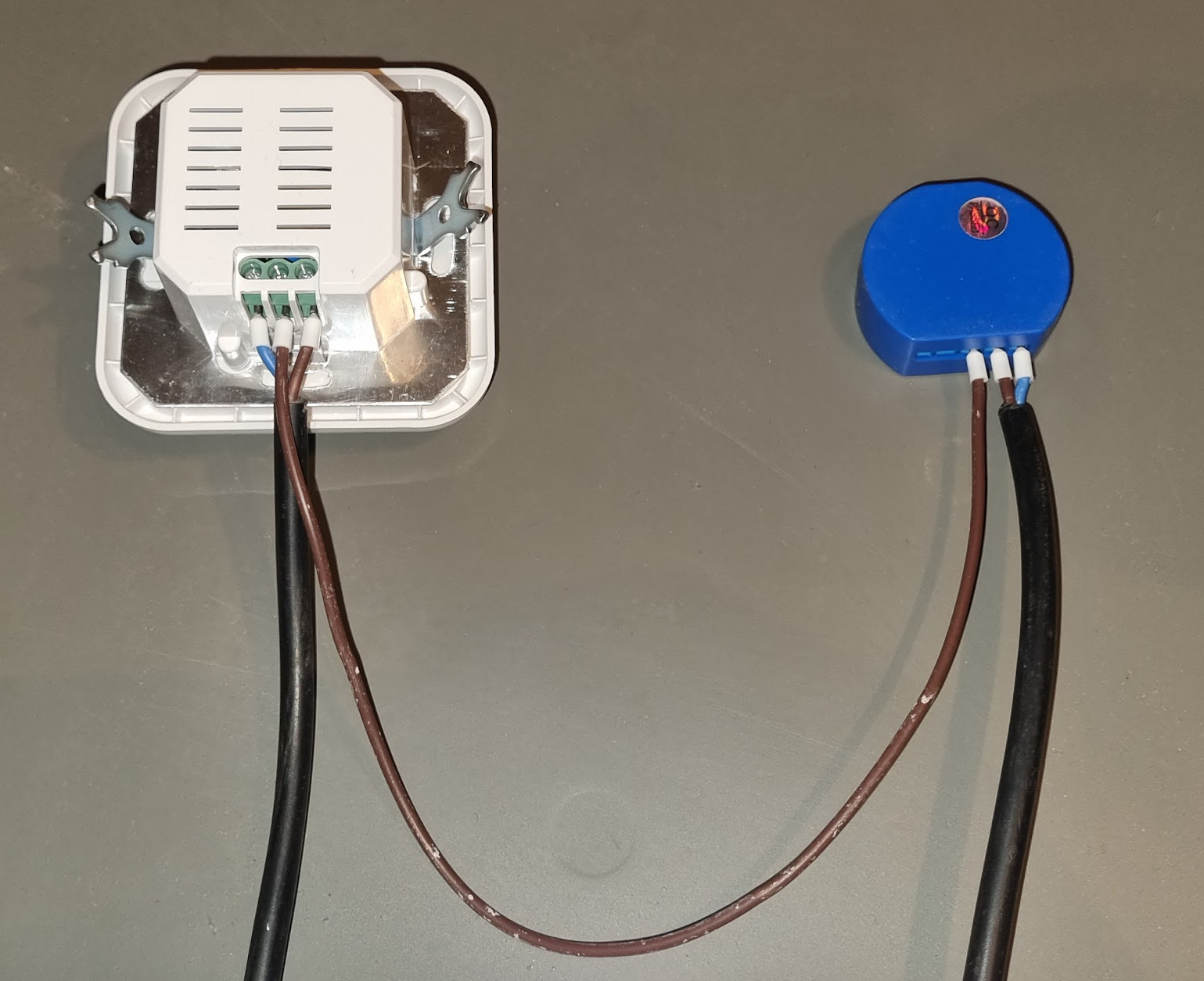
Connect the SW input of the Shelly wireless switch to the output of the motion detector.
Set up the motion detector according to its accompanying instructions.
Set a short trigger duration for the motion detector so it can trigger again without a long delay after an event.
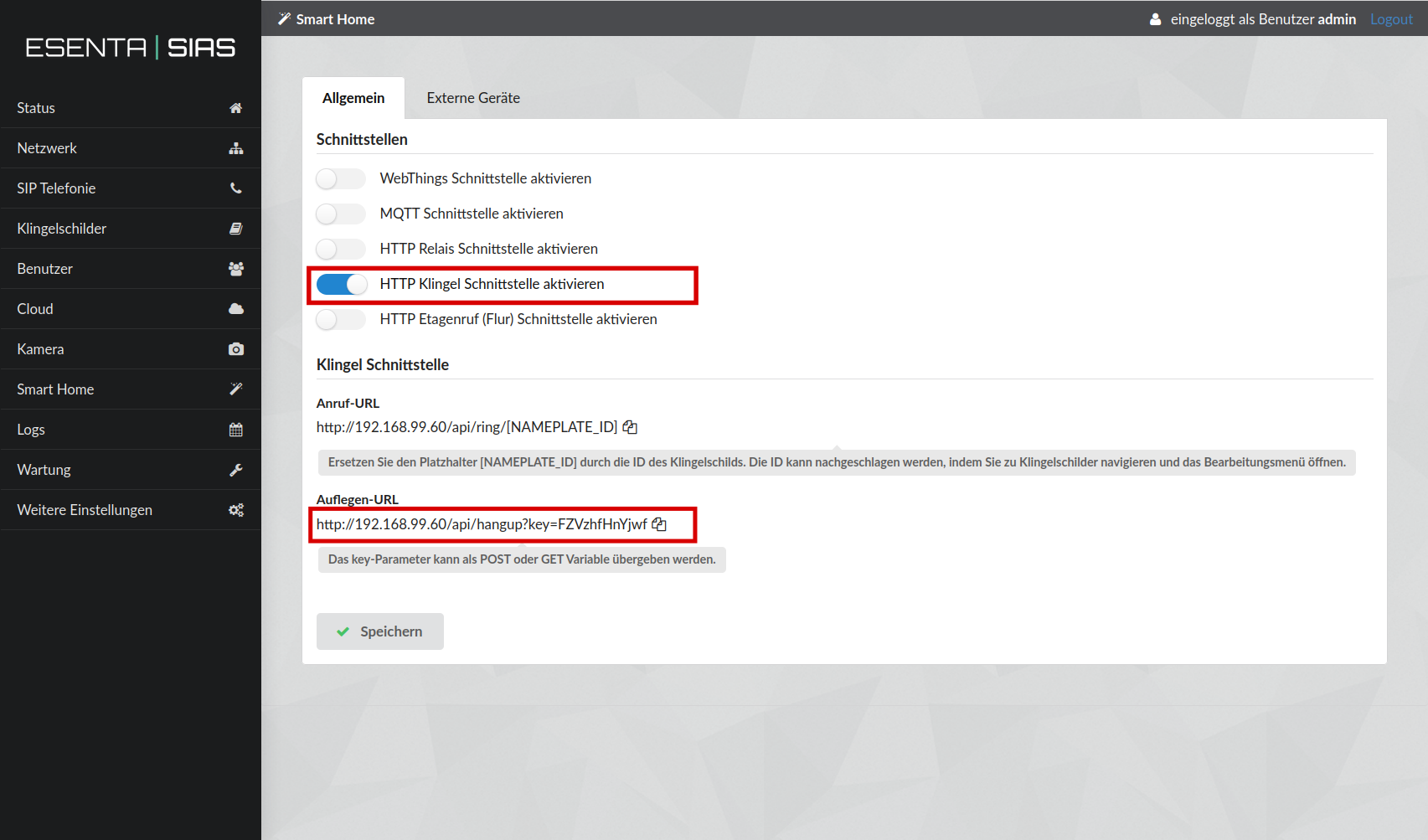
Configuring ESENTA SIAS
In the ESENTA SIAS web interface, under Smart Home, enable the HTTP Doorbell Interface and save.
Then copy the hang-up URL to the clipboard.
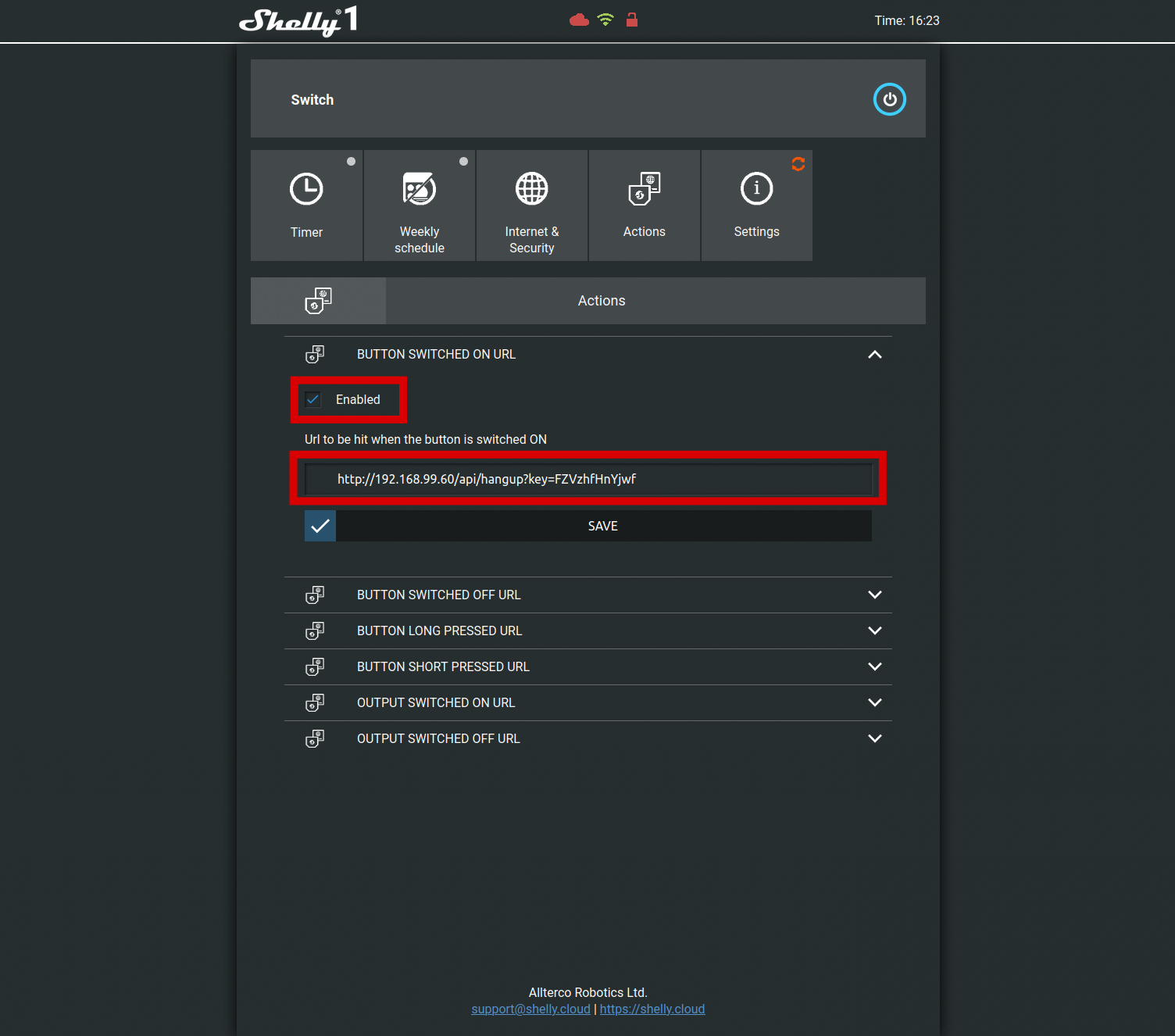
Configuring the Shelly wireless switch
In the Shelly web interface, open the Actions subpage.
Paste the hang-up URL from the previous step into BUTTON SWITCHED ON URL and check Enabled. Then save with SAVE.
- On the Settings subpage, set BUTTON TYPE to Activation Switch.
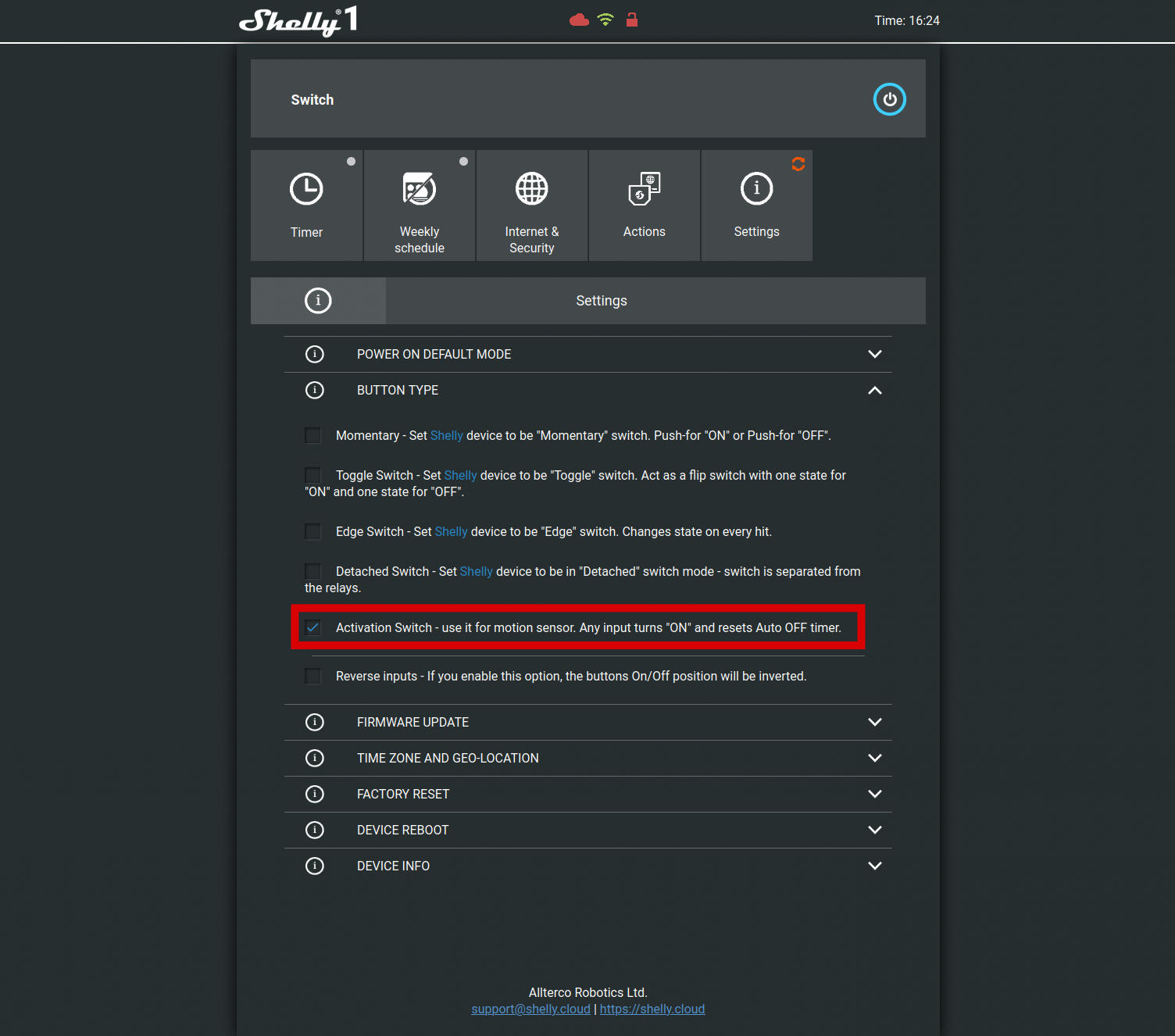
Calls will now end automatically, or the doorbell ring will be cancelled, as soon as the motion sensor triggers.


