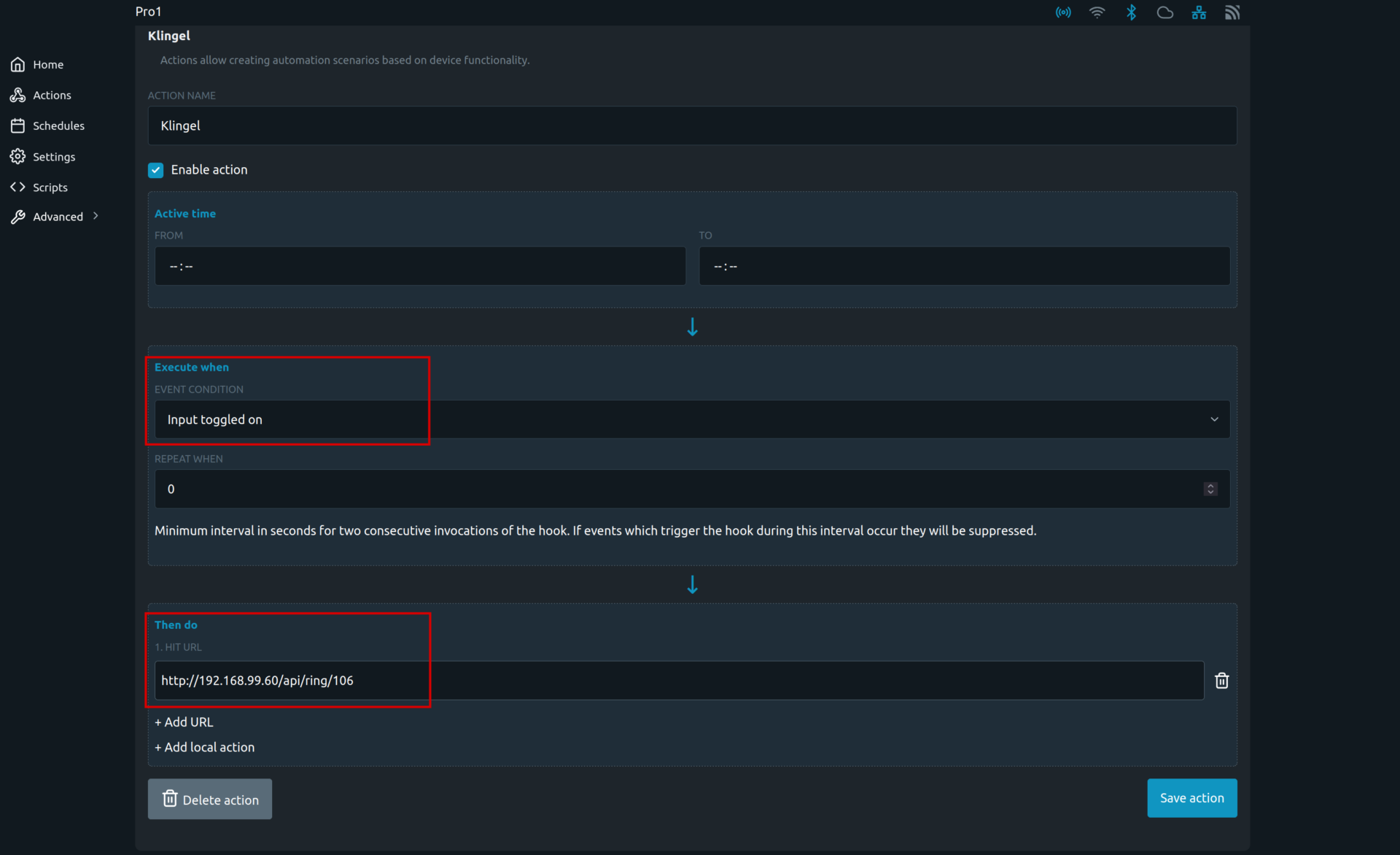
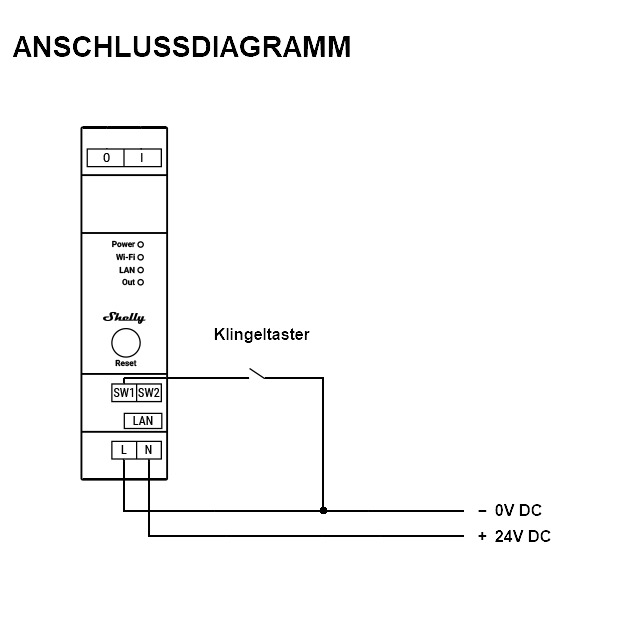
First connect the doorbell button according to the following diagram:
Open the ESENTA Sias web interface and go to the Smart Home subpage.
Enable the HTTP Doorbell Interface there and copy the Call URL.
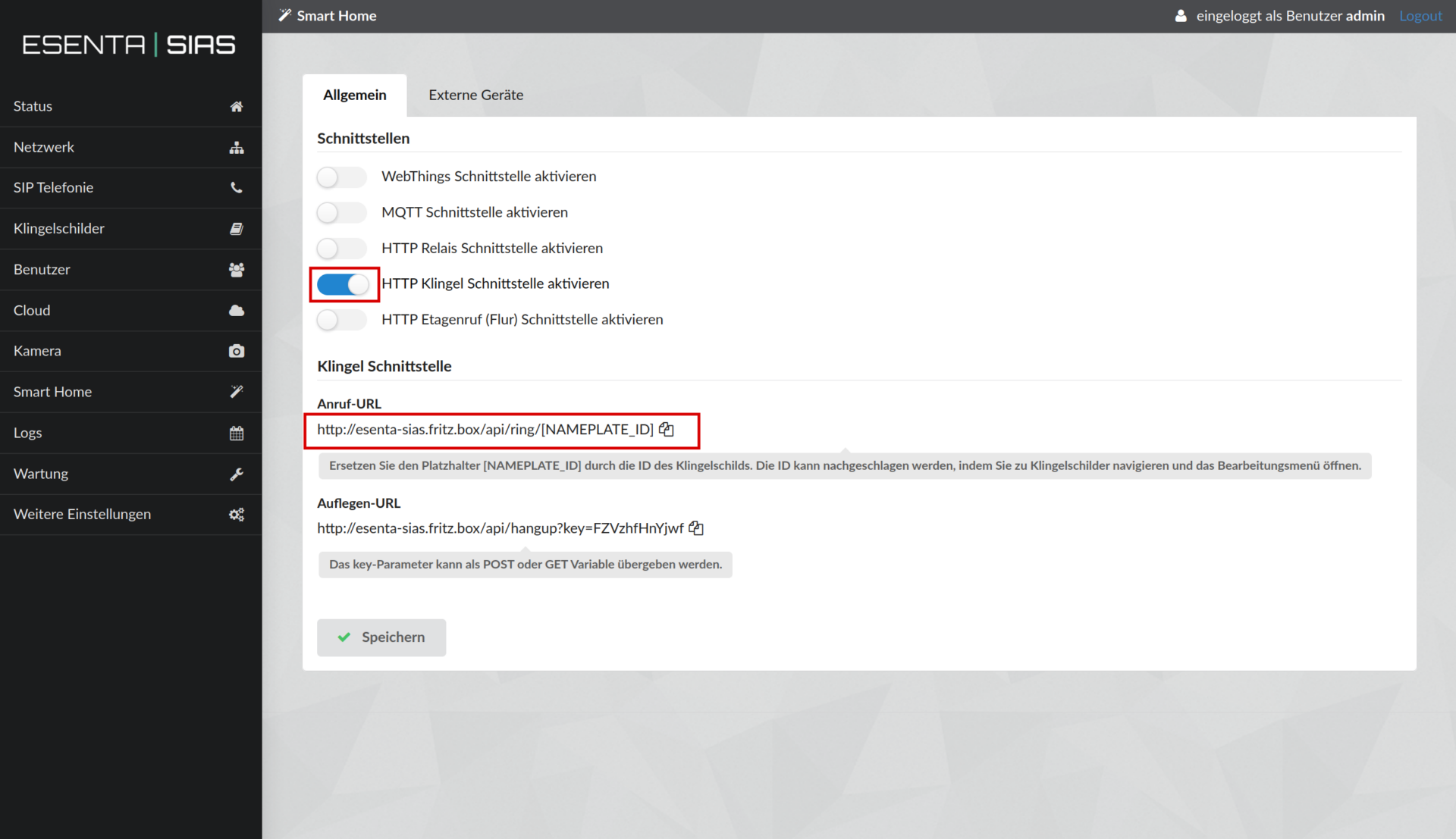
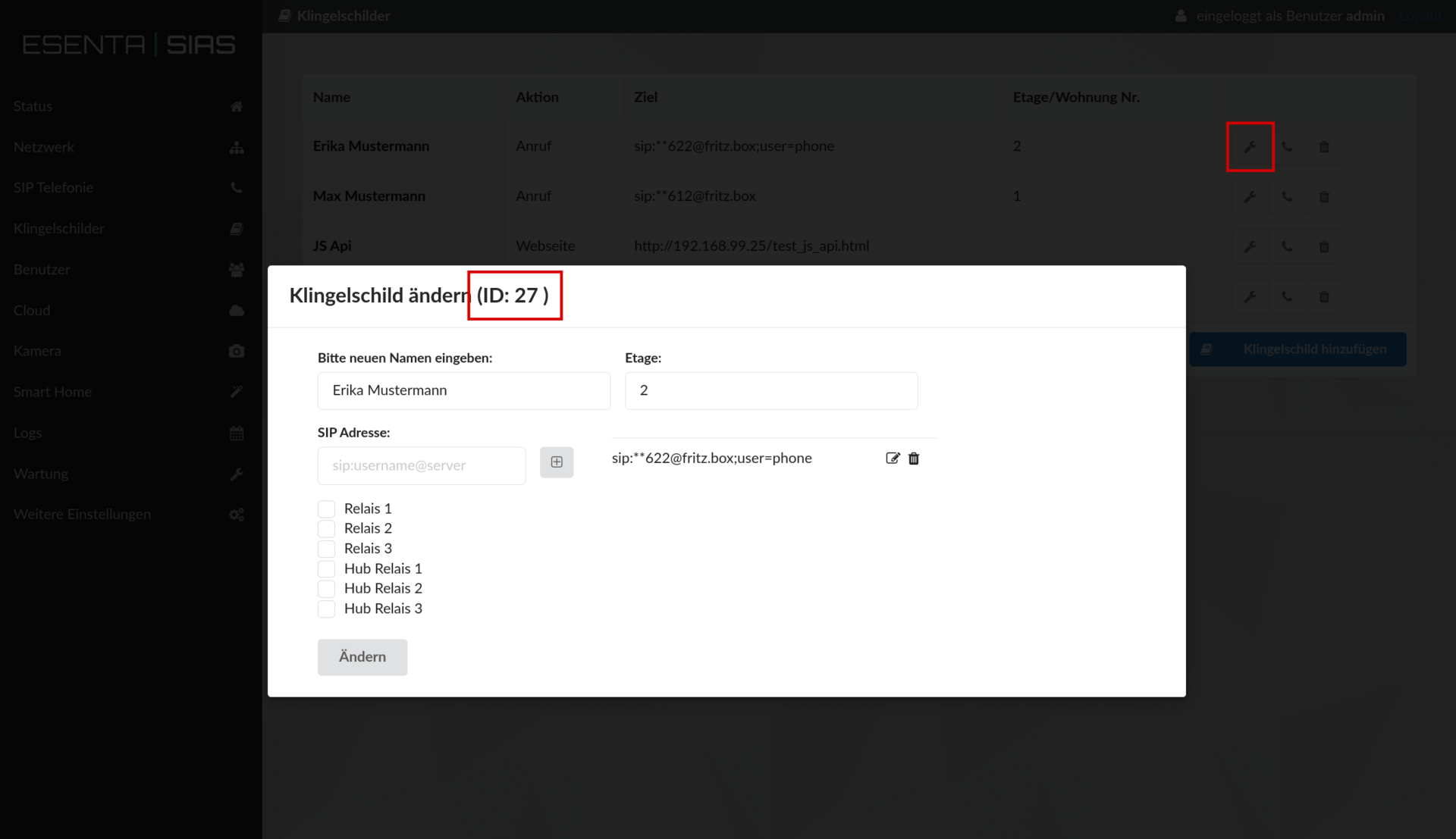
The placeholder [NAMEPLATE_ID] in the URL must be replaced with the ID of the doorbell nameplate.
The ID can be found on the Doorbell Nameplates subpage. To do this, click the wrench icon on the desired doorbell nameplate:
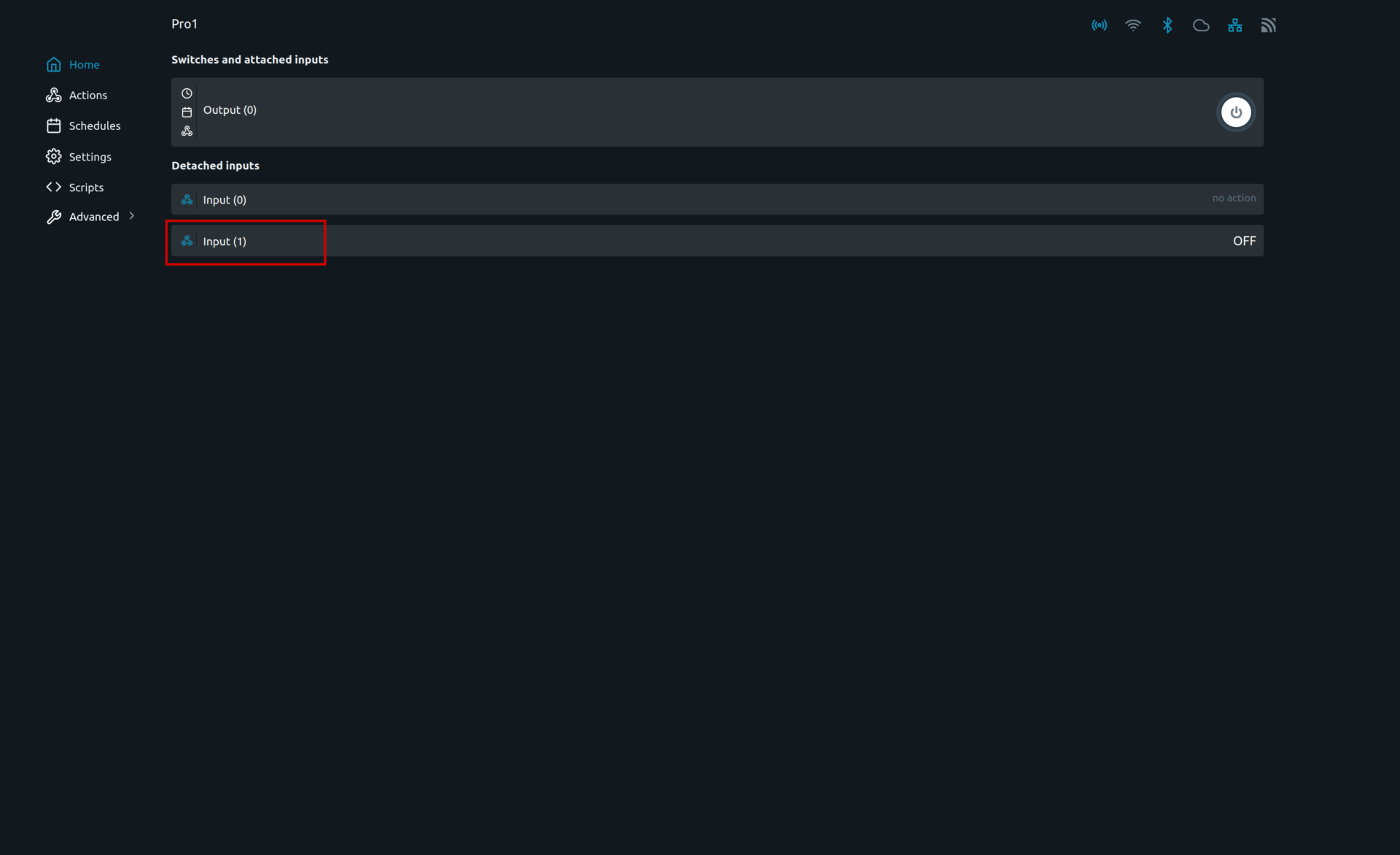
Then open the Shelly web interface and click the input to which the doorbell button is connected (here Input(1)):
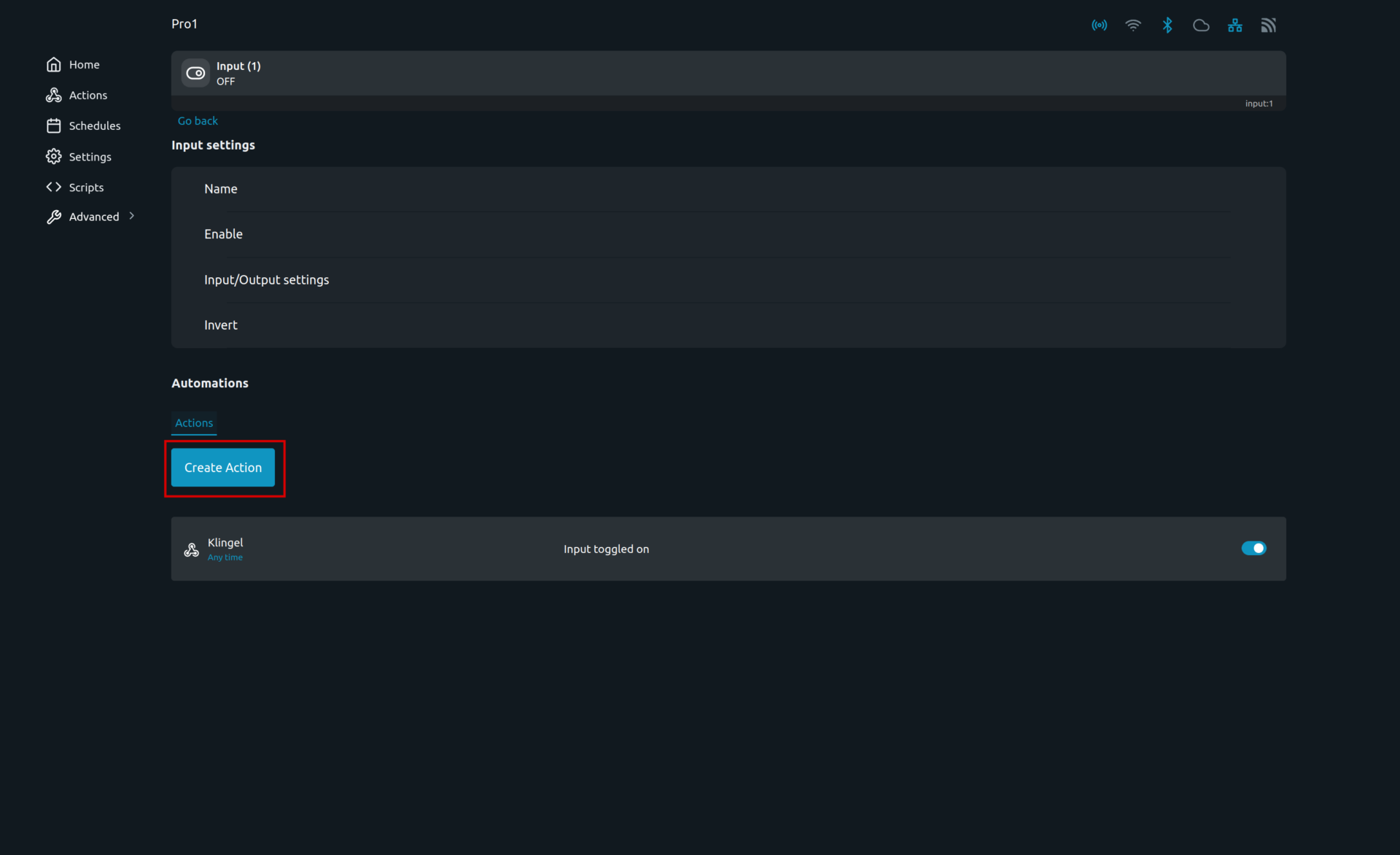
Now click Create Action:
Set the Event Condition there and enter the previously copied URL under HIT URL: