- In the AGFEO phone system's web interface, under device settings, add a new device of type "IP-Video TFE" for the SIAS outdoor station.
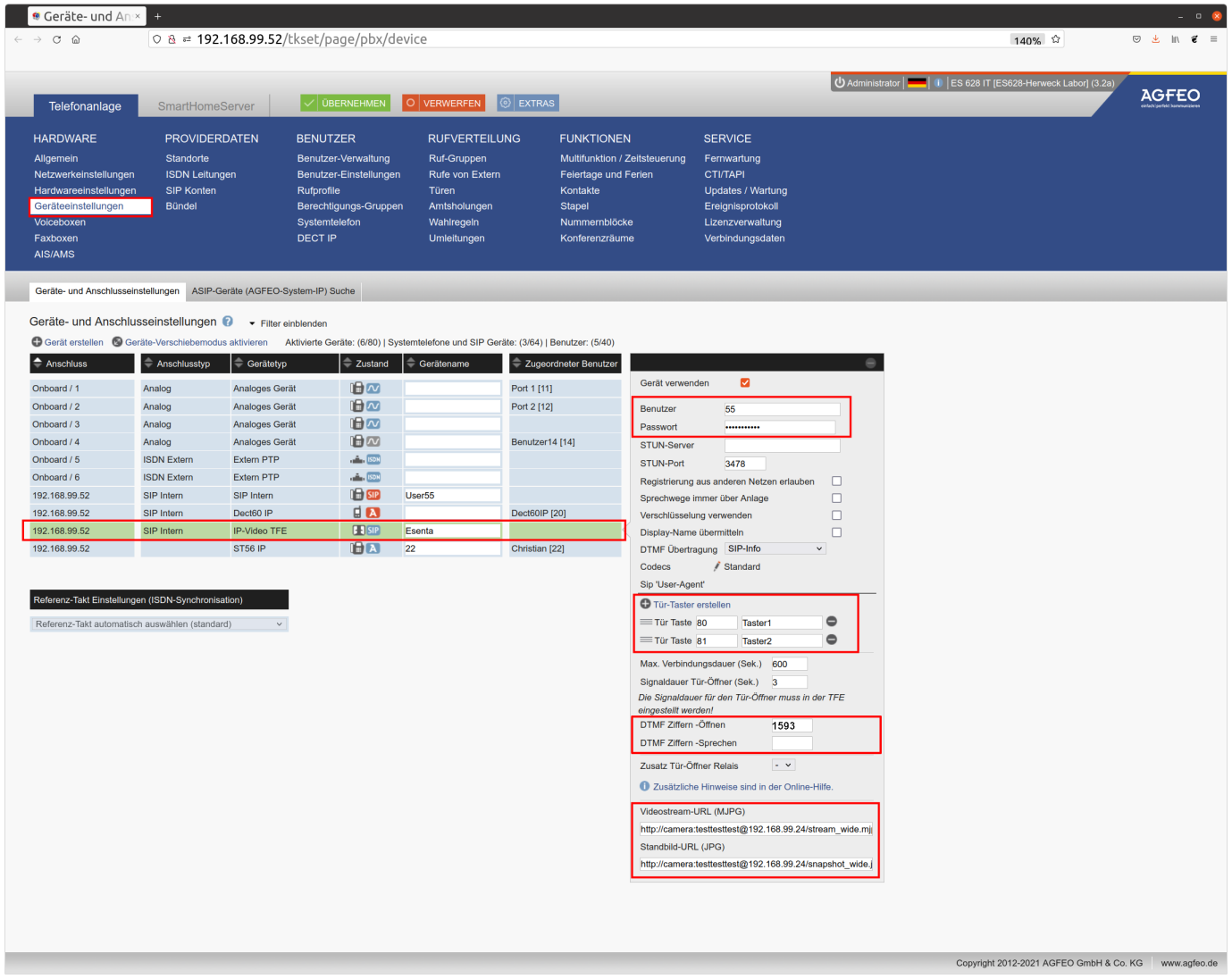
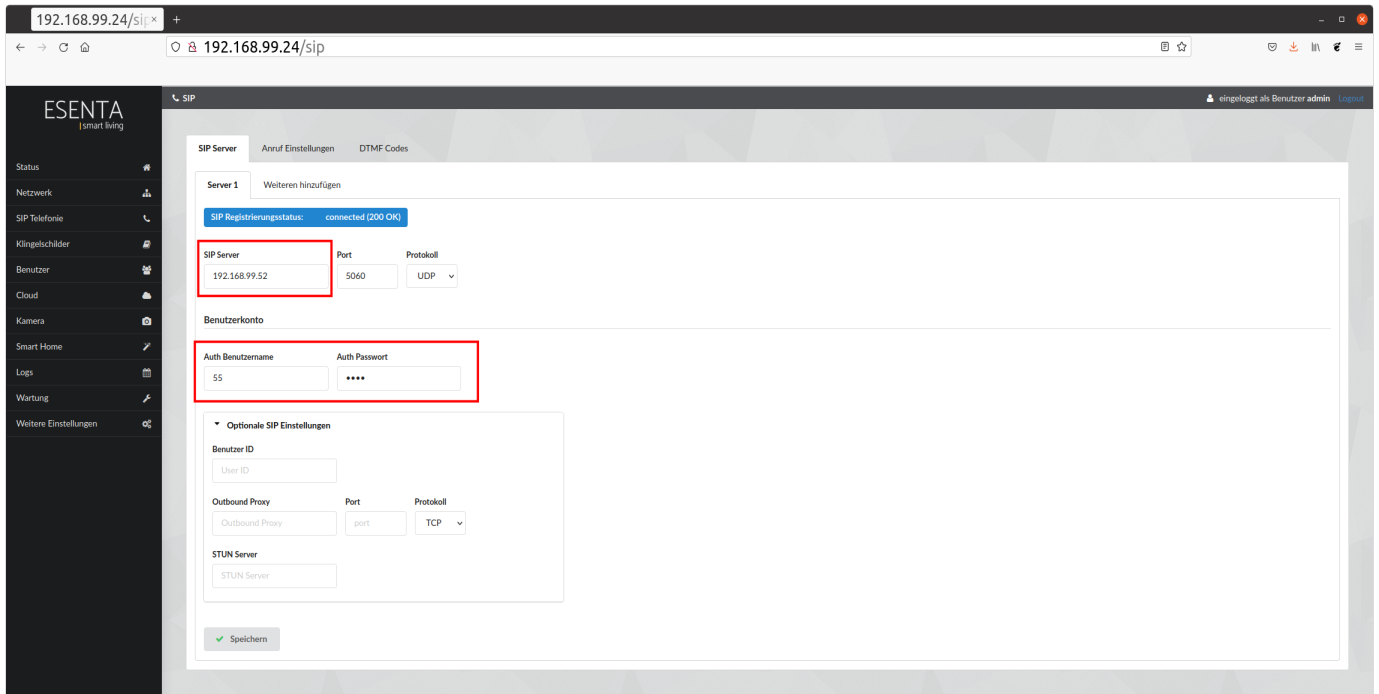
a. In the AGFEO interface, set a username and password, and enter the same credentials in the ESENTA SIAS web interface under "SIP Telephony" -> "Server 1". Under "SIP Server", enter the IP address of the AGFEO.
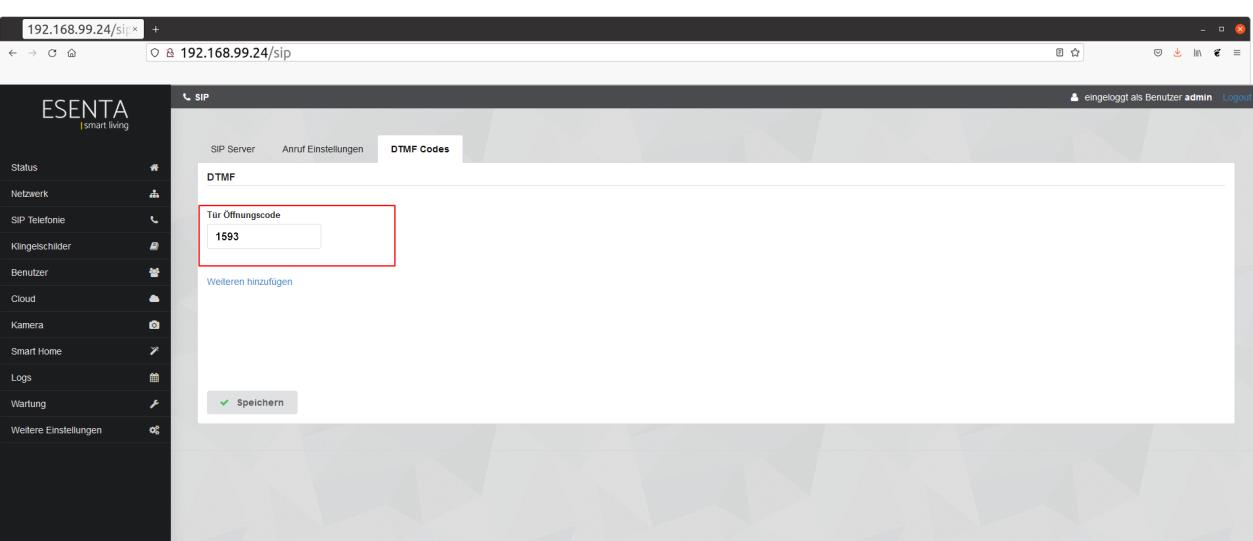
b. Create a door button and, if desired, a DTMF code in the AGFEO interface and in the ESENTA SIAS web interface under the menu item "SIP Telephony" -> "DTMF Codes".
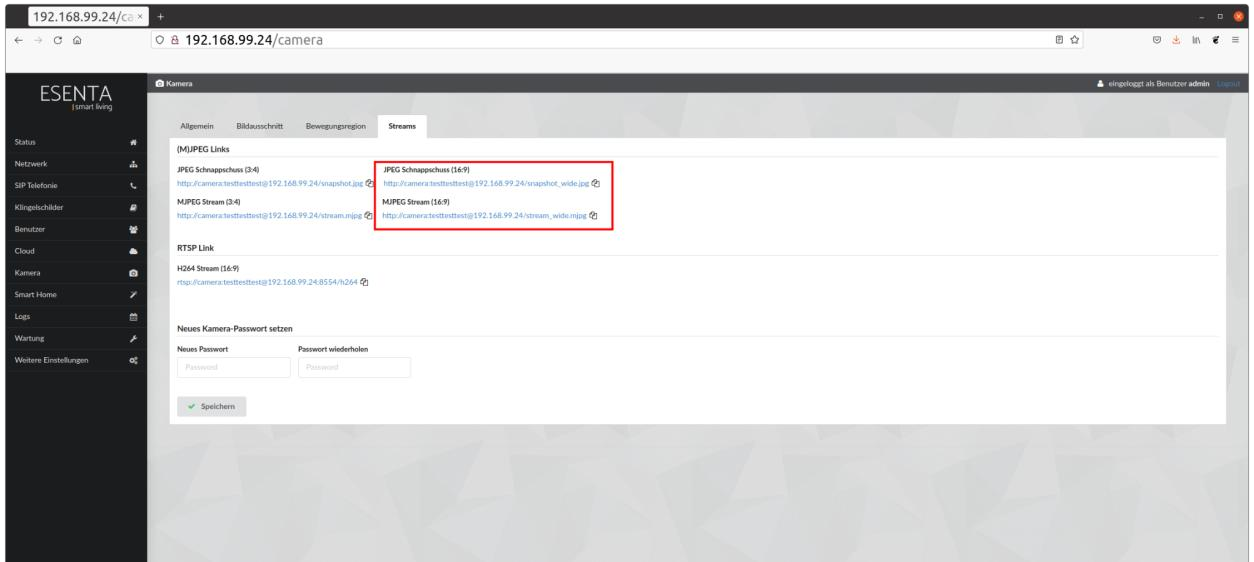
c. Add the outdoor station's video stream URL.
i. You can find the video stream URL in the ESENTA SIAS web interface under the menu item "Camera" -> "Streams".
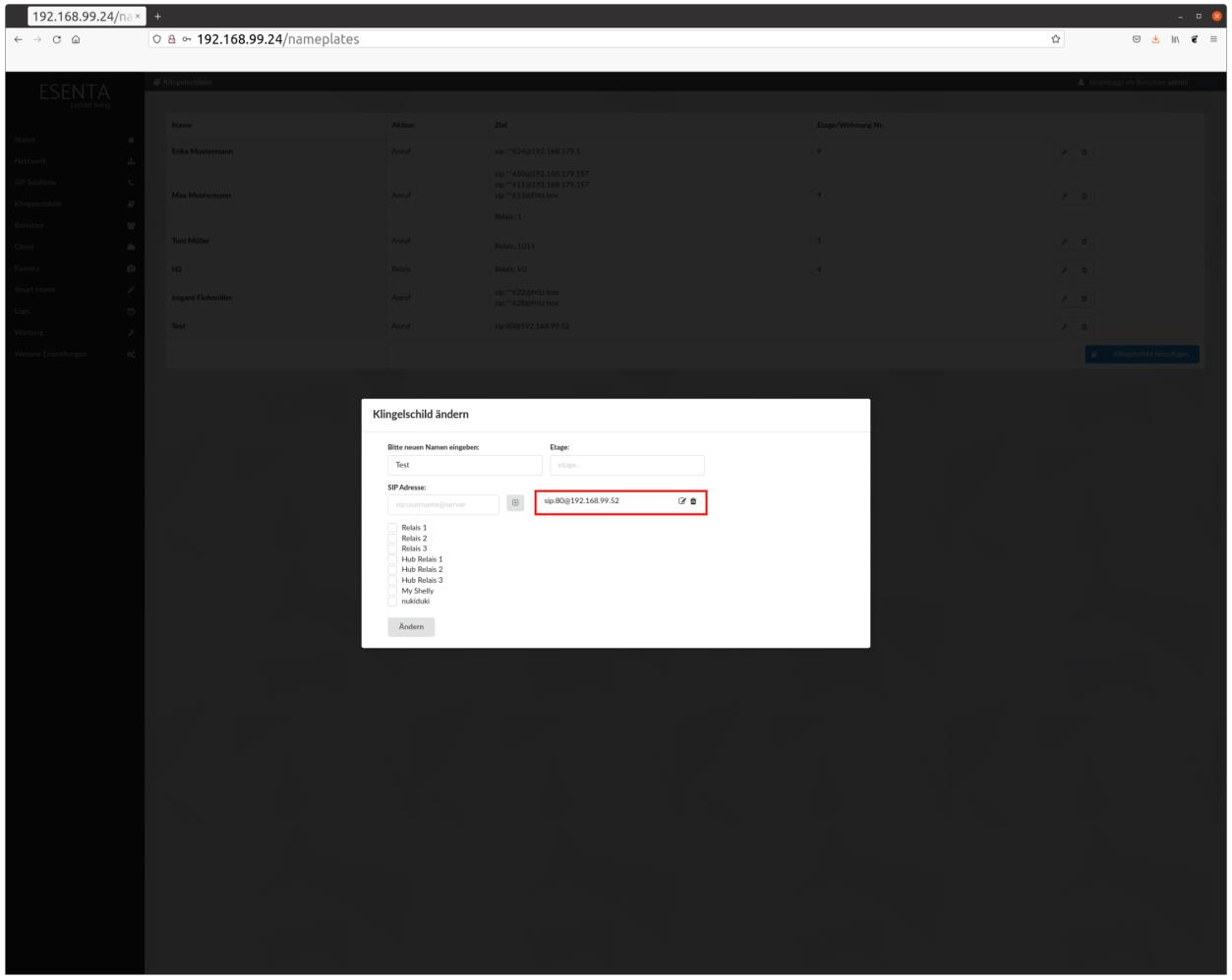
- Now, in the SIAS web interface, under Doorbell Nameplates, add the door button created in the phone system to a doorbell nameplate (following the format sip:[door button]@[phone system IP]).
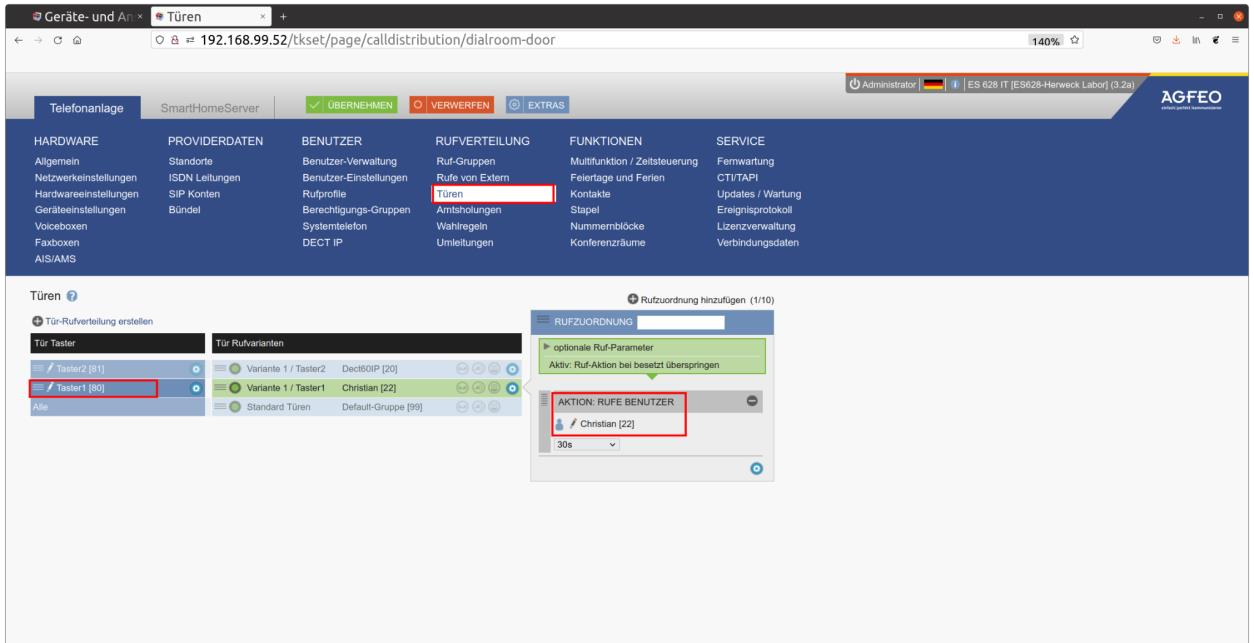
- Now, in the phone system's web interface, link the previously created door button to a device.
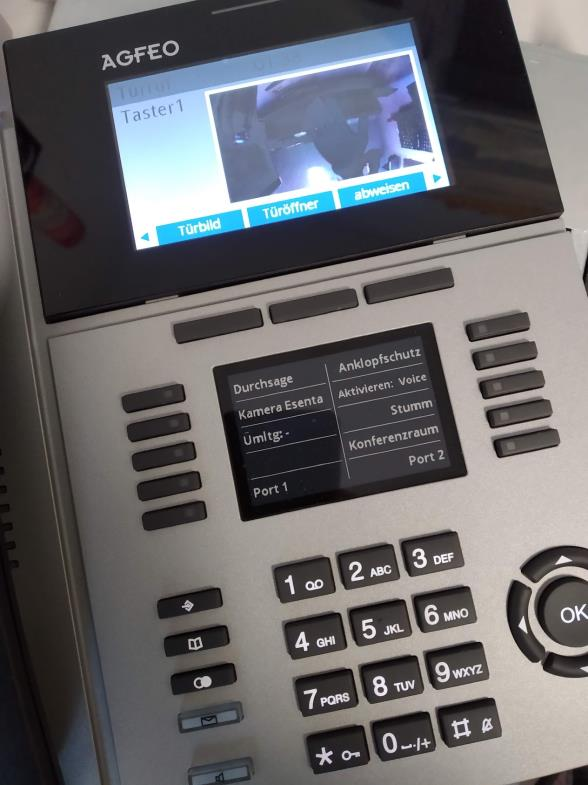
- Pressing the doorbell button on the outdoor station should now ring the corresponding device (here, an ST 56 IP) and display the camera image.