Settings for Basalte Lisa, Ellie, Lena
For the door station to be able to connect with Basalte Lisa, Ellie, Lena, Ellie needs a fixed IP address.
Press the "…" button at the top of the Ellie screen, go to "settings" → "network", and set a static IP for Ellie.
ESENTA doorbell button settings
Connect the ESENTA unit according to the ESENTA instruction manual and start it up.
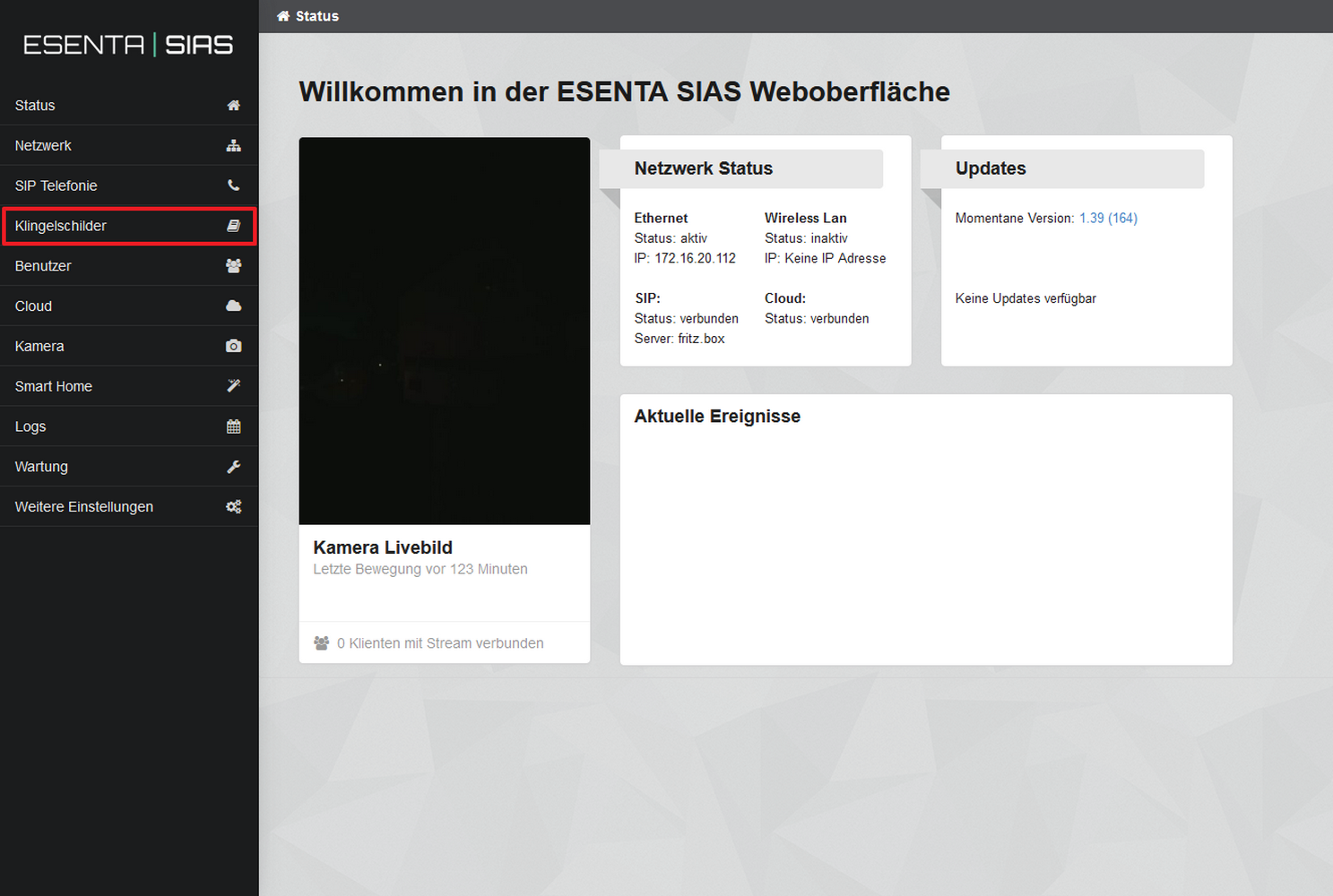
Open the ESENTA web interface in a web browser, using the IP address your router assigned to ESENTA SIAS. (You can find this in your router's network overview.)
Note: In your router, make sure ESENTA SIAS is always assigned the same IP address.
Log in with the username and password supplied for the ESENTA SIAS door station.
After authenticating, the following page is displayed:
Open the "Doorbell Buttons" menu item
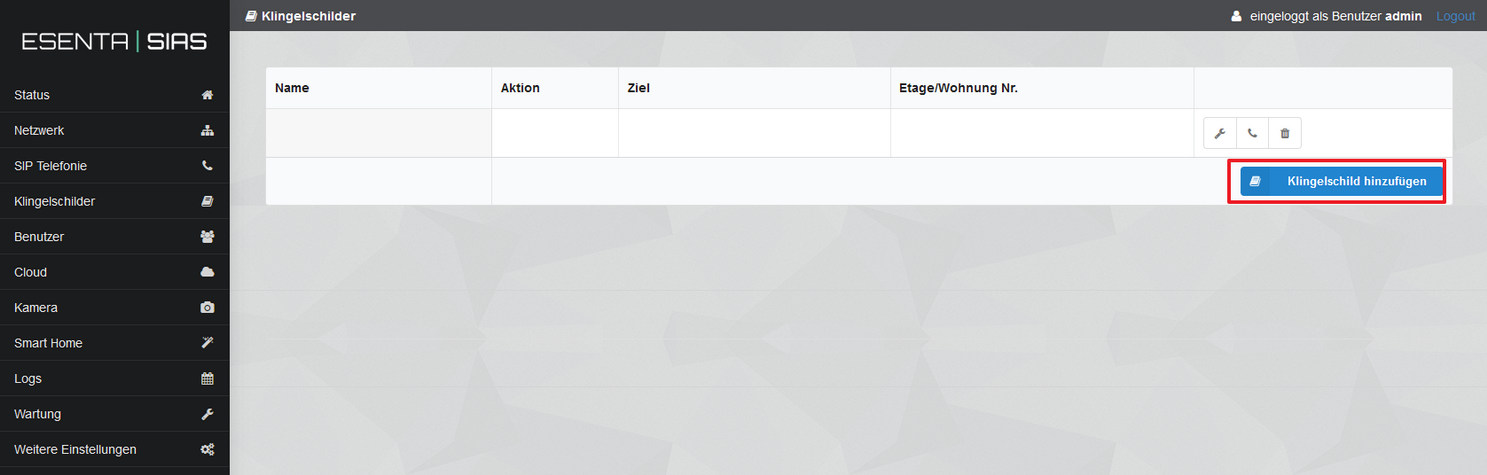
Add a doorbell button:
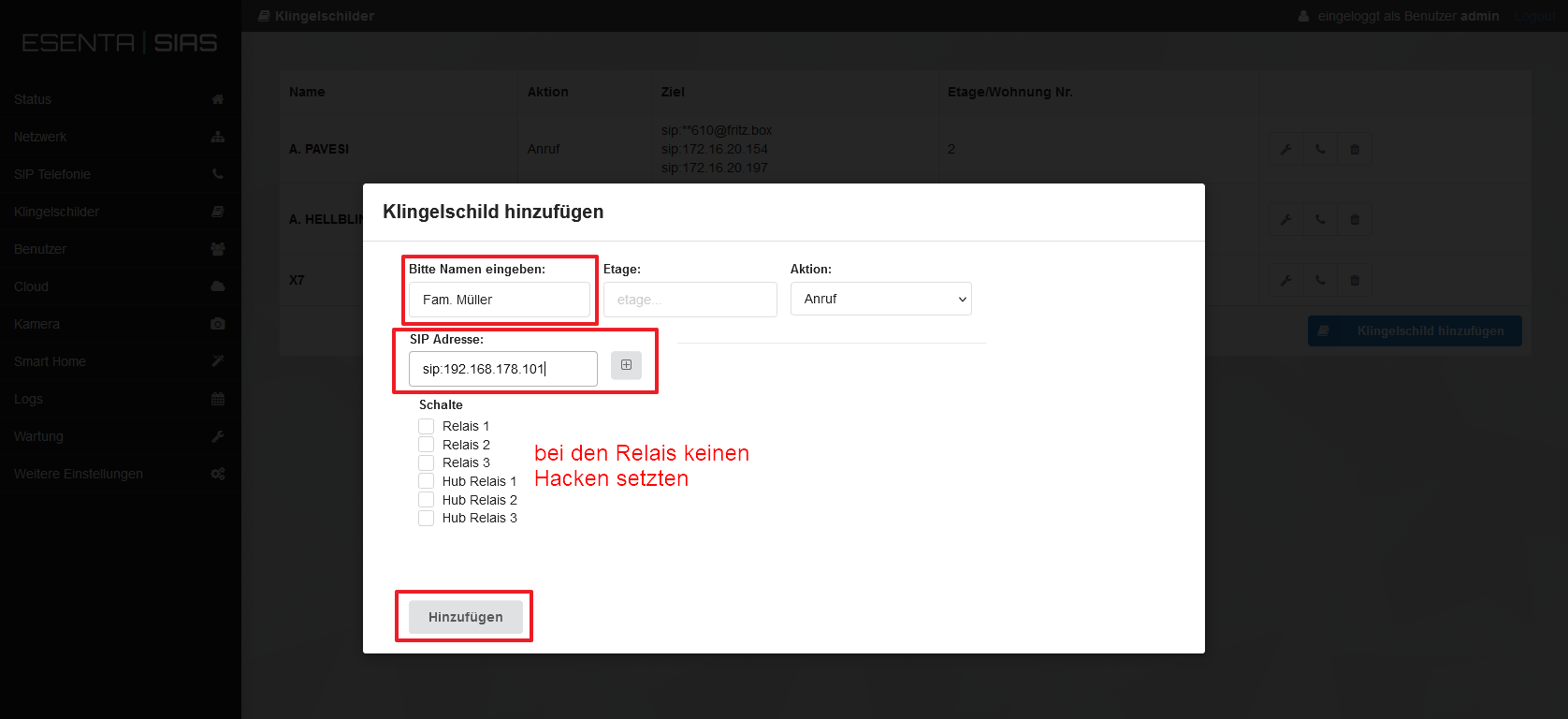
a. Enter the name that should be shown on the doorbell button
b. Under "SIP Address", enter Ellie's fixed IP with the sip: prefix (e.g. sip:192.168.178.101) and confirm with [+].
c. Click "Add".
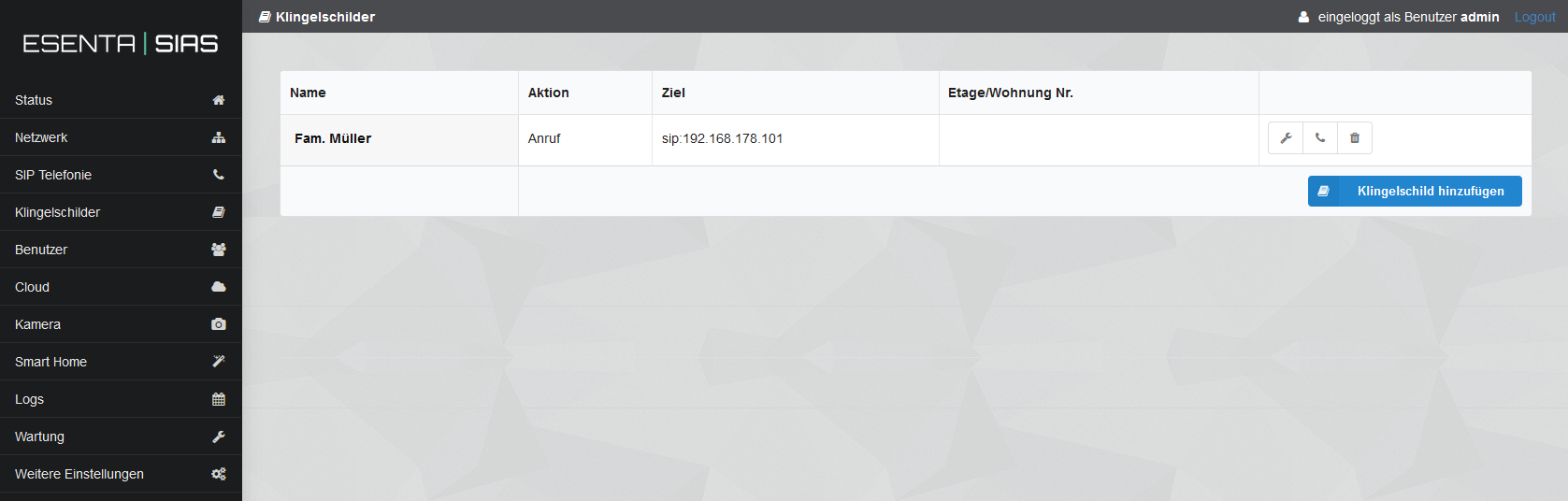
After step 5.f, a test call can be triggered from the ESENTA web interface using the handset icon.
ESENTA SIP telephony settings
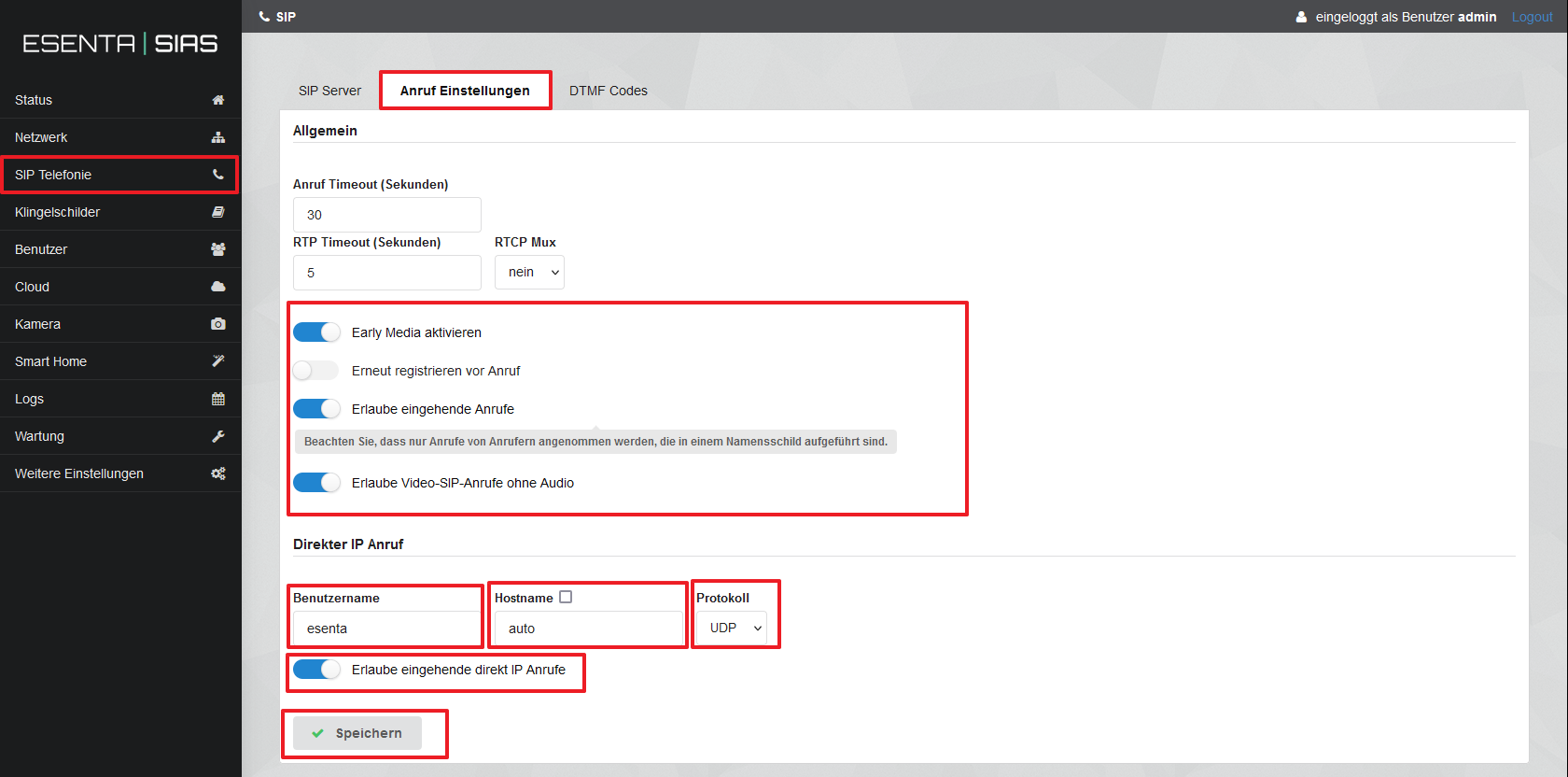
Open the "SIP Telephony" menu item -> "Call Settings" tab
b. Enable "Early Media" + "Allow incoming calls" + "Allow video SIP calls without audio"
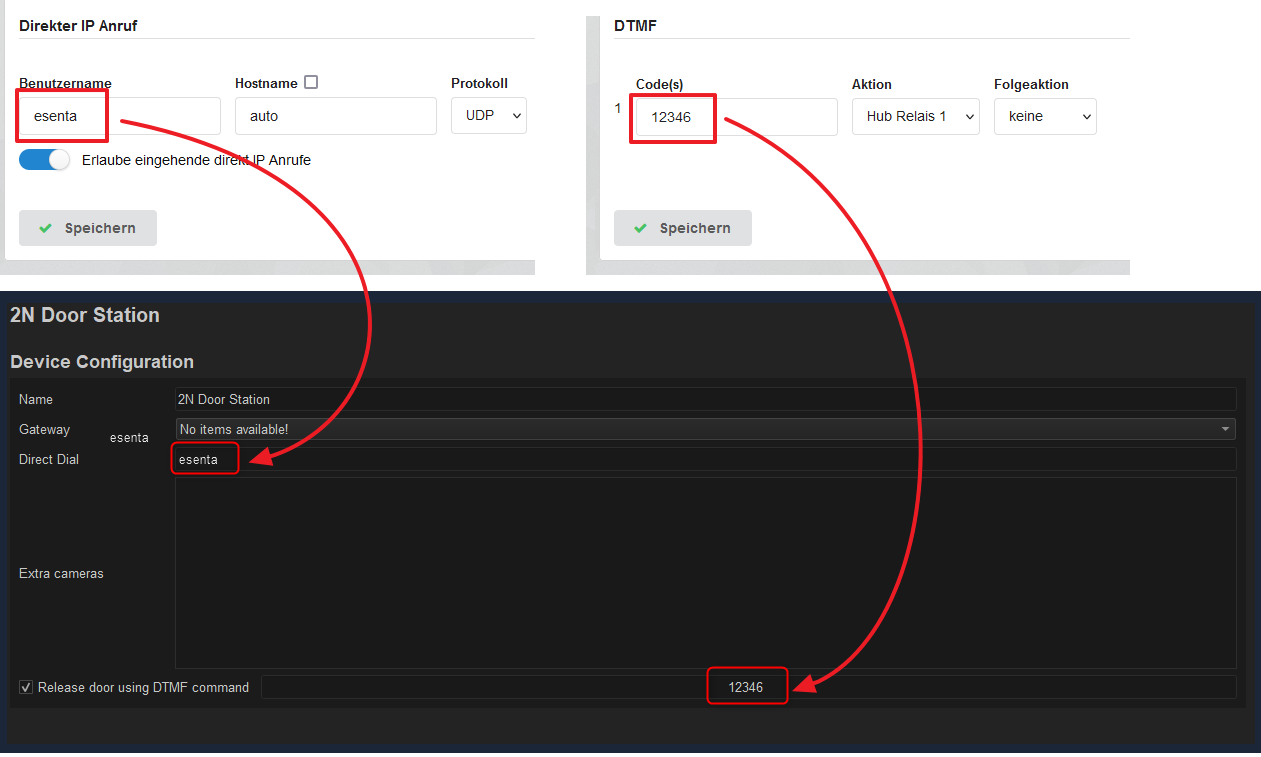
c. Enter "esenta" as the username. (Needed in step 5.e)
d. Hostname: auto
e. Protocol: select UDP or TCP.
f. Enable "Allow incoming direct IP calls"
g. Save
ESENTA DTMF access code settings
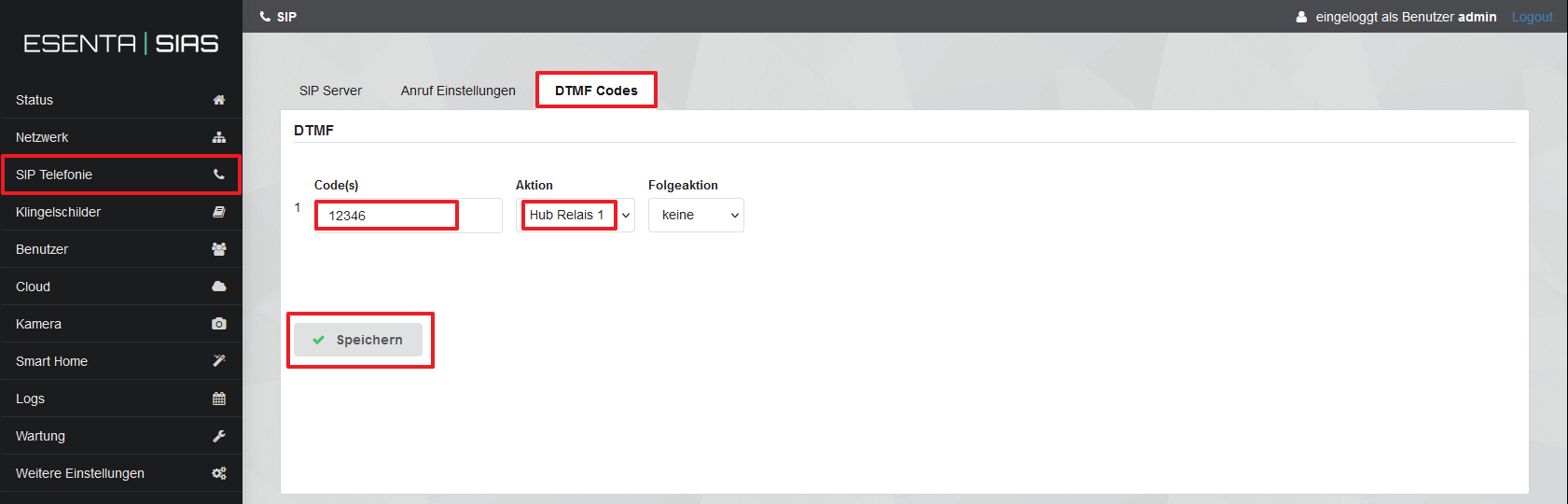
Open the "SIP Telephony" menu item -> "DTMF Codes" tab
b. Under Code(s), enter the door-opening code (numeric). (Needed in step 5.f)
c. Select the relay.
d. Follow-up action: none
e. Save.
Basalte Studio settings
The ESENTA door station has no gateway.
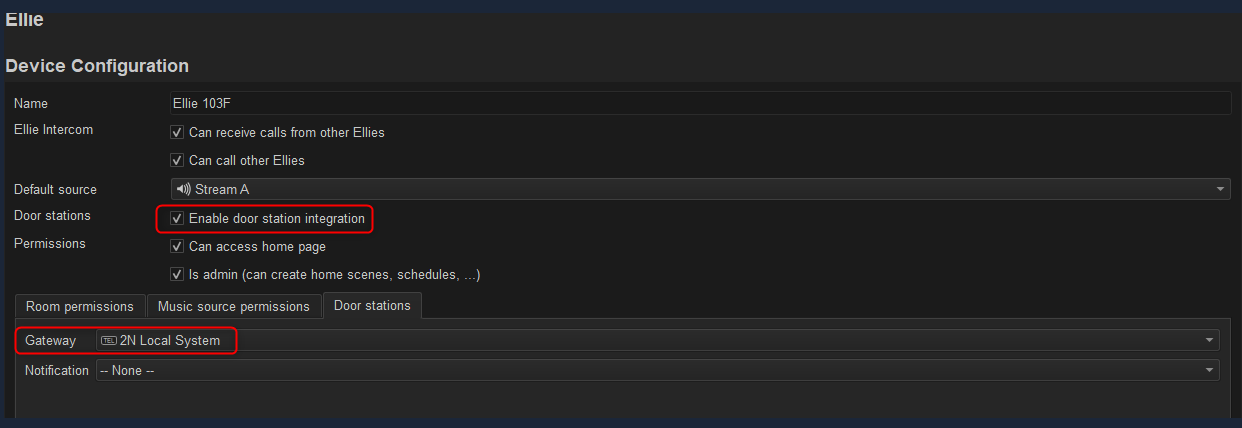
a. On the "Ellie door station" tab, select the (dummy) system "2N Local".
b. Click "Ellie" and enable "Enable door station integration".
c. Under "Gateway", select "2N Local System".
d. Link a "Notification" if desired.
e. In the "Direct Dial" field, enter the "Username" stored in the ESENTA web interface. (Step 3.1.c)
f. Enable "Release door using DTMF command" and enter the DTMF code stored in ESENTA. (Step 4.1.b)