Connecting the P820 to a SIP server
Open the P820 web interface and log in.
Then open the Setup > Identity 1 menu.
Enter your SIP credentials there. Under User Identification and Password, enter your login data, and under Registrar, the address of your SIP server.
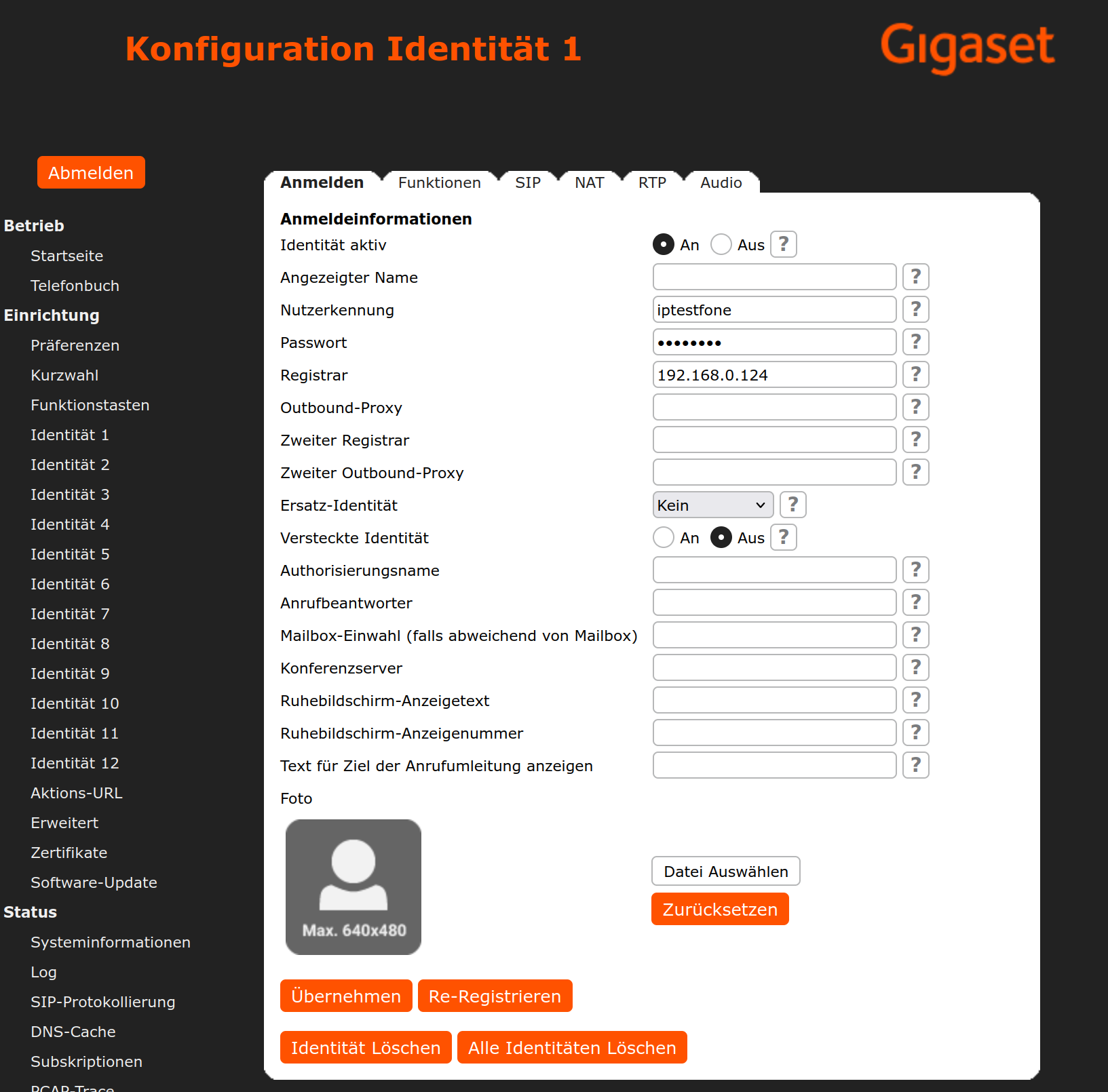
Then click Apply to save the settings.
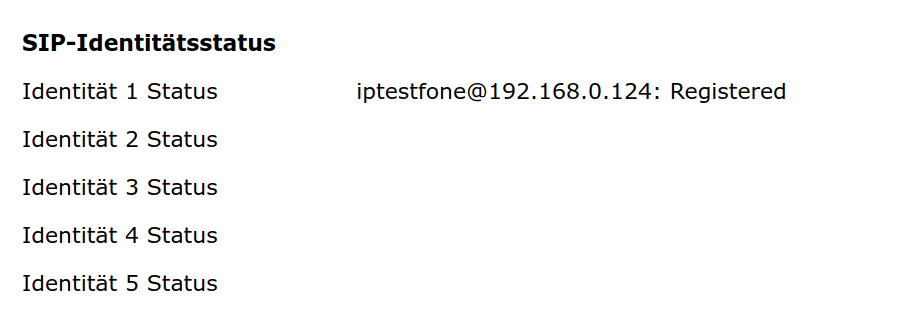
You can check whether registration was successful under Status > System Information.
Creating a doorbell button in ESENTA SIAS
This assumes that ESENTA SIAS is already connected to the corresponding SIP server. If not, please follow the instructions in the instruction manual.
Now open the Doorbell Buttons page in the SIAS web interface and add a doorbell button with the SIP address of the P820 user.
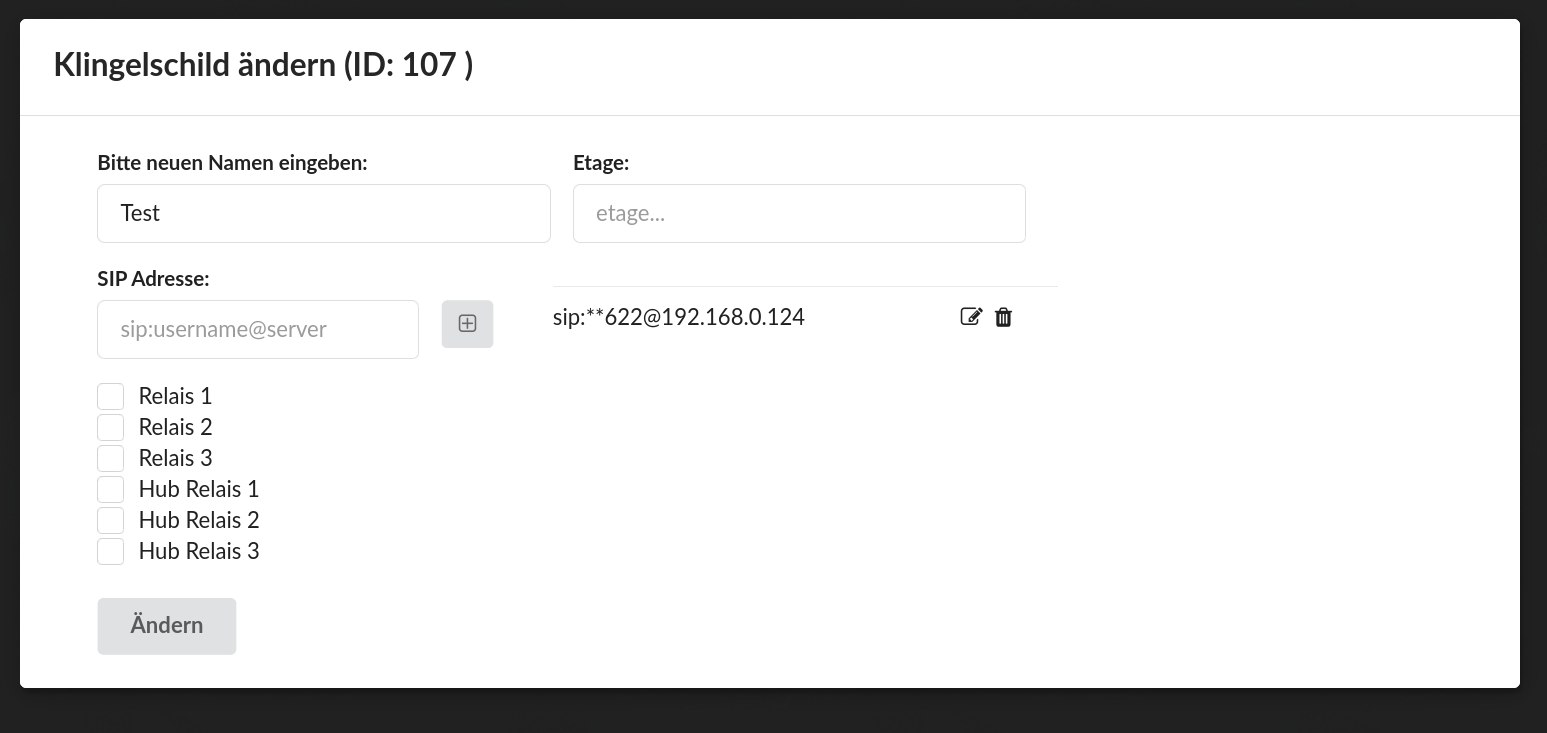
A call to the P820 can now be triggered from the SIAS display.
Creating a door-opener button on the P820
A function key on the P820 can be used to open the door.
To do this, the HTTP relay interface must first be enabled under Smart Home in the SIAS web interface.
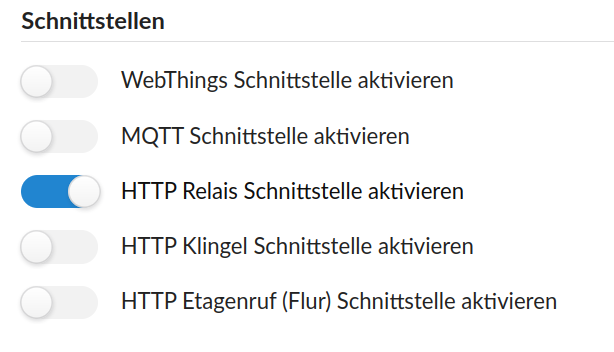
Then select the relay connected to the door opener.
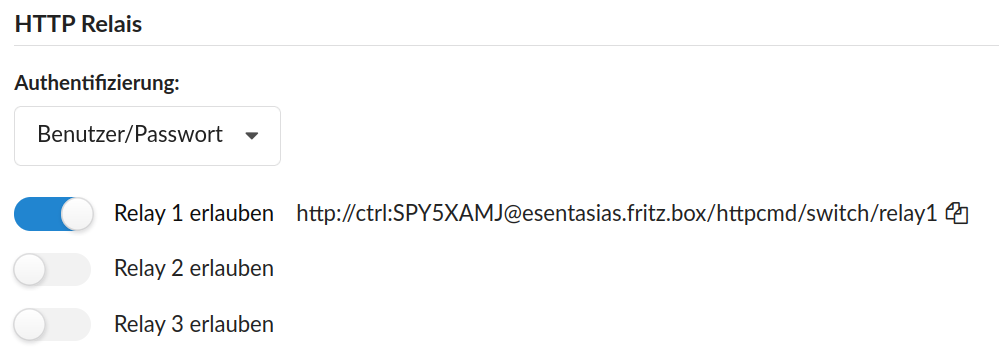
Copy the corresponding URL to the clipboard and open the P820 web interface.
There, under Setup > Function Keys, add the URL as type Action URL and give it a label:

The door can now be opened at the press of a button on the P820.


