Please note that connecting ESENTA SIAS requires the PEAKnx YOUVI door station module. The following guide shows setup with PEAKnx Controlmini hardware.
Preparing ESENTA SIAS
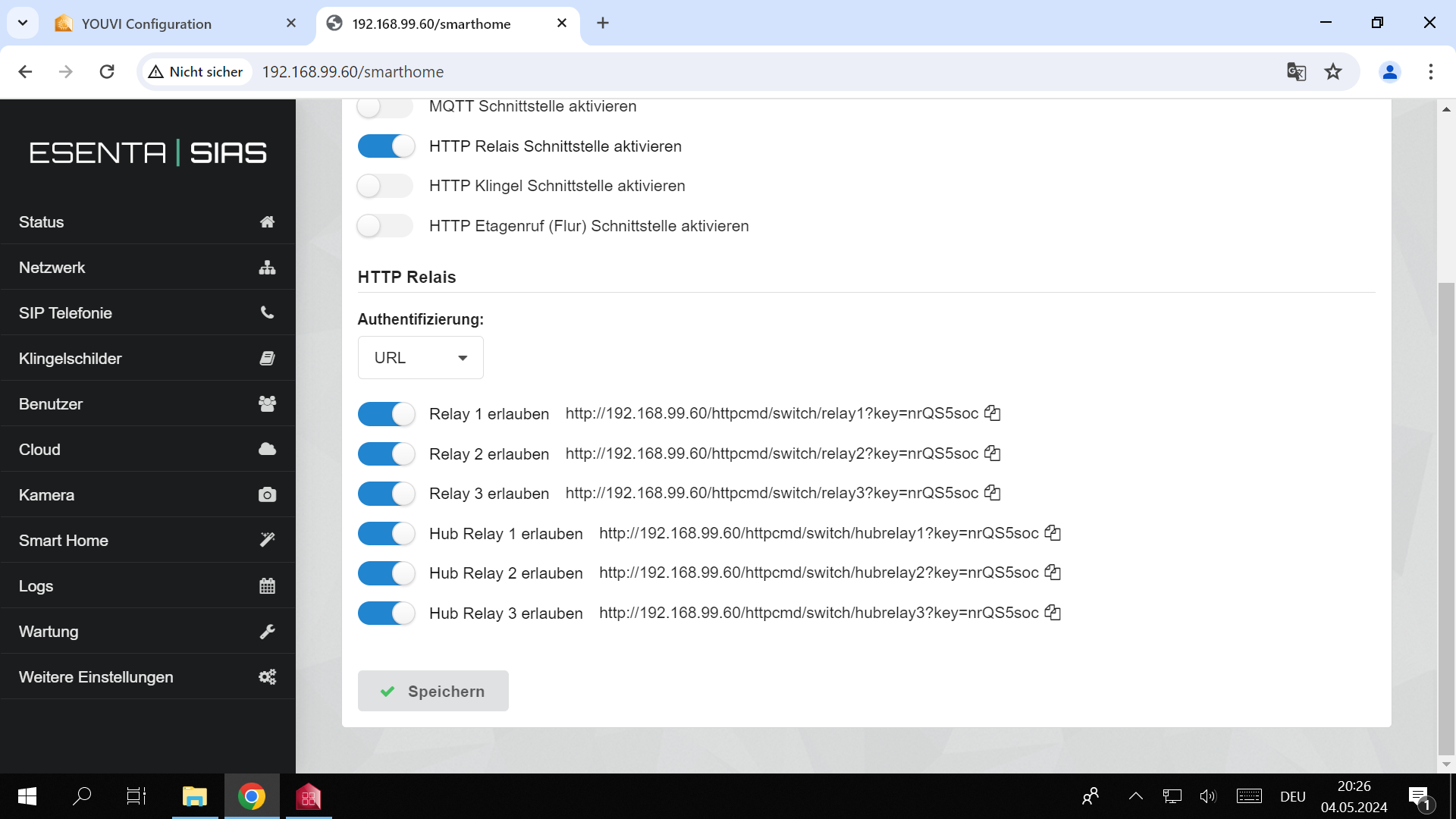
Open the Smart Home page in the ESENTA SIAS web interface.
- Enable the HTTP relay interface
- Under Authentication, select the URL setting
- For the relay connected to the door opener, switch Allow to active
- Note down the displayed URL — you'll need it for the configuration below (unlock address)
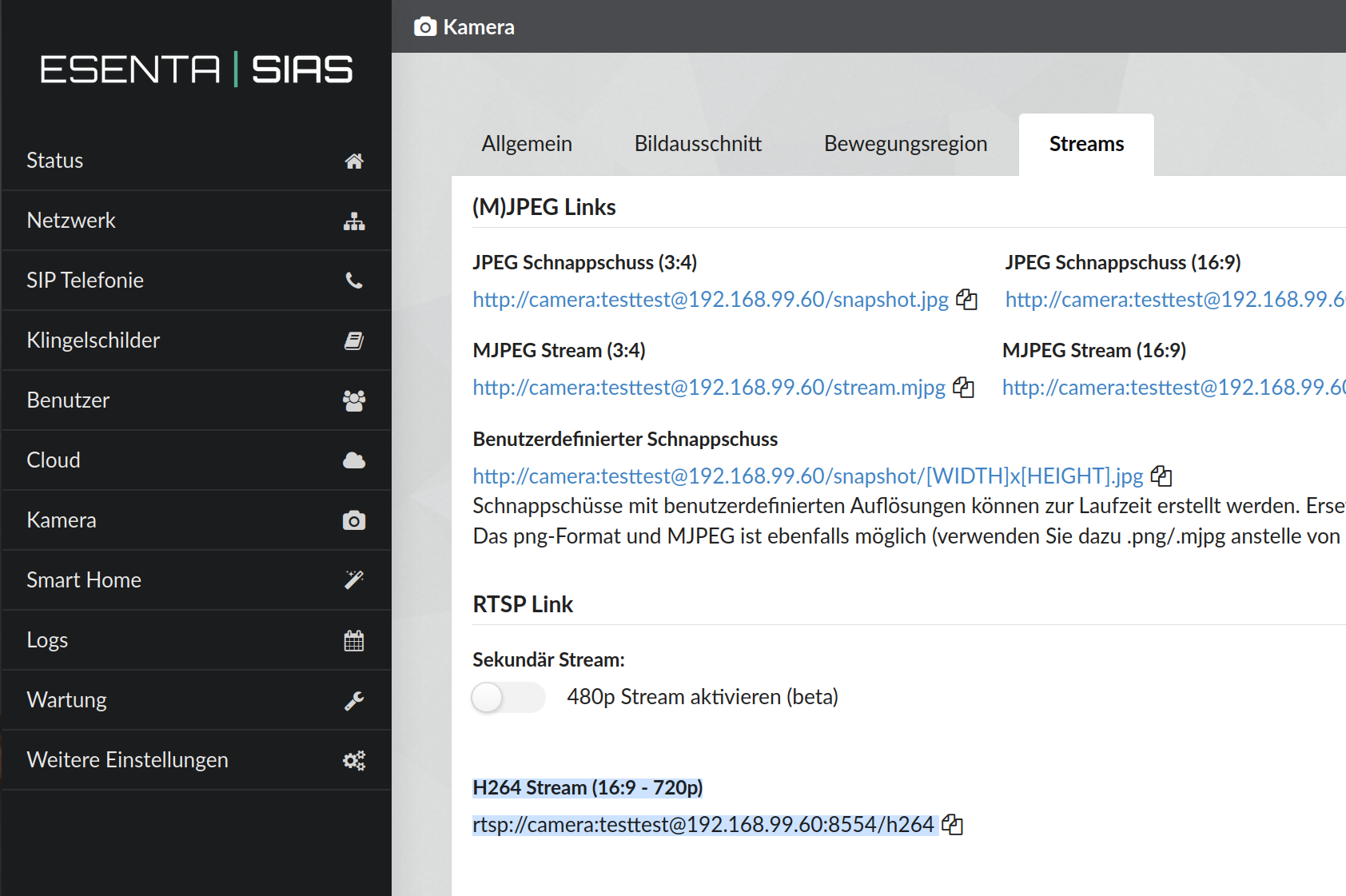
Open the Camera page in the ESENTA SIAS web interface.
- Select the Streams tab
- Note down the RTSP URL under H264 Stream (16:9 – 720p). You'll need this RTSP URL for the configuration below (camera stream)
PEAKnx YOUVI configuration
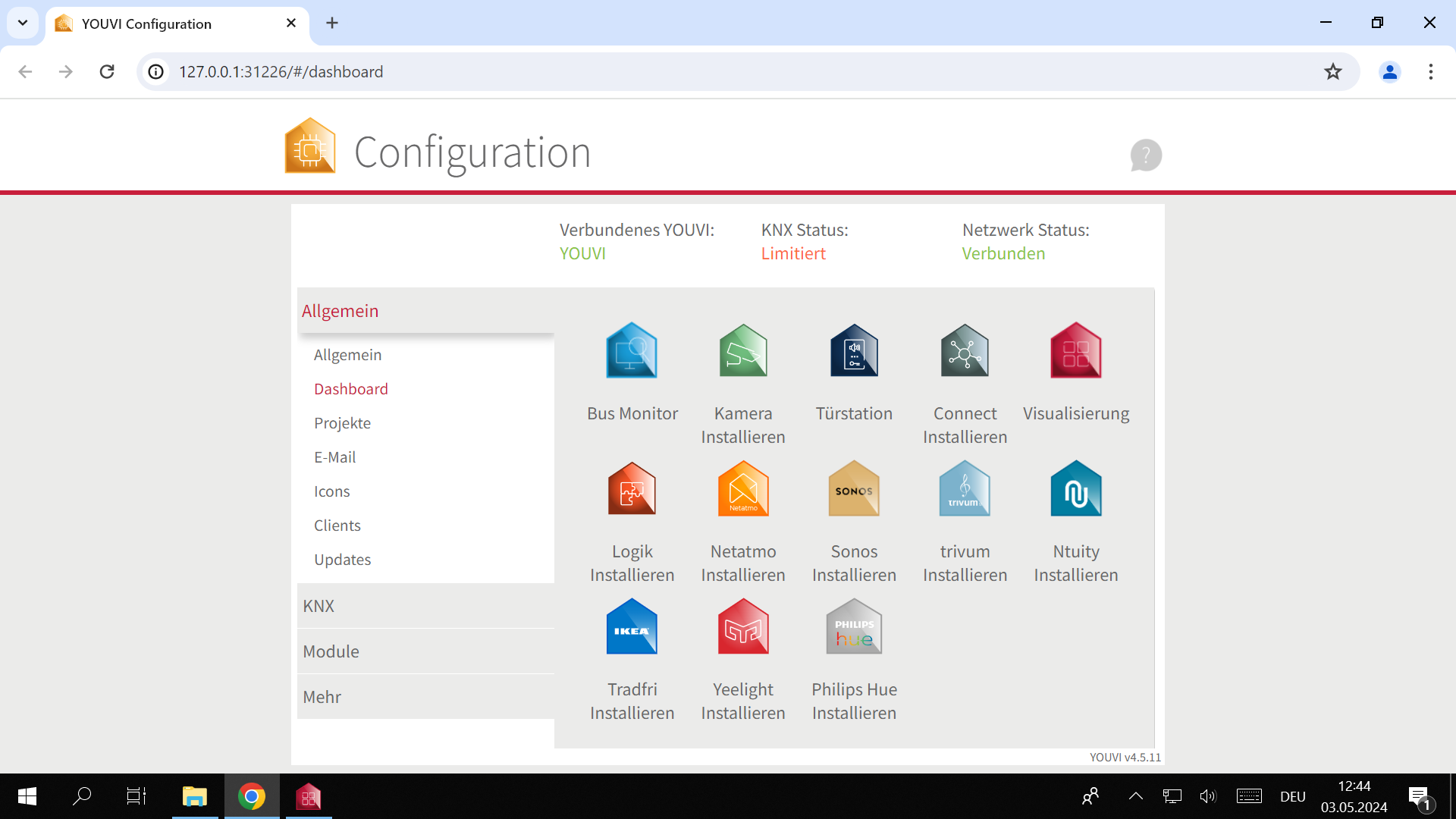
In the YOUVI configuration, open the General > Dashboard page. Then select Door Station (install it first if needed).
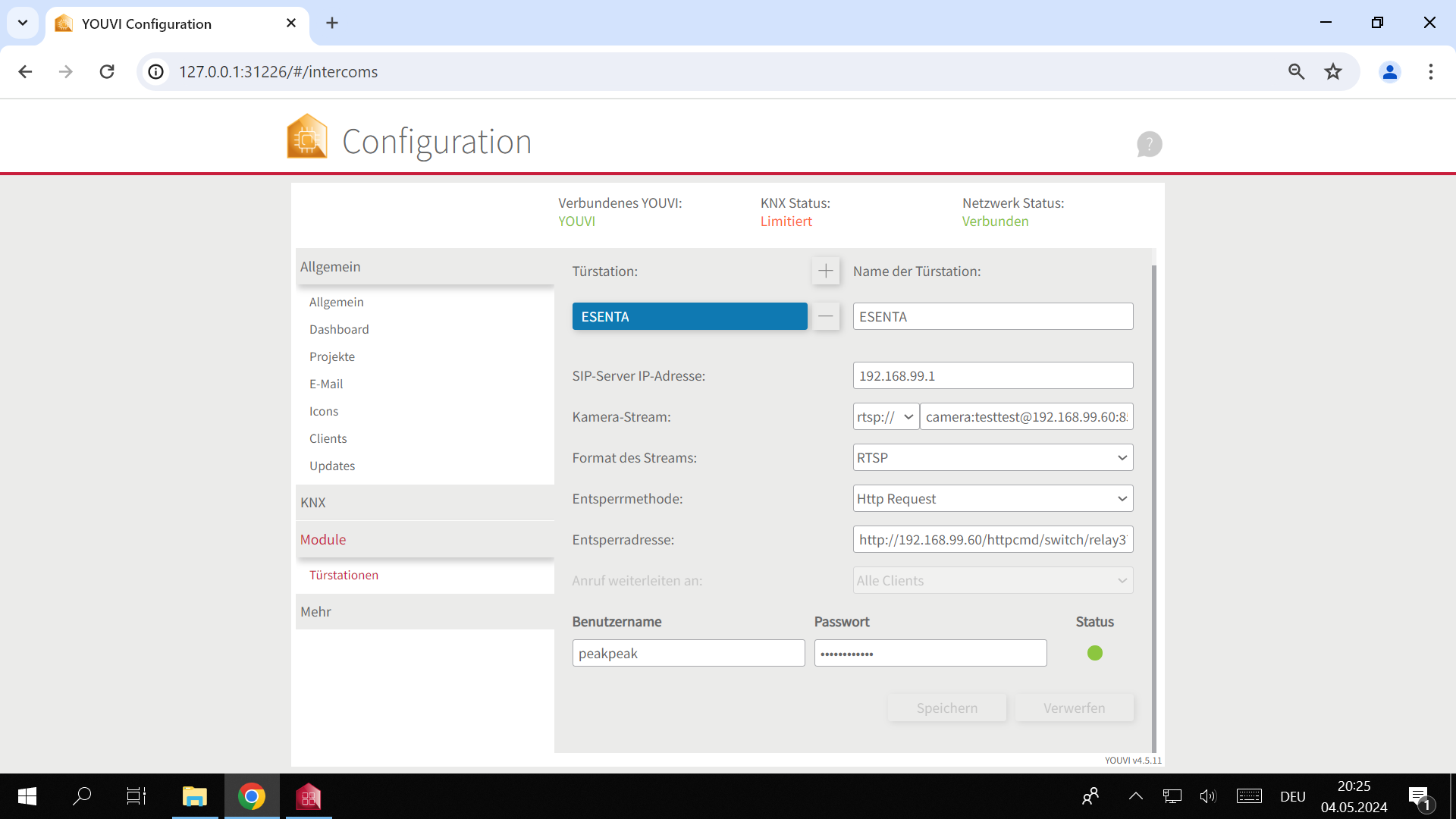
On the next page, click the + button to add a new door station and make the following settings:
- In the top field, set a name for the door station (here: ESENTA)
- On your SIP server (e.g. FRITZ!Box, see the manufacturer's guide), create a SIP user for the PEAKnx panel, and enter the corresponding data into the SIP server IP address, Username, and Password fields.
- For the camera stream, select rtsp:// and paste in the URL from the Camera > Streams submenu of the ESENTA SIAS web interface.
- Select Http Request as the unlock method
- Paste in the unlock address for the desired relay from the Smart Home > HTTP Relay page in the ESENTA SIAS web interface (the address requires an "http://" prefix — add it if it's missing)
Storing a call target in ESENTA SIAS
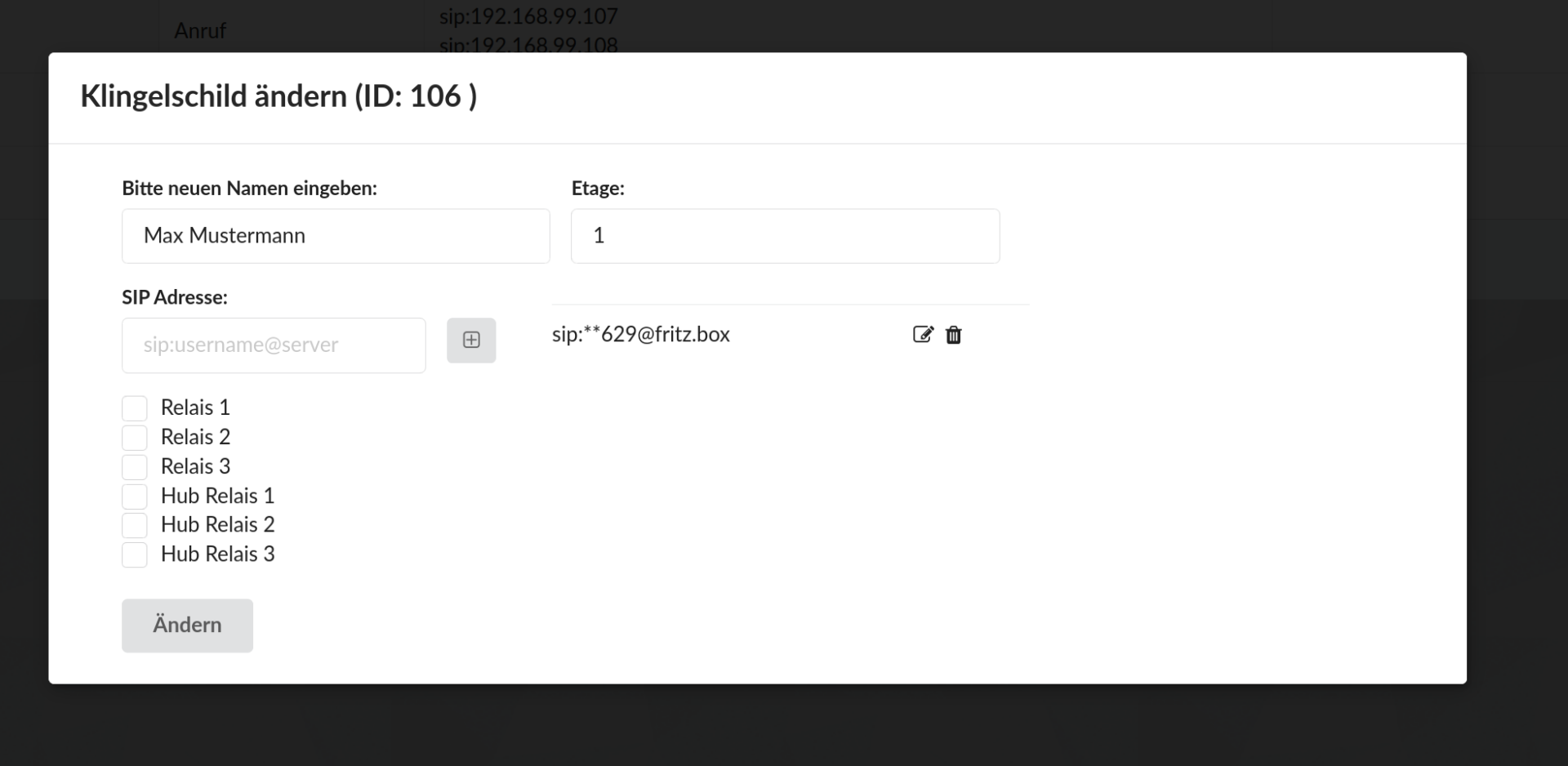
For ESENTA SIAS to be able to call the PEAKnx panel, the SIP address corresponding to the SIP username used on the PEAKnx panel must be stored for a doorbell button.
To do this, open the Doorbell Buttons page in the ESENTA SIAS web interface and add the SIP address to an existing or new doorbell button. In this example: sip:629@fritz.box. The number 629 belongs in this case to the user peakpeak, which was used in the previous configuration step (consult the documentation for your SIP server if needed).
PEAKnx YOUVI visualization
To be able to use the door station on the PEAKnx panel, it must also be added to the visualization.
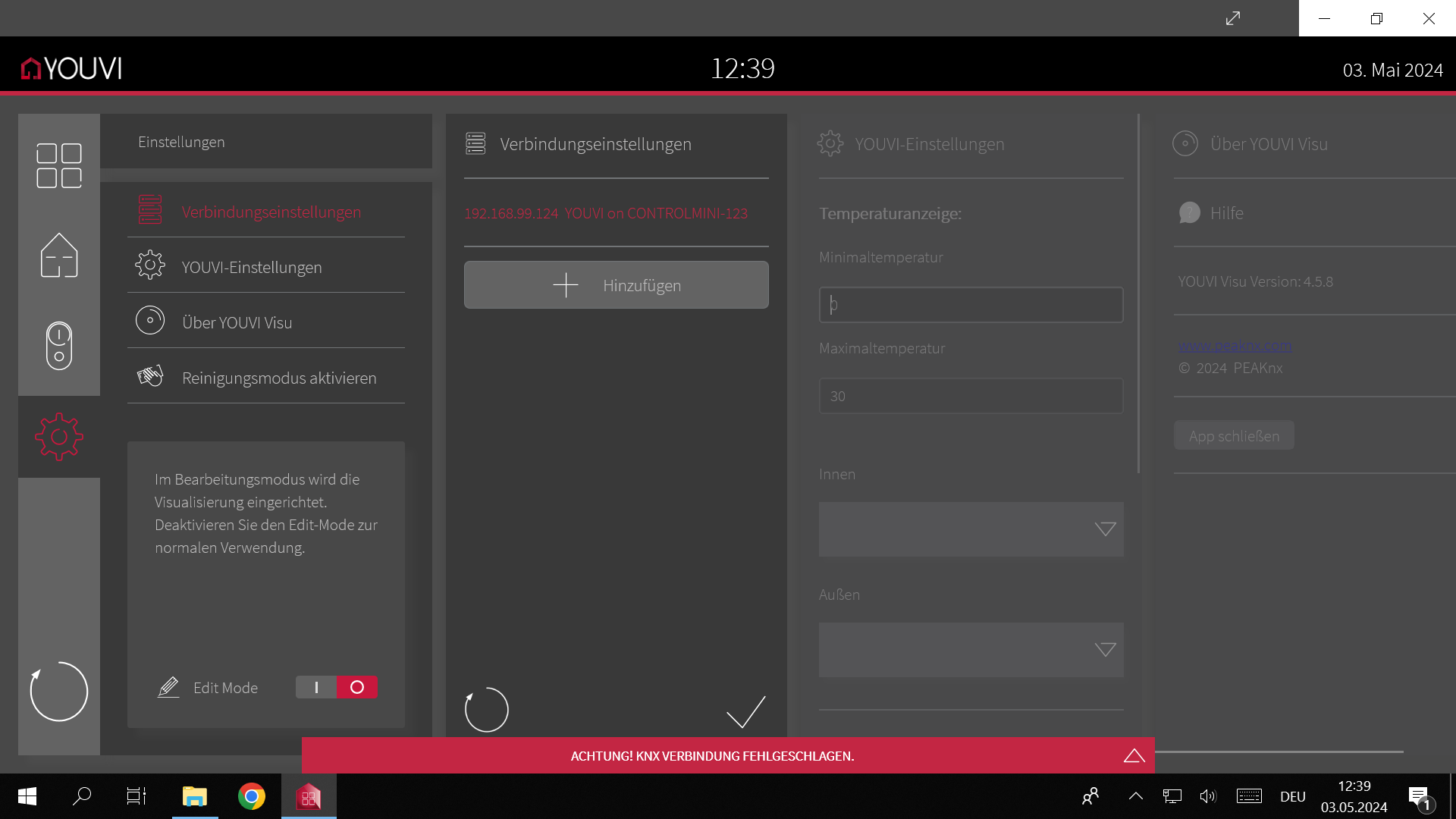
To do this, click the gear icon in the menu on the left and enable Edit Mode on the following page.
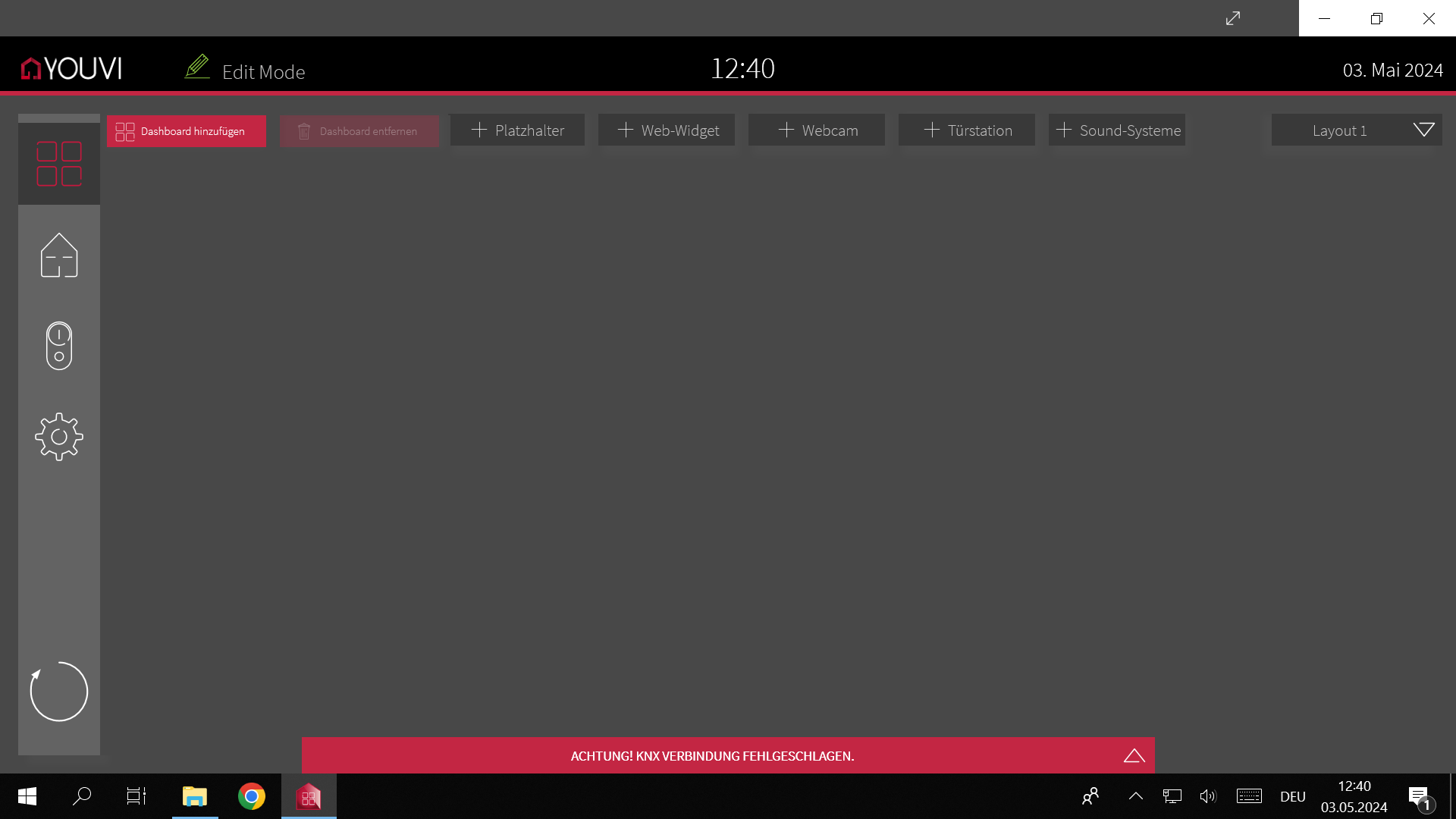
Now go back to the home page and click the + Door Station button at the top right.
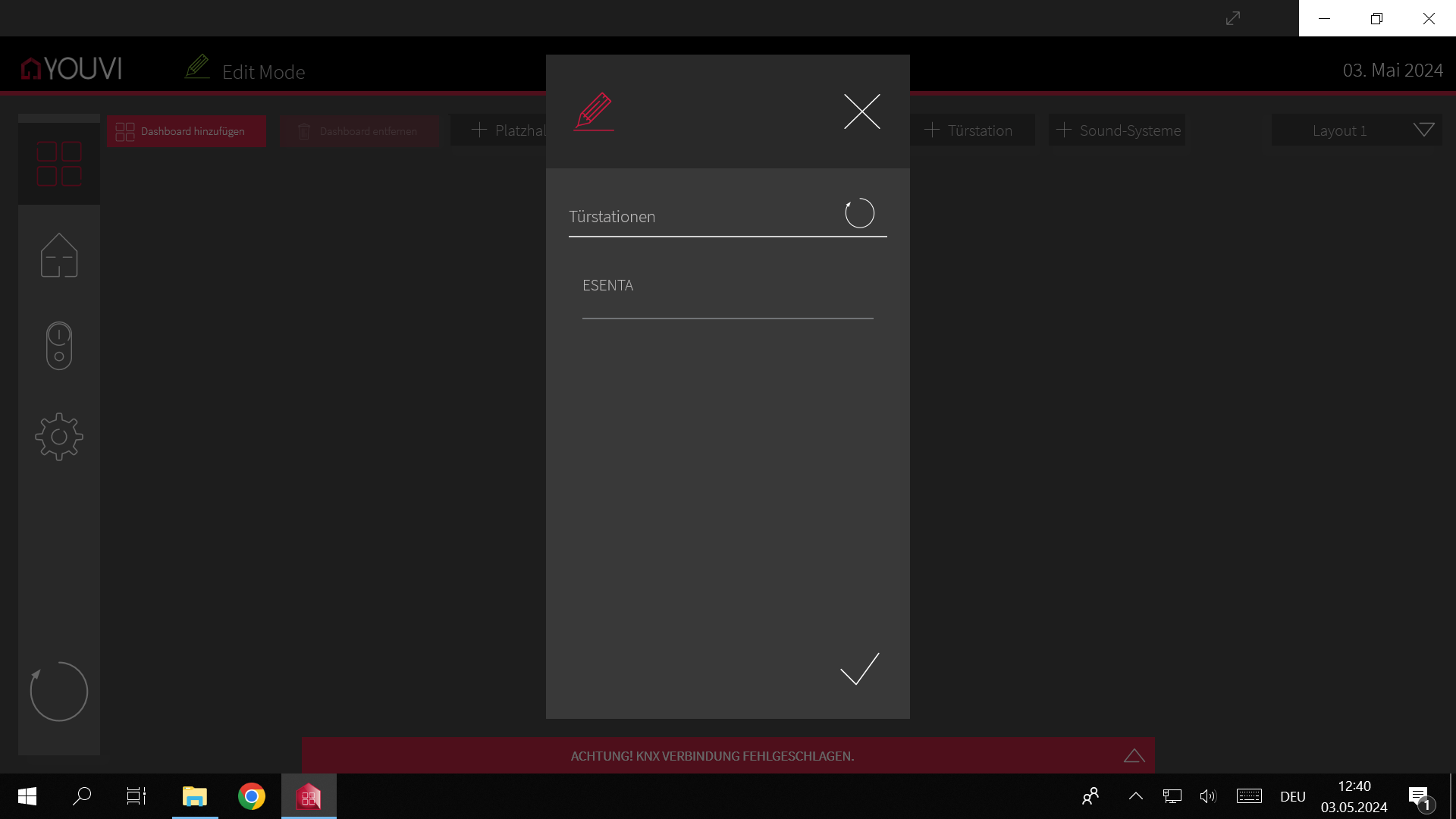
In the following window, select ESENTA and confirm.
The door station is then displayed, and Edit Mode can be disabled again.
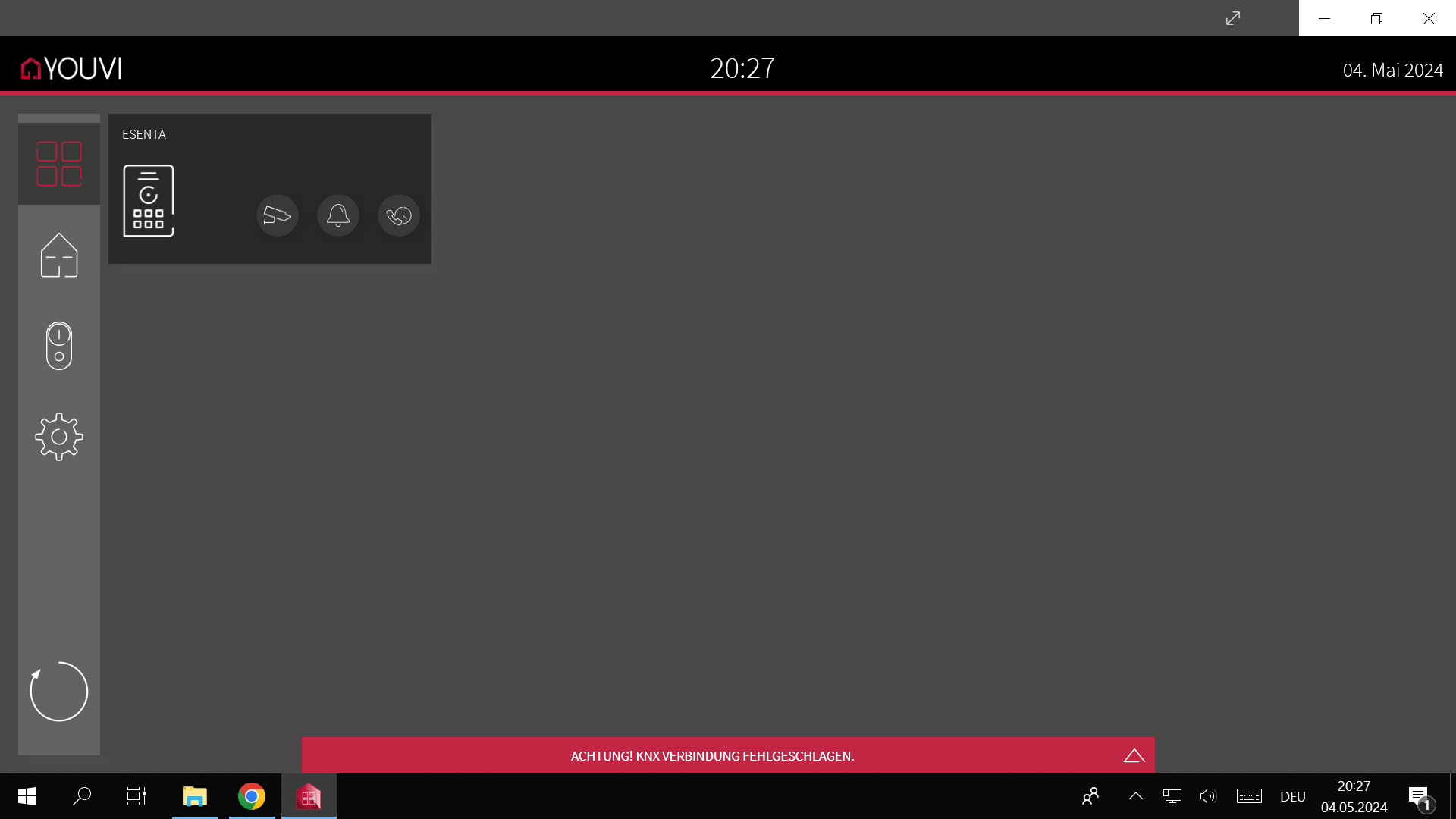
You can now retrieve the video image, open the door, and answer calls.


