It is possible to additionally enroll existing SALTO KS cards and tags in ESENTA Sias so they can be used in both systems in parallel.
Enrolling Cards/Tags
In the ESENTA web interface, open Users > NFC Cards > Add.
Select Mifare DesFire EV1/2/3 as the card type.
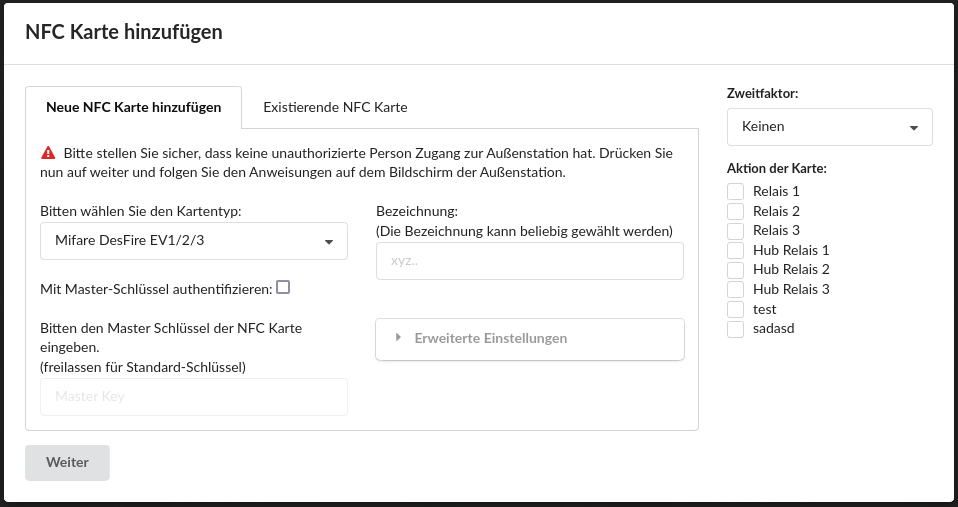
For Salto KS cards/tags, the Authenticate with master key option must be disabled.

Set a Label and an Action, then click Next.
Then follow the instructions on the outdoor station's display.
Removing Cards/Tags
To remove an enrolled Salto KS card/tag, select the Clean and remove card option and hold the corresponding card/tag in front of the reader so its contents are erased.
If the card/tag is only removed without erasing its contents, the memory content on the card remains locked, since it cannot be changed without the master key and application key.
If only the assignment of the cards/tags is removed, they can be assigned to another user without re-enrolling.


