Setting up ESENTA SIAS on Starface
- Open the Starface web interface, log in, and open the "Configuration" page
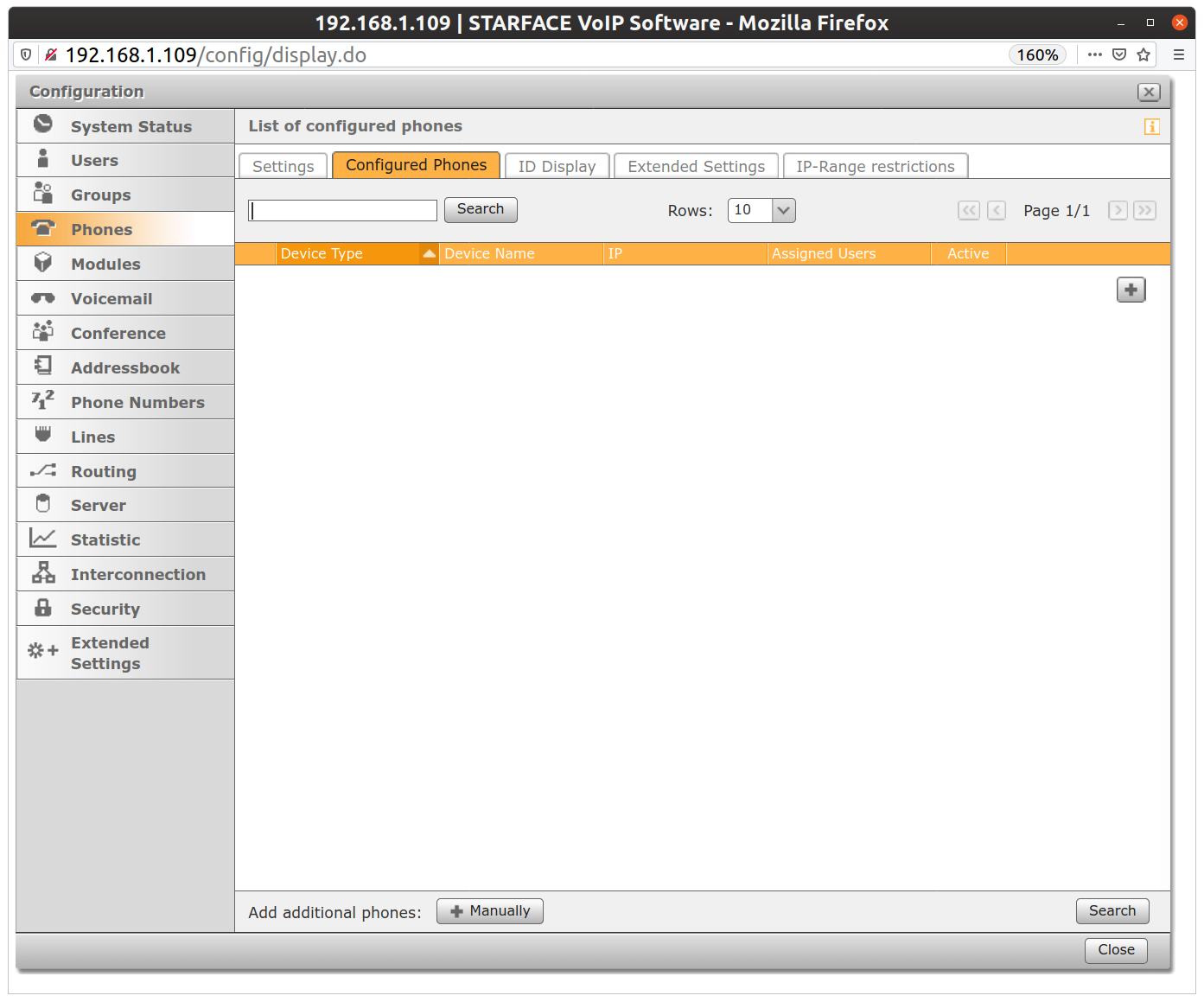
- Under "Phones", click the "Manually" button
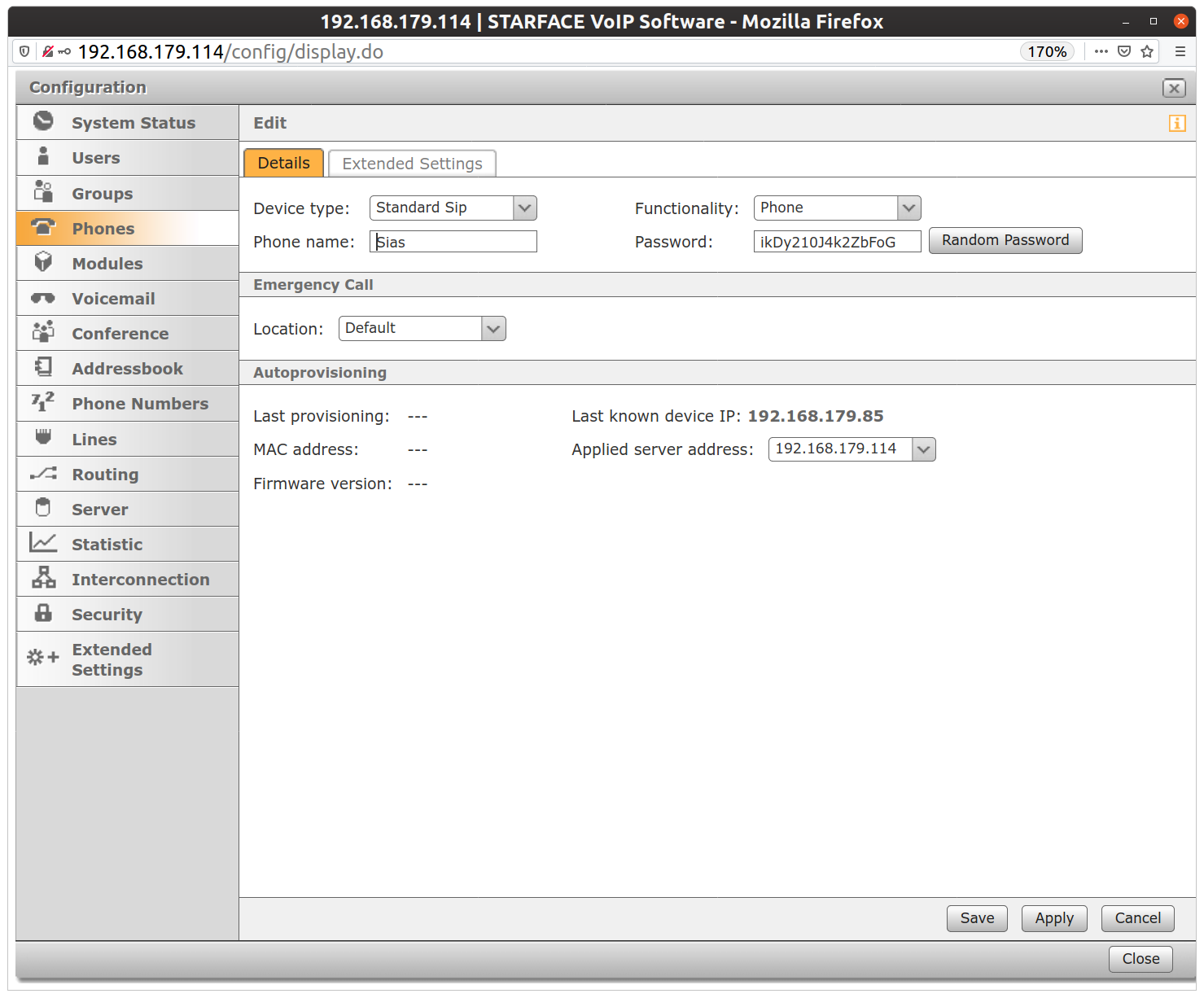
- There, assign a username (Phone Name) and password for SIAS and save.
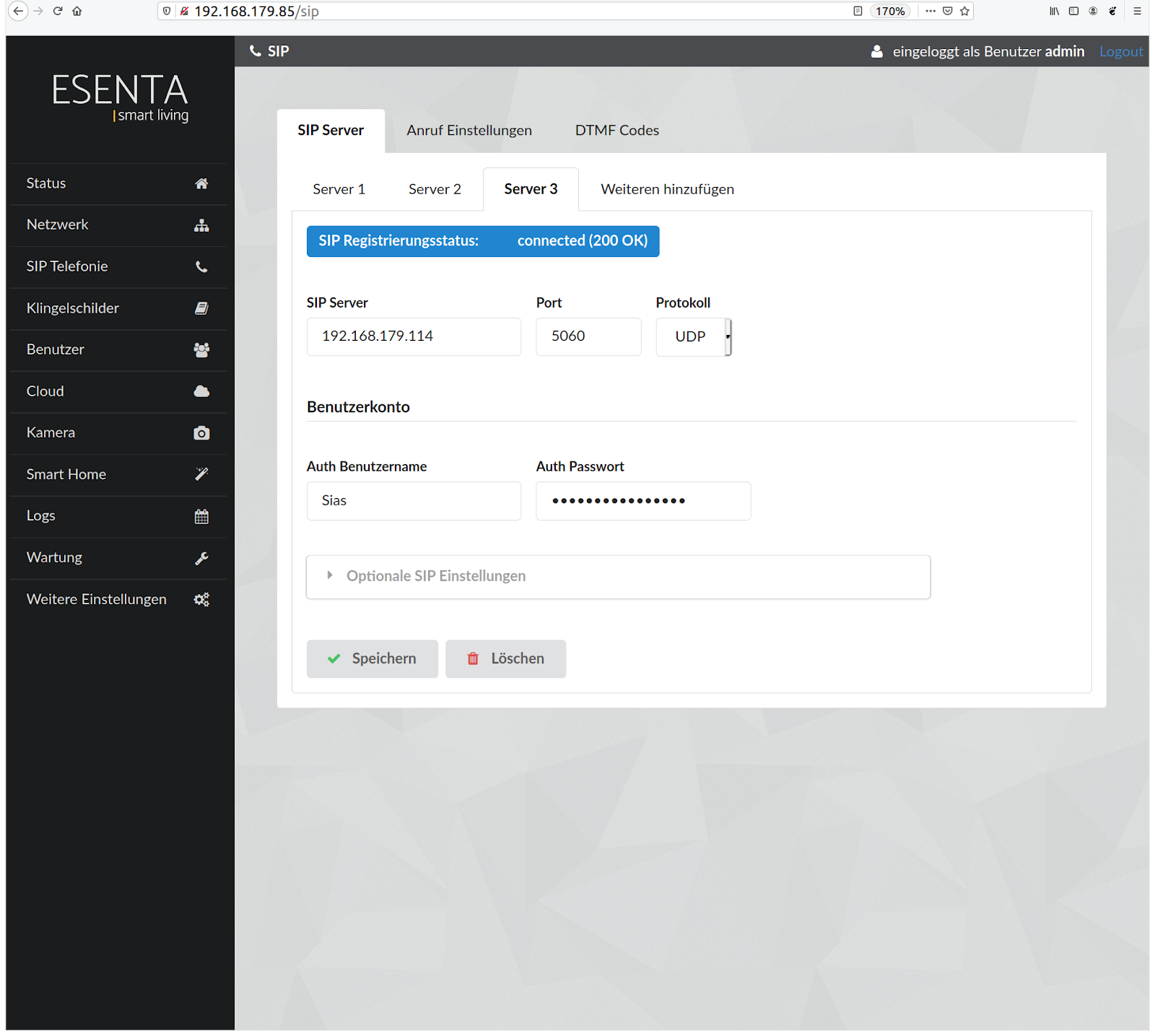
- Then, in the ESENTA SIAS web interface, under SIP Telephony, enter the IP address of Starface as the SIP server, and the login data you just created under "Auth Username" and "Auth Password". Set the protocol to "UDP".
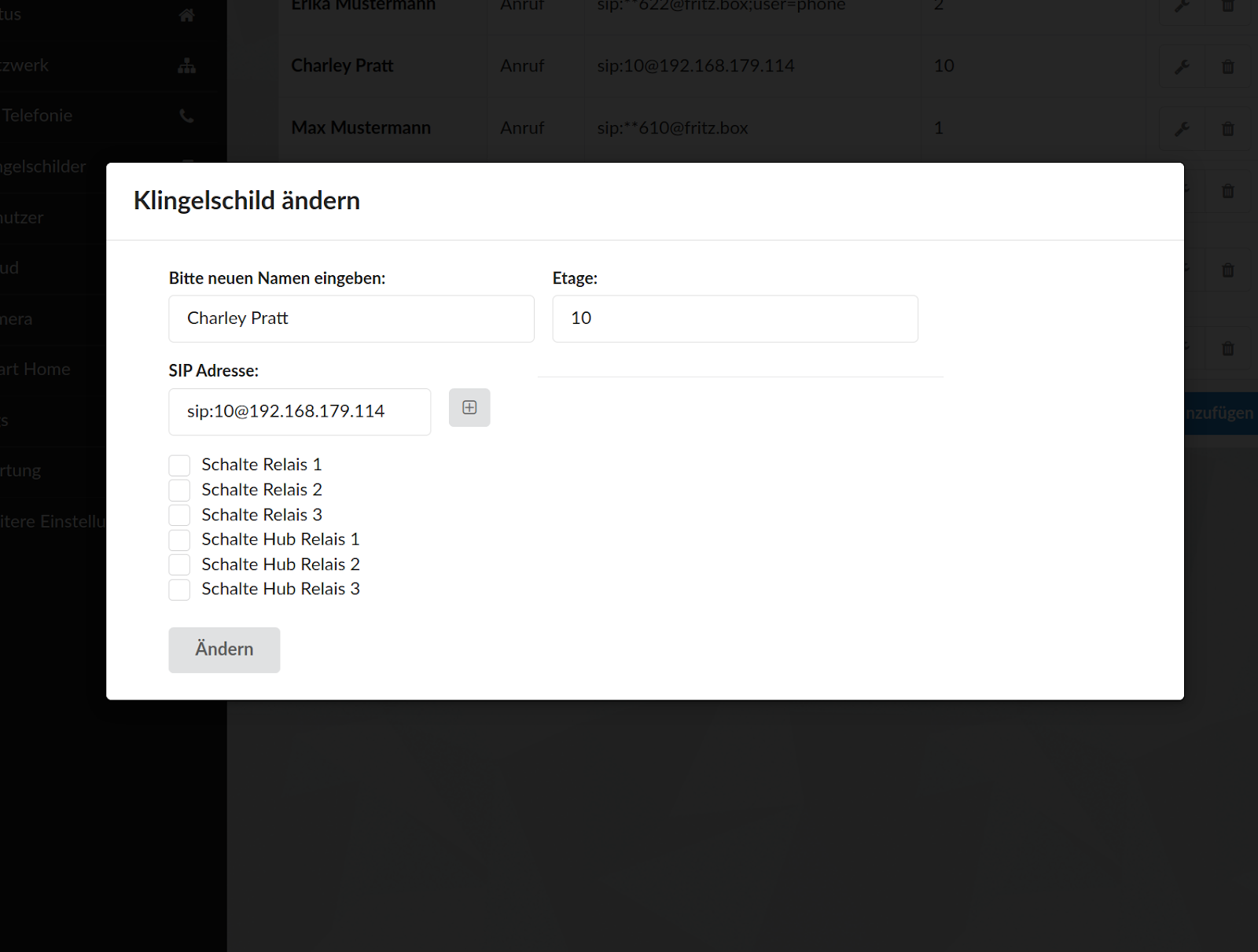
- Calls can then be made via Starface. To do this, under Doorbell Buttons, add an entry of the form sip:[extension number]@[Starface IP].
Adding the camera image
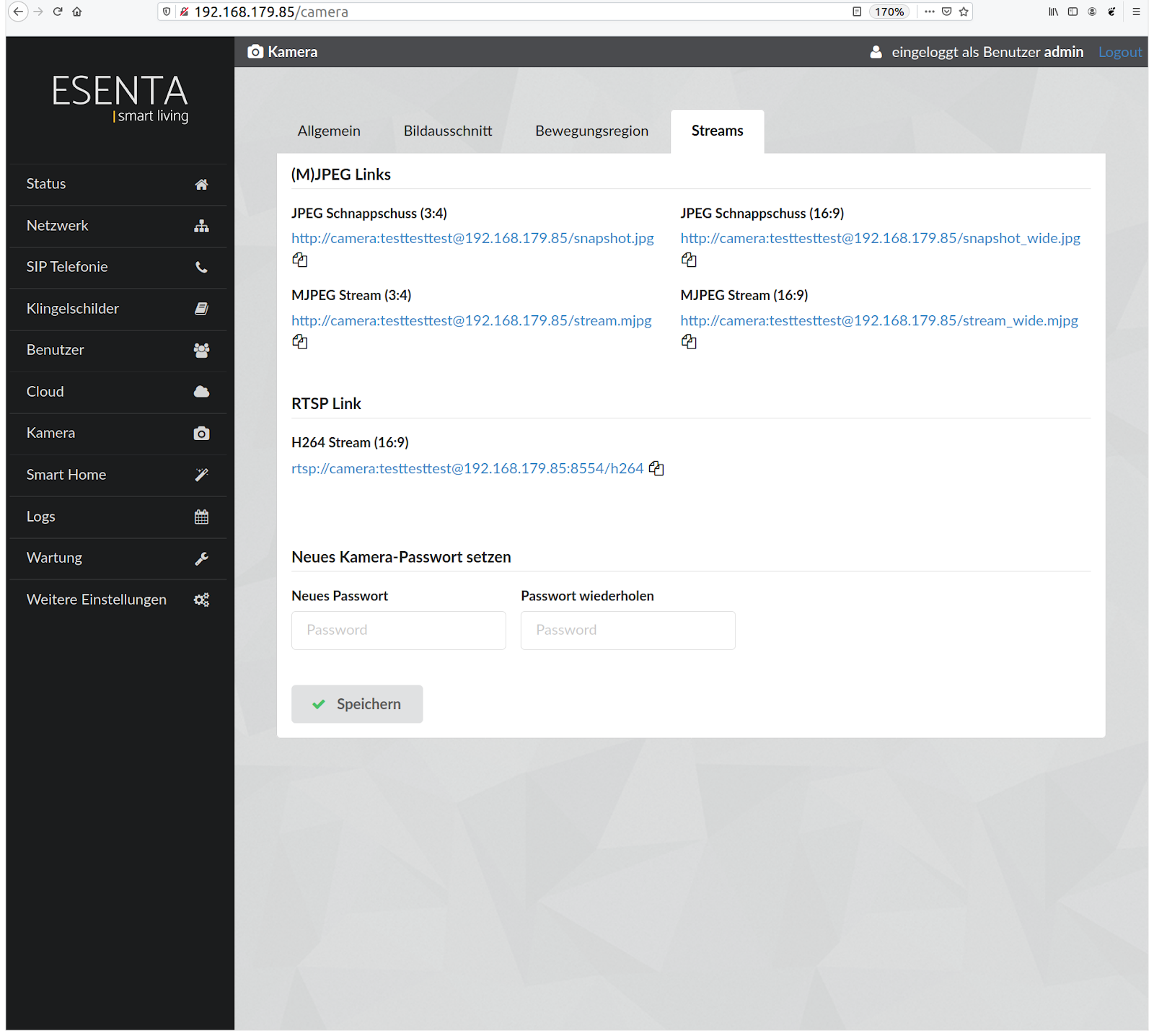
- In the SIAS web interface, under Camera -> Streams, copy the address for the JPEG snapshot (16:9)
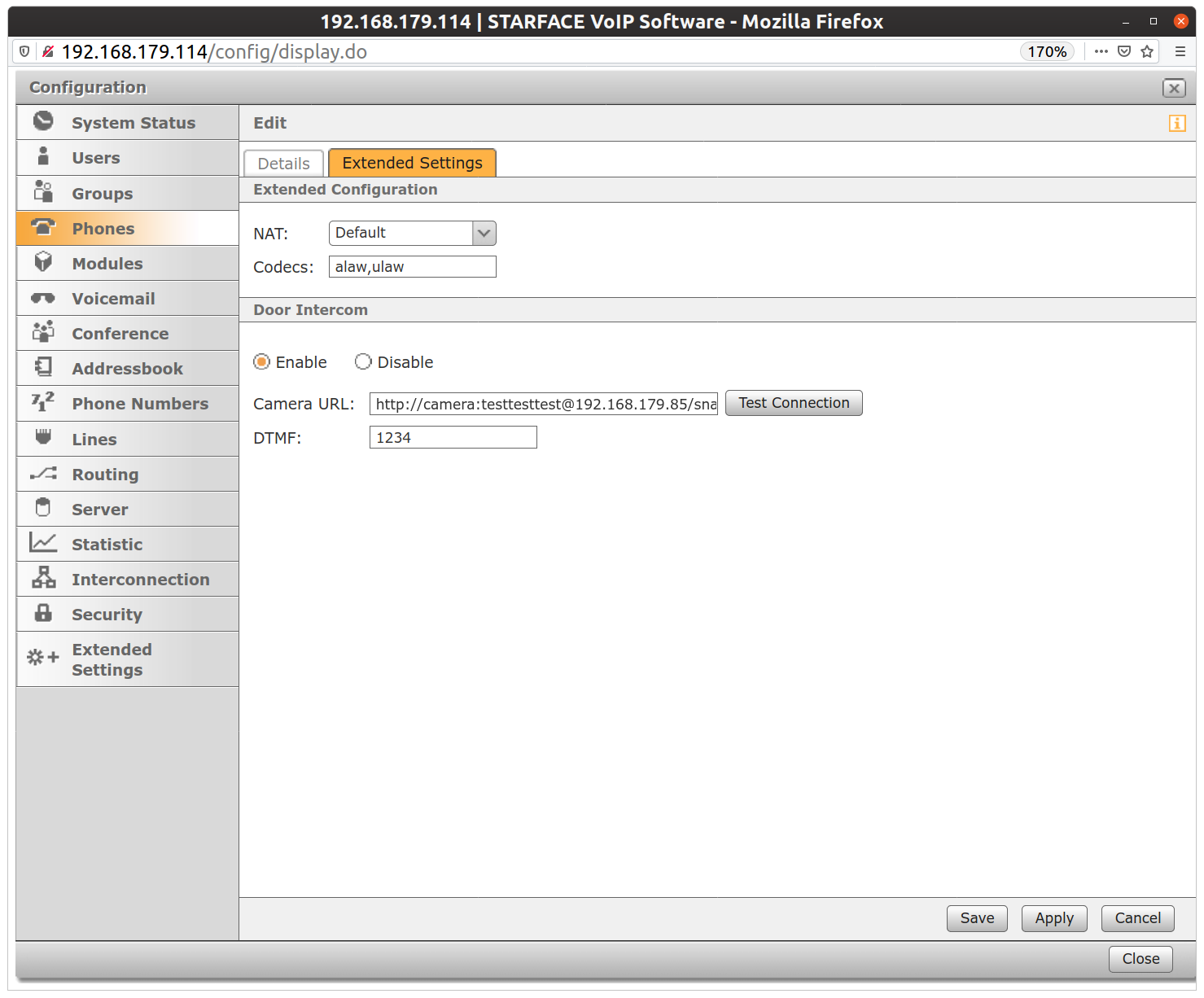
- In the Starface web interface, under "Phones", select the entry for SIAS and, under "Extended Settings", enter the "Camera URL" including "http://". You can also store a DTMF code to open the door at the press of a button via the Starface UCC Client.