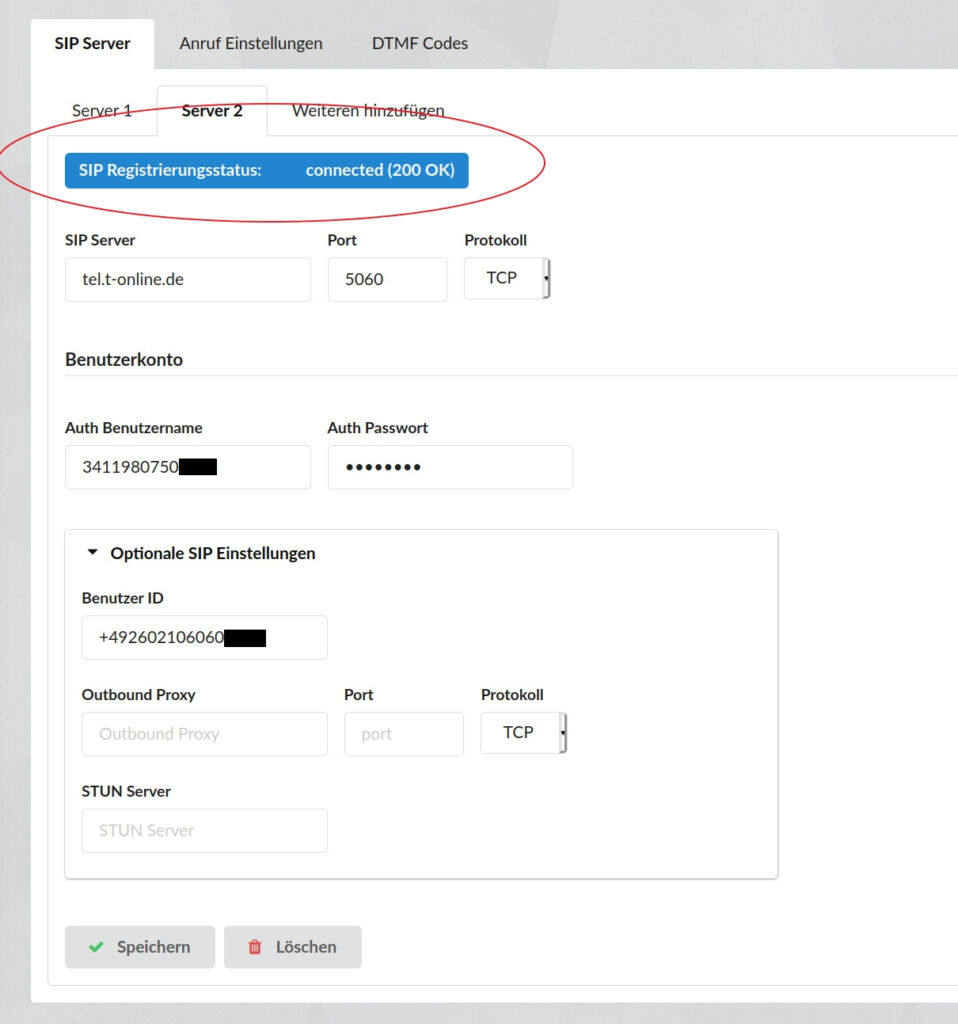
Open the ESENTA Sias web interface and go to the SIP server settings.
There, enter "tel.t-online.de" as the SIP server, port 5060, and protocol "TCP".
The login information must be entered under "Auth Username" and "Auth Password", and the phone number under "User ID".
After saving the settings and refreshing the page, the SIP registration status should change to "connected".