Adding a Shelly as a New Actuator
Open the SIAS web interface
Under Smart Home, go to the External Devices tab
Add device
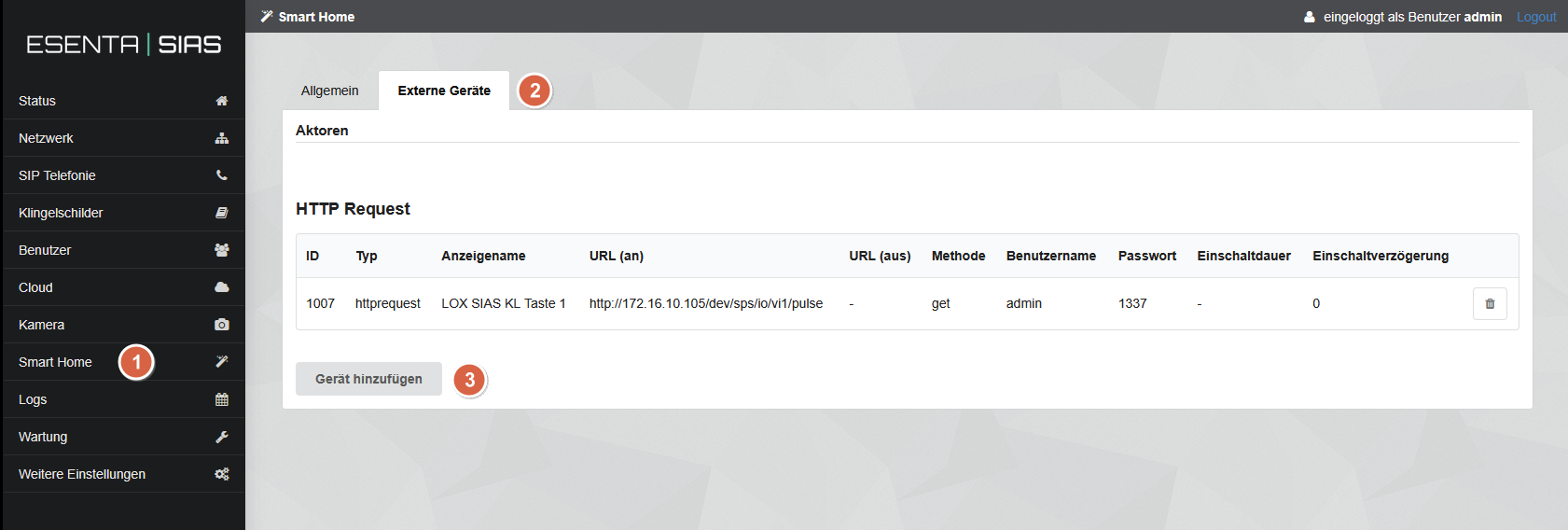
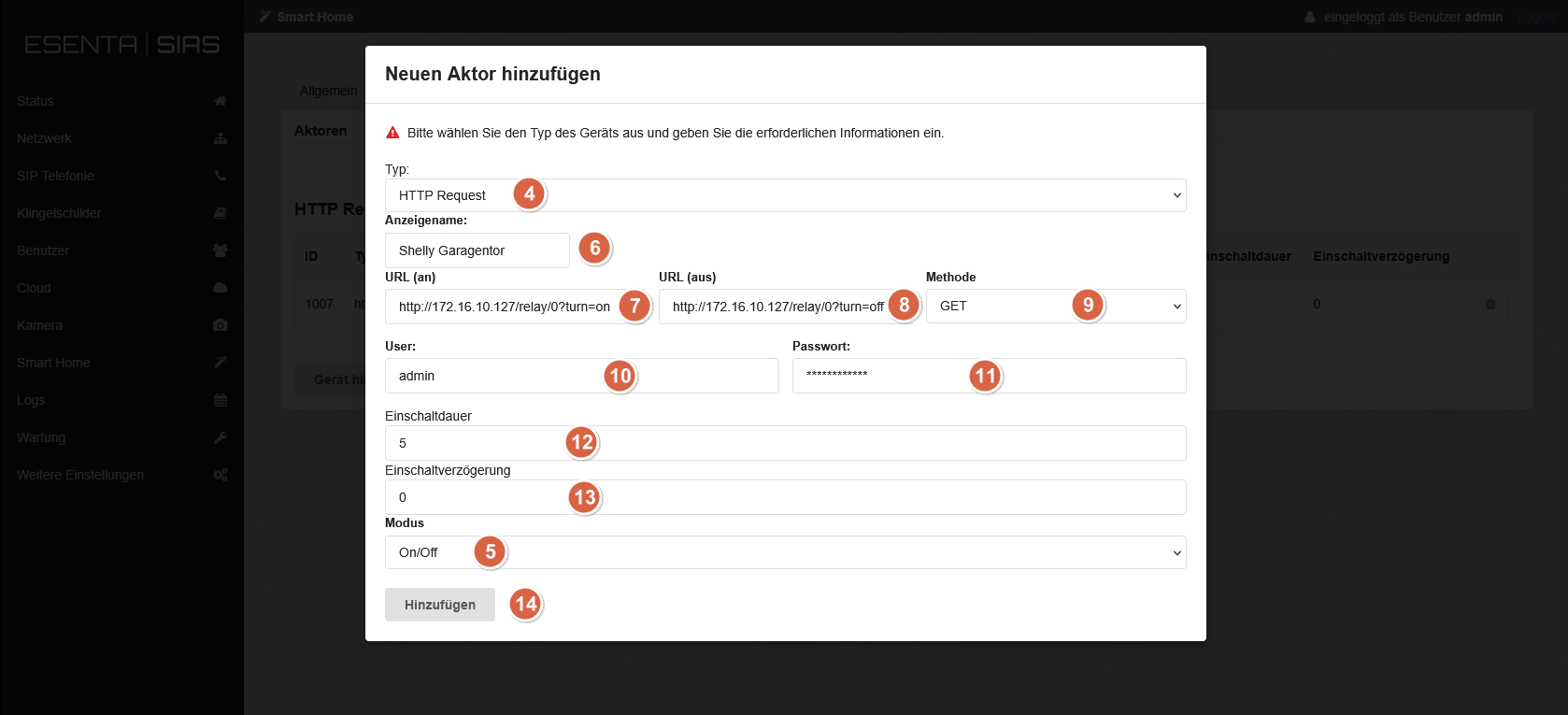
Select HTTP Request
Select Mode: On/Off
Give the Shelly a name
Enter the Shelly "On" URL (please use your Shelly's IP address)
Enter the Shelly "Off" URL (please use your Shelly's IP address)
Select Method: GET
If configured in the Shelly: enter the user (otherwise leave the field blank)
If configured in the Shelly: enter the password (otherwise leave the field blank)
Enter the desired Shelly switching time
Enter the desired Shelly switch-on delay
Save with "Add".
Assigning the Shelly to a Fingerprint / NFC Card or Code
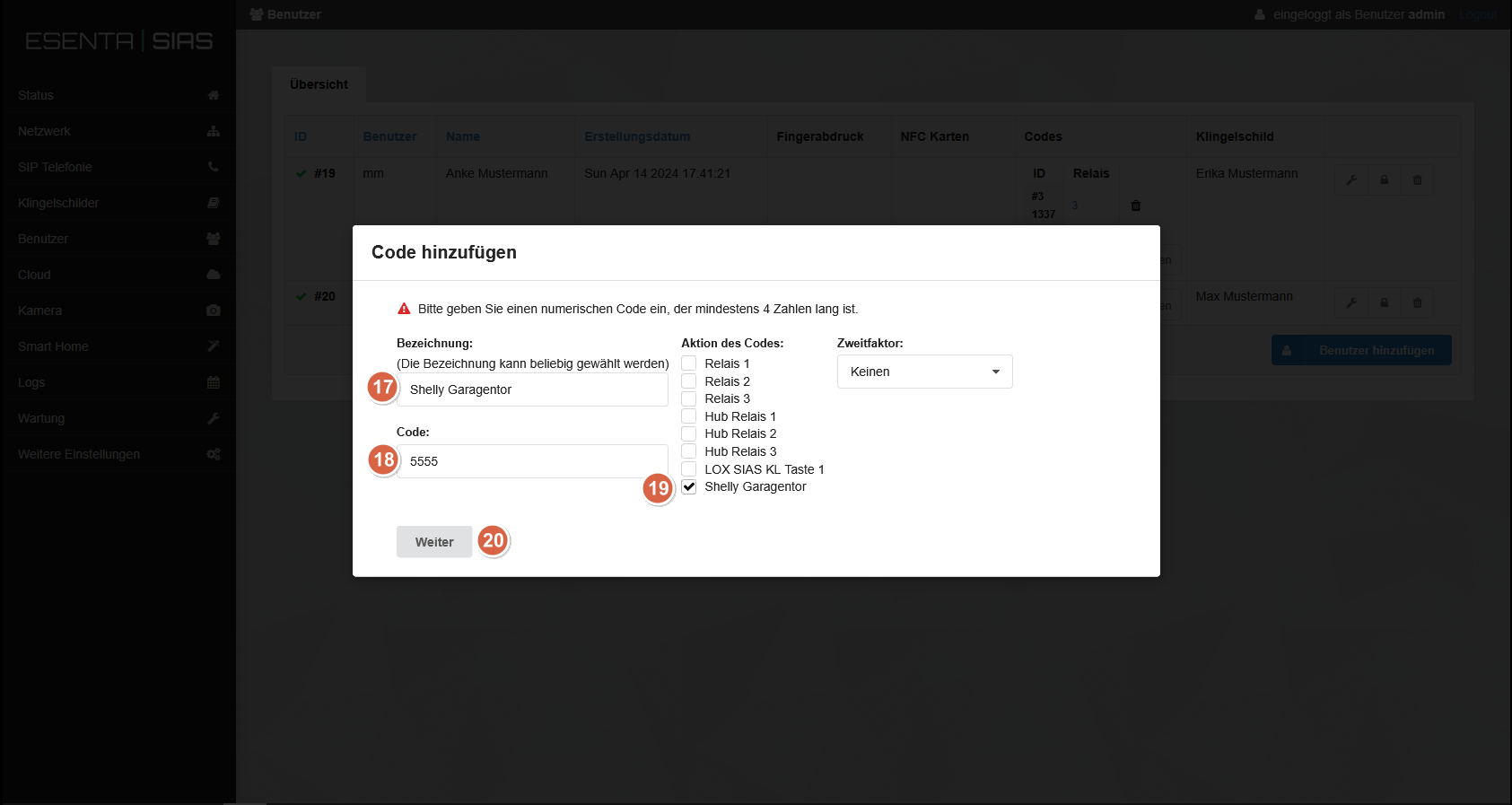
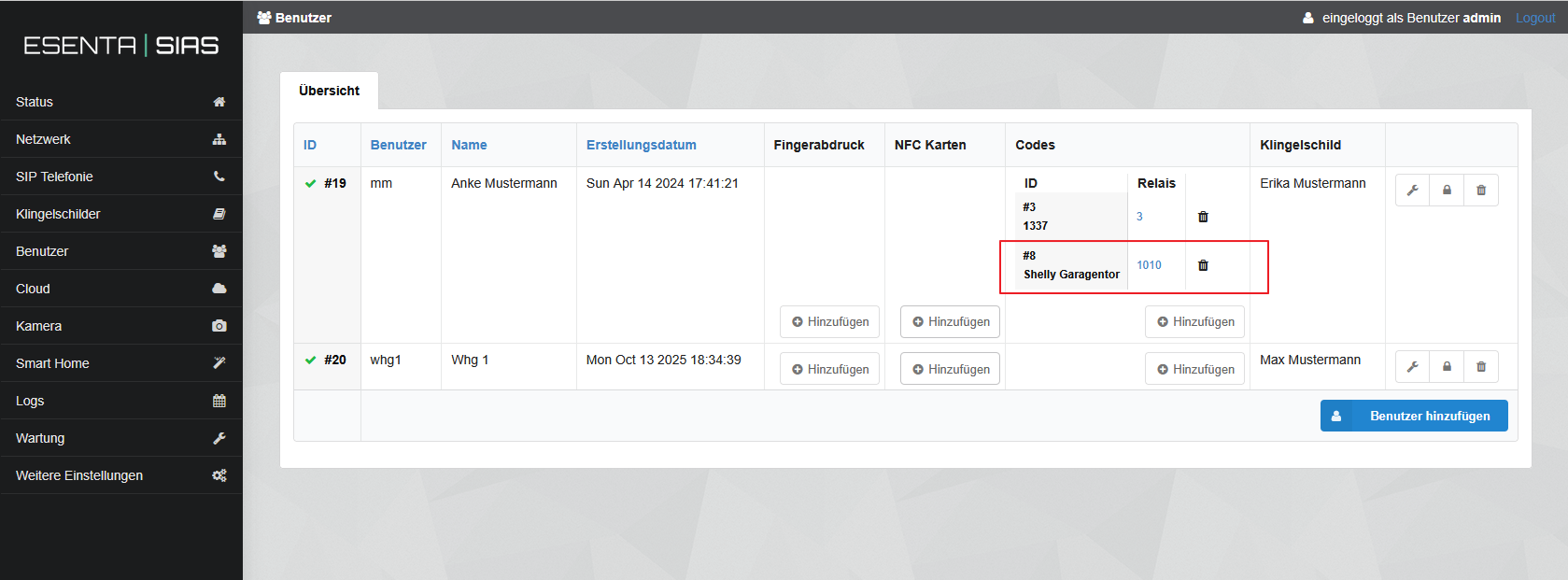
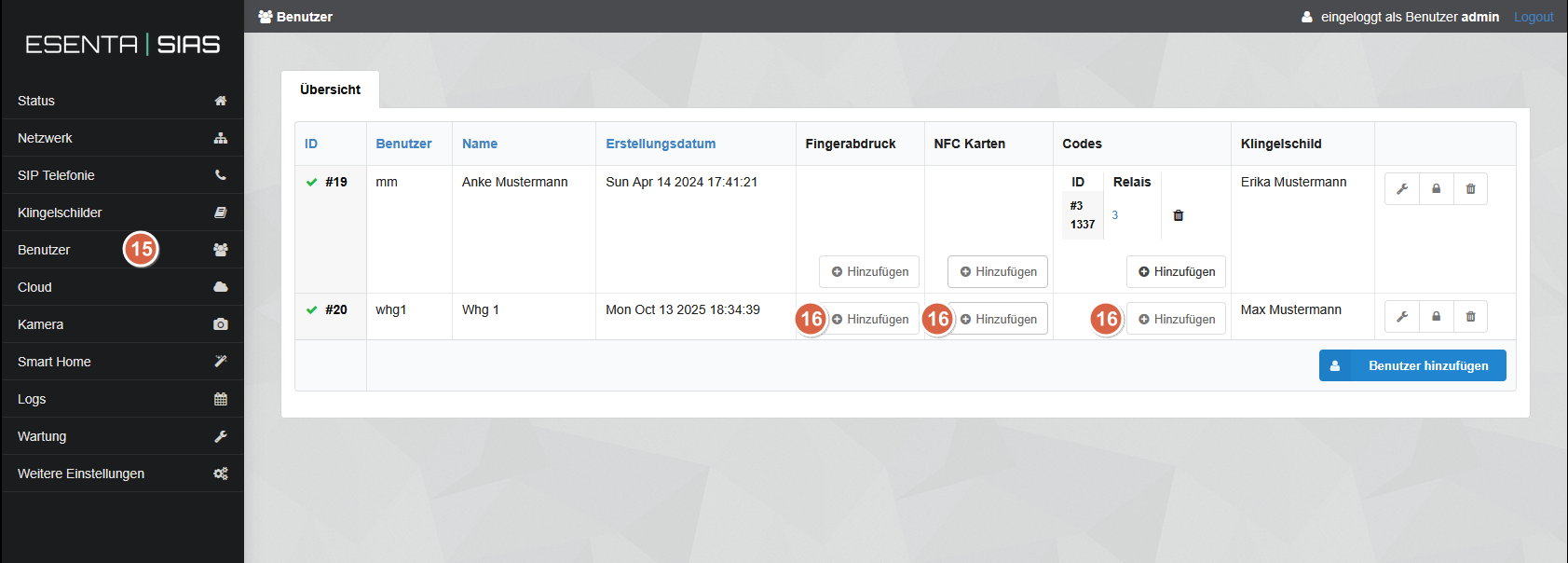
Under Users
Select an authentication method
Enter a label
Enter an access code
Select the Shelly as the relay
Save with "Next".