Using Shelly as a floor call module
Log in to the SIAS web interface.
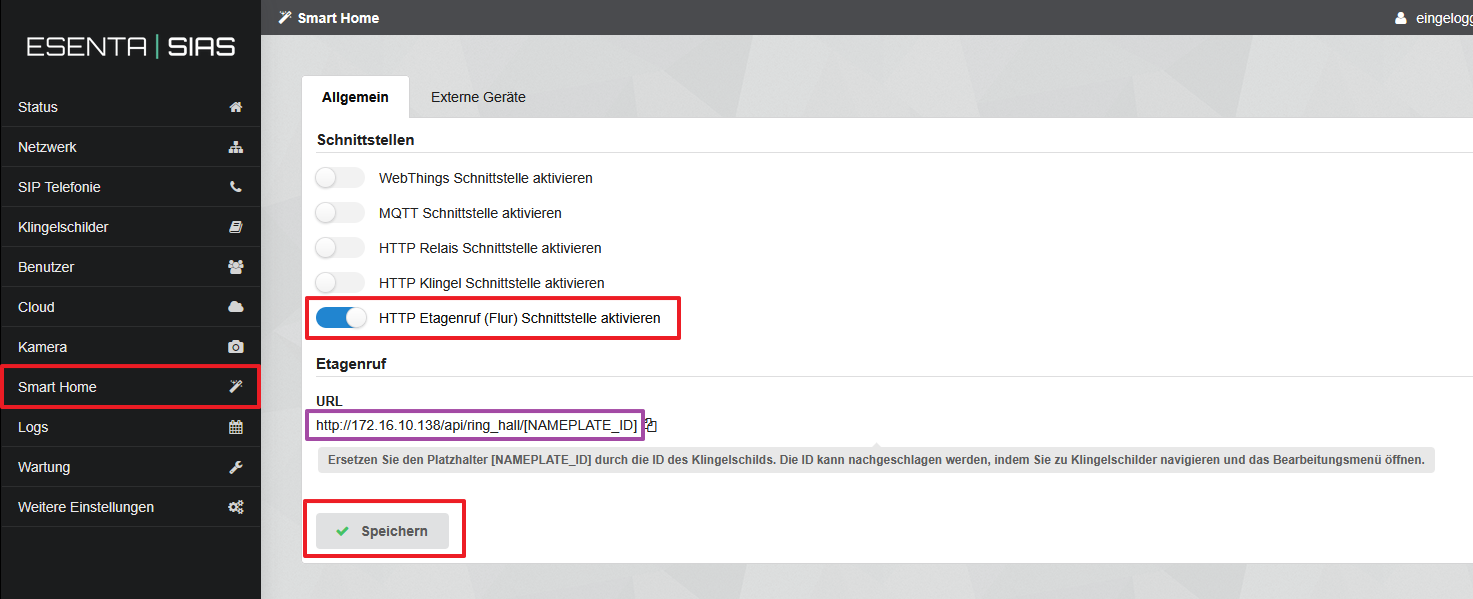
Open the "Smarthome" menu item and enable and save the function:
"Enable HTTP floor call (hallway) interface"
And copy the URL: http://172.16.10.138/api/ring_hall/[NAMEPLATE_ID]
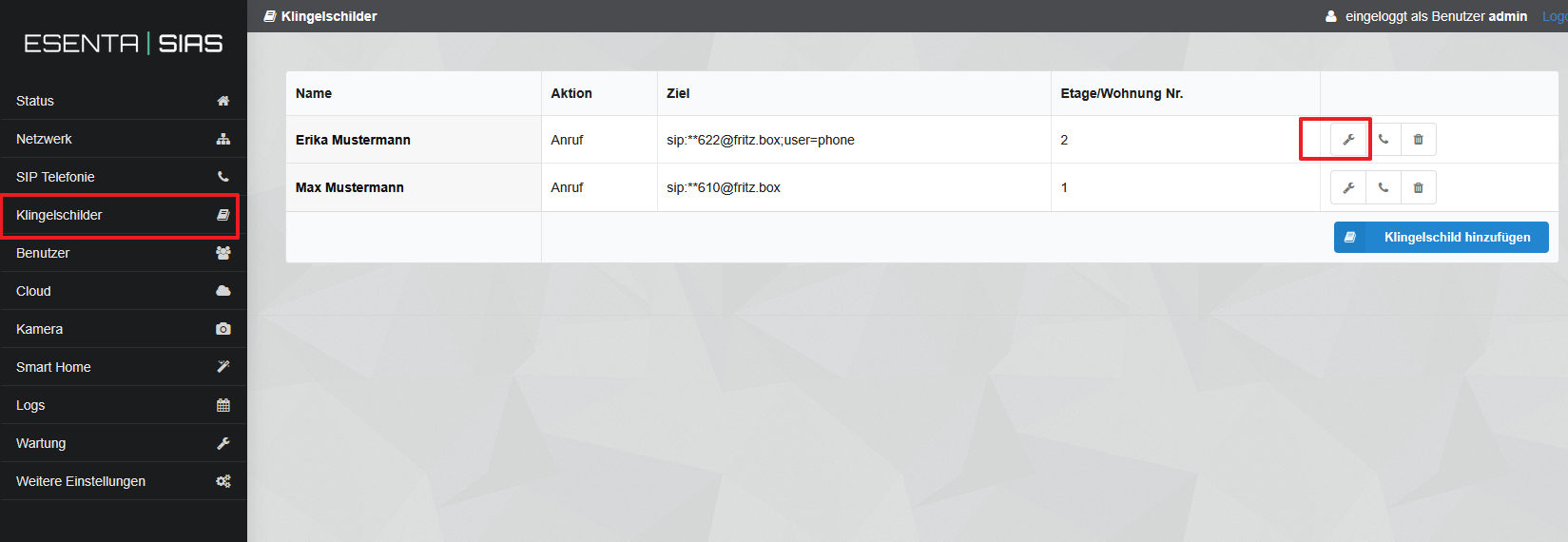
- Open the "Doorbell Nameplates" menu item and click the wrench icon:
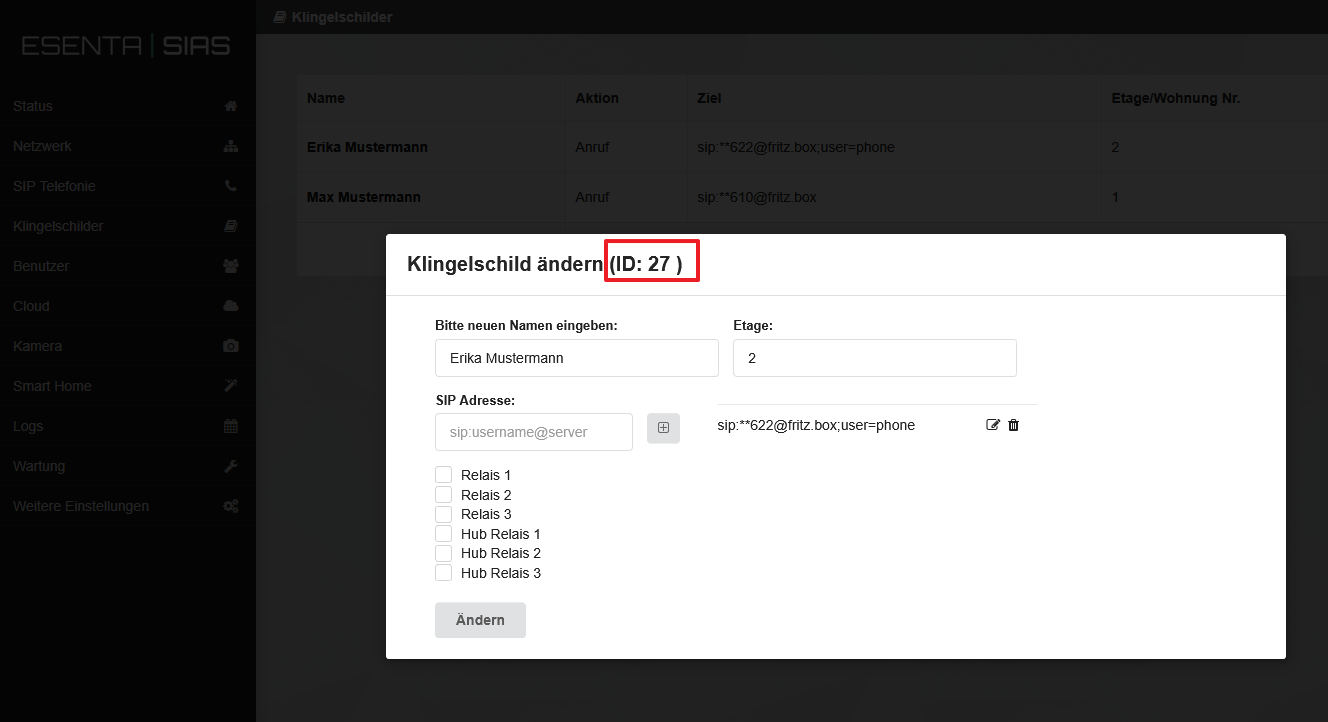
- Note down the respective doorbell button IDs.
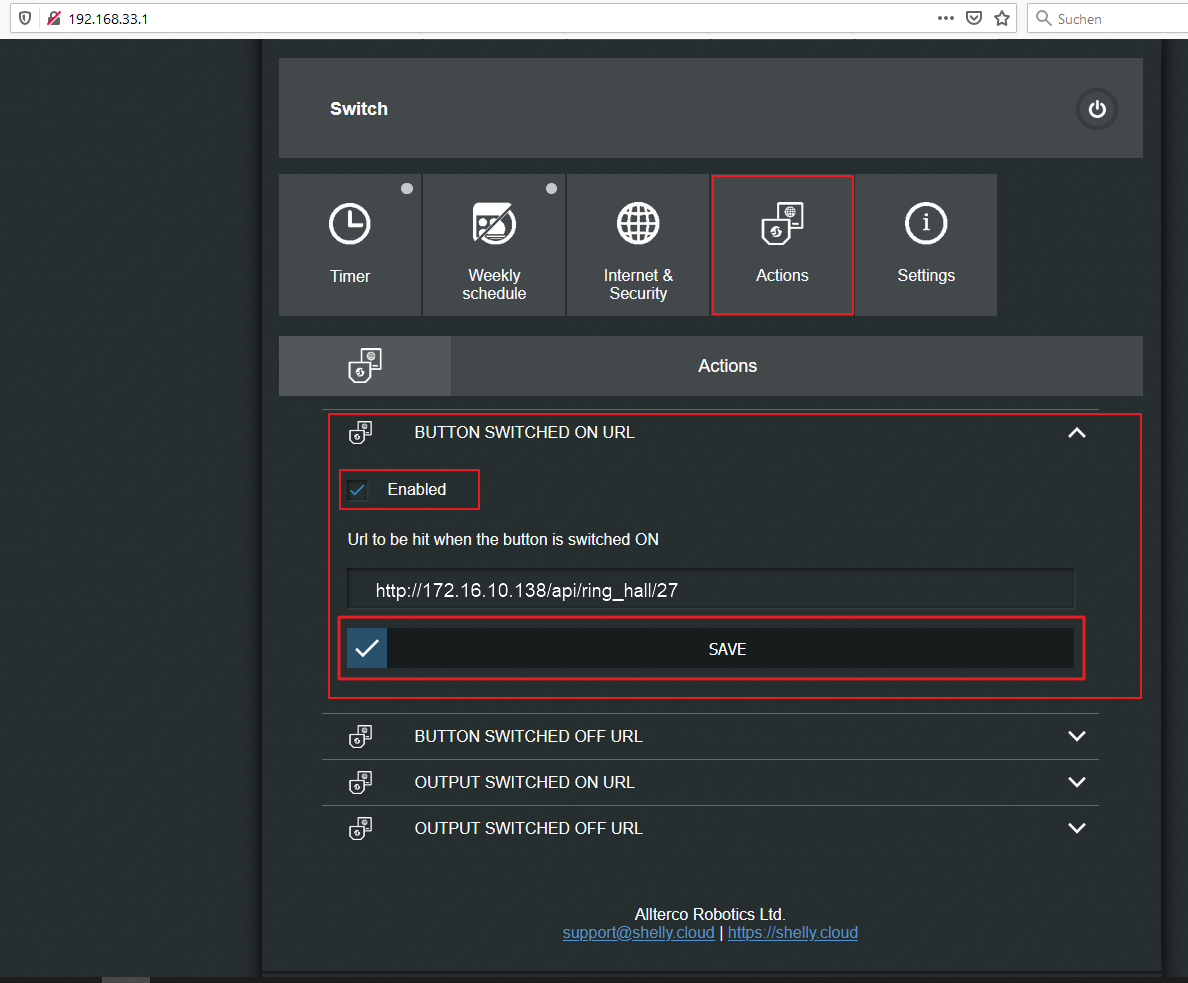
Open the Shelly1 web interface (see the instructions supplied with the Shelly1).
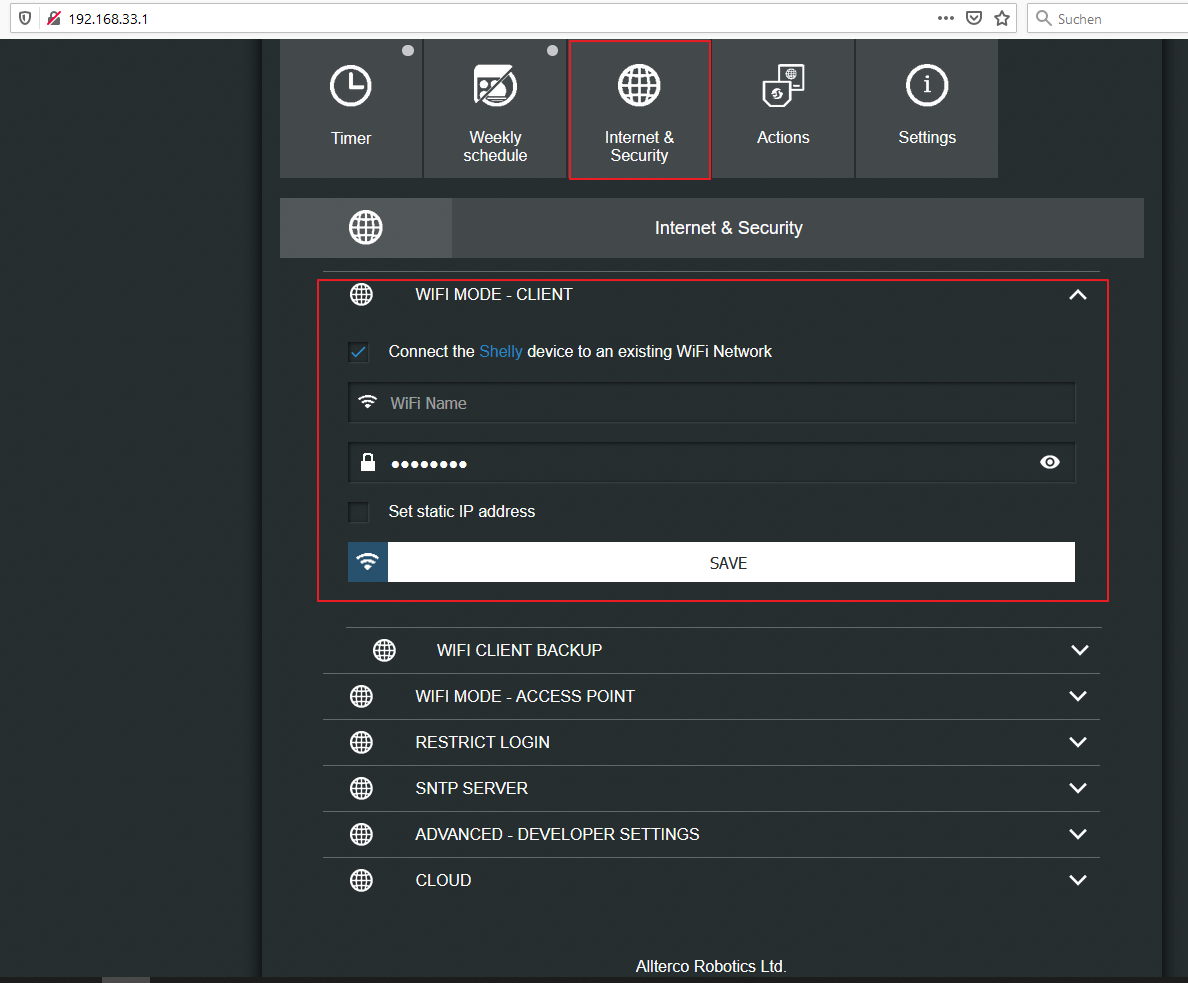
Under Internet & Security -> WIFI MODE – CLIENT, connect the Shelly to your existing WiFi.
- Under Actions -> BUTTON SWITCHED ON URL, enter the URL copied in step 2: http://172.16.10.138/api/ring_hall/27
as follows:
The number 27 used here as an example represents the doorbell button ID (see step 4).