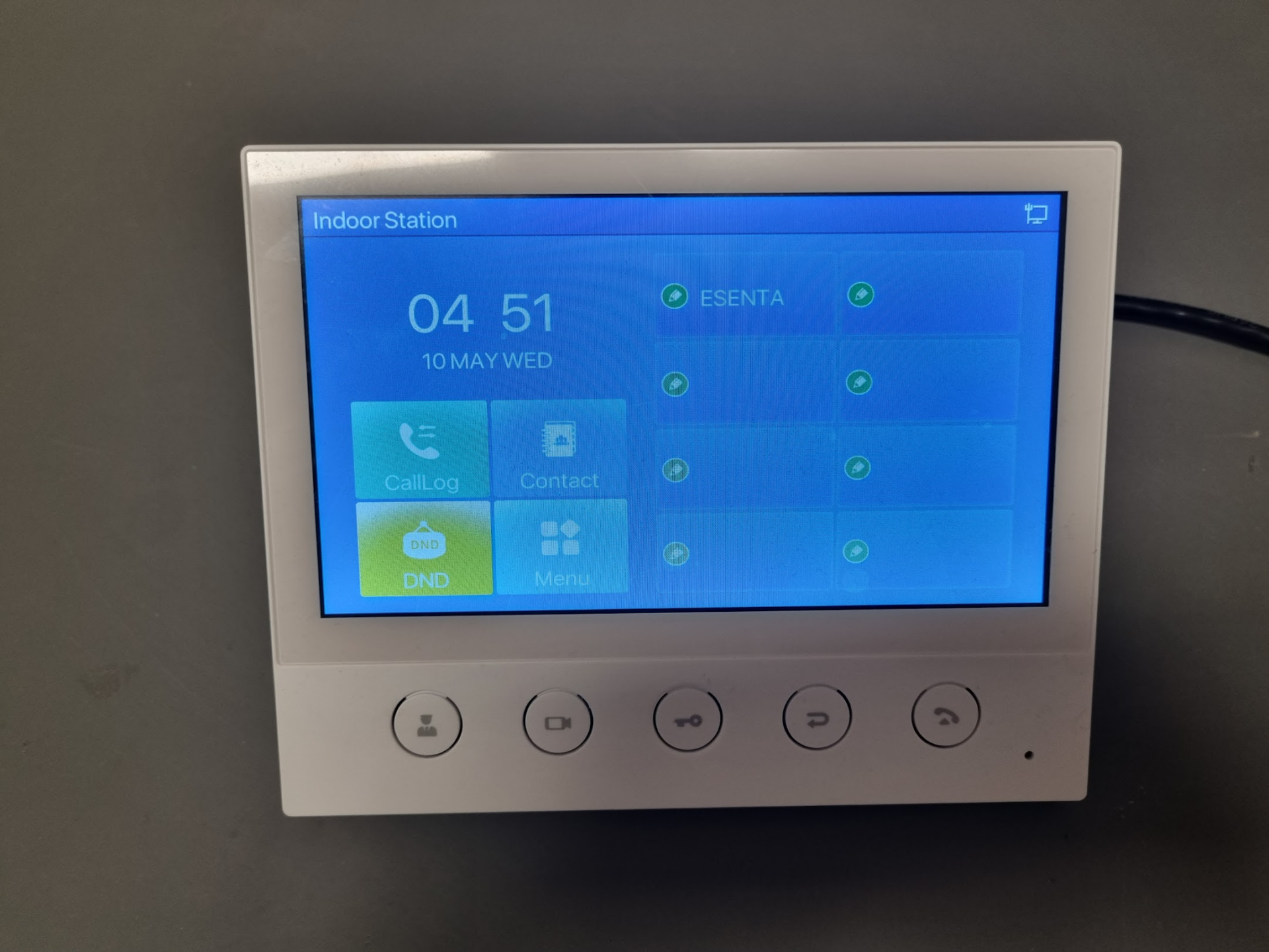
Requirements
For correct operation, the Fanvil i53W must be running at least firmware version 2.12.34.
Download firmware version 2.12.34 (unzip the ZIP file before installing):
i53w-fanvil-release-4908-2.12.34-krnvlT2023-05-08-12.13.39Download
Enabling Direct IP Call and H264 on the Fanvil i53W
Open the Fanvil web interface and log in.
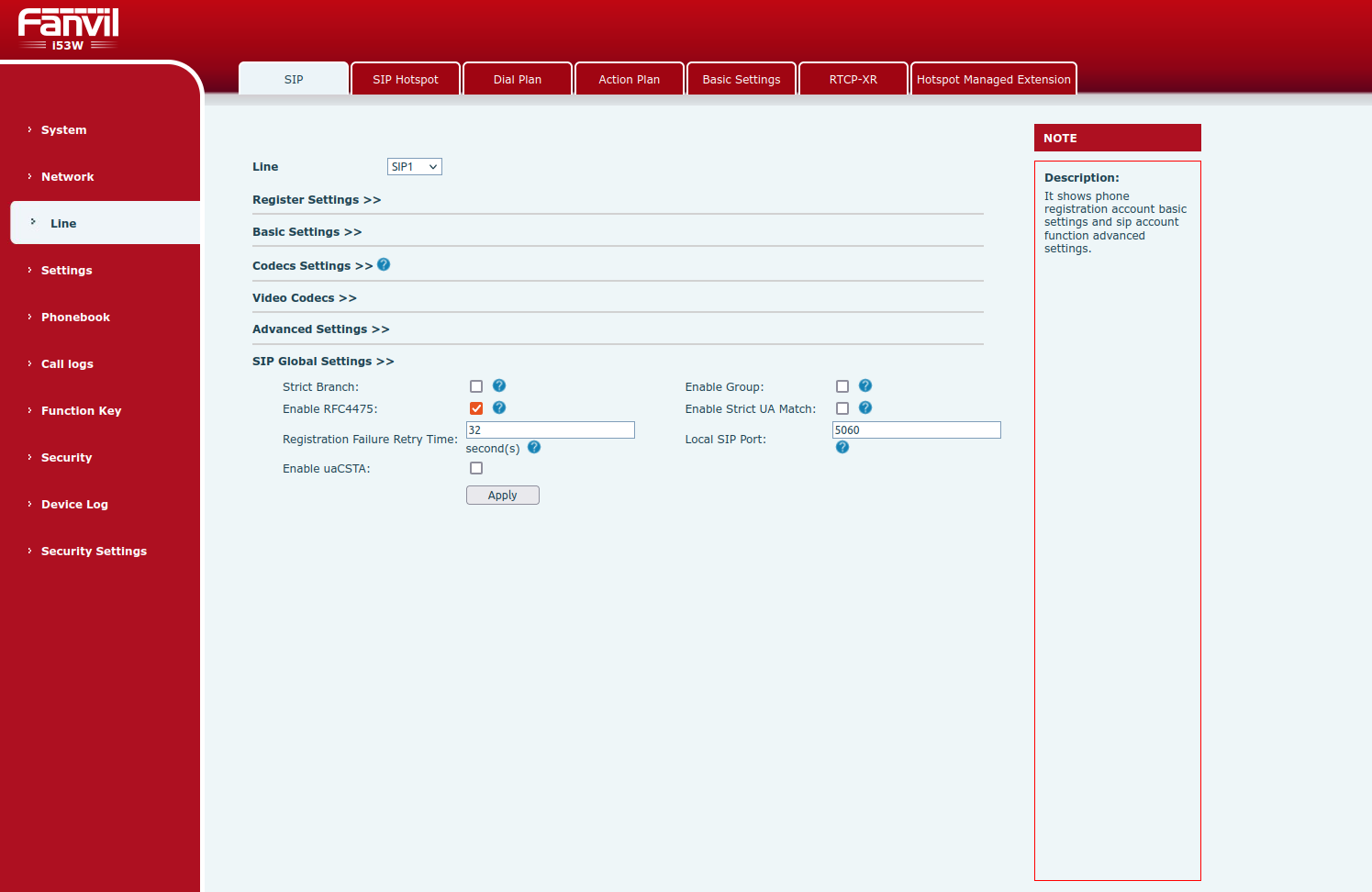
Then go to Line > SIP > SIP Global Settings and disable Enable Strict UA Match (uncheck it), then press Apply.
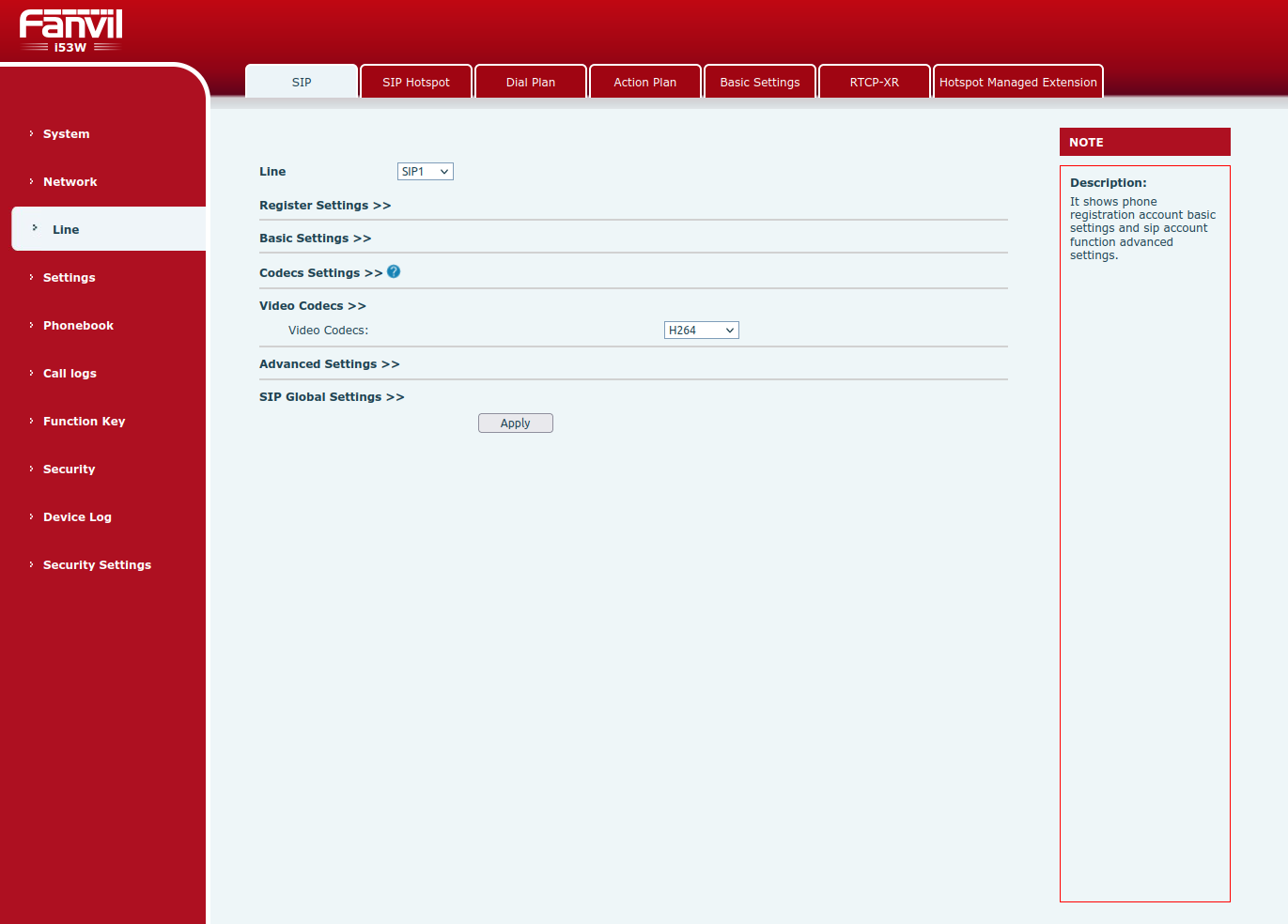
Then, under Line > SIP > Video Codecs, select the H264 codec and confirm with Apply.
Under Line > Advanced Settings, Enable Preview should be enabled and Preview Mode set to Preview18x.

Enabling Early Media in ESENTA SIAS
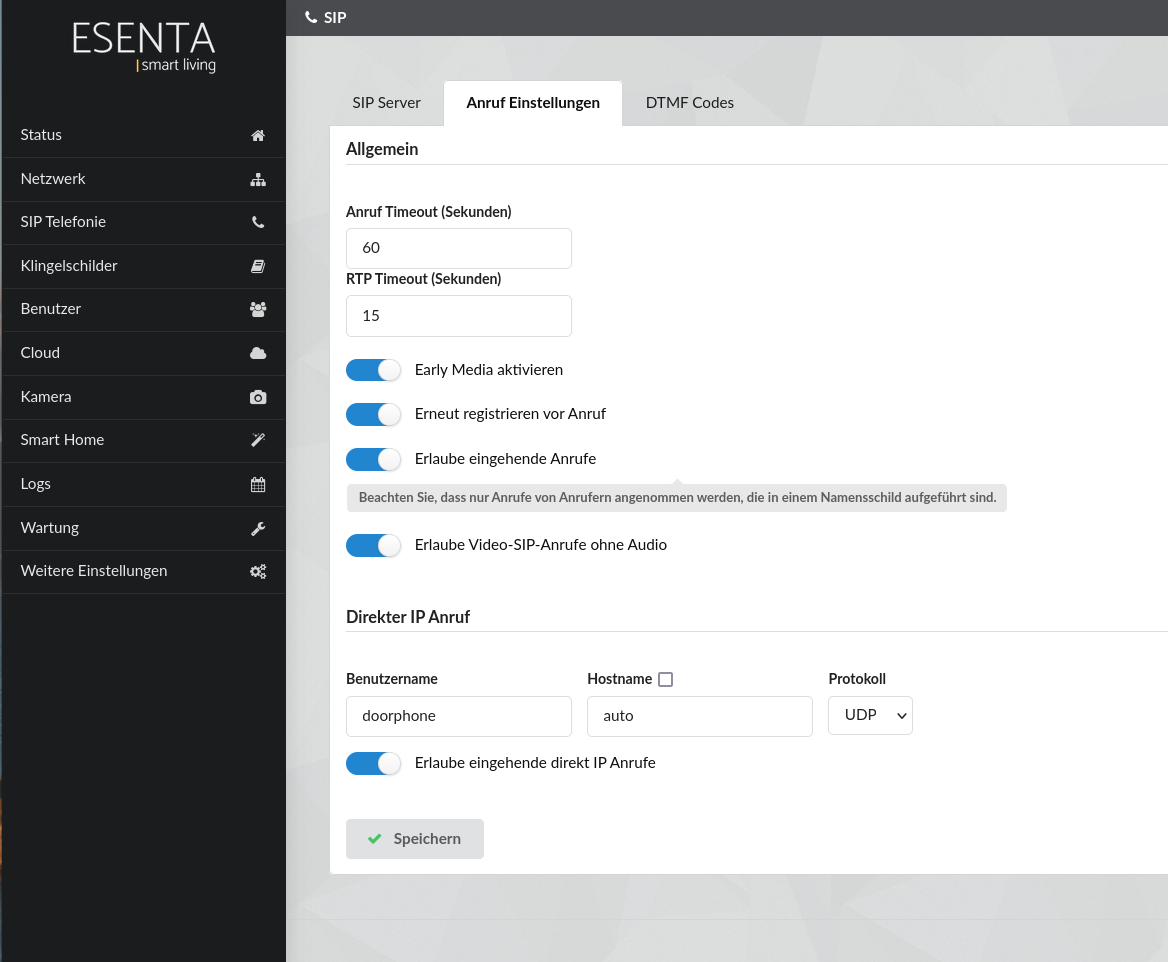
Under SIP Telephony > Call Settings, enable Enable Early Media. Leave the hostname under Direct IP Calls set to auto and select UDP as the protocol.
Creating a Doorbell Button in ESENTA SIAS
In the ESENTA SIAS web interface, under Doorbell Nameplates, you can now create a doorbell nameplate with a call target in the form sip:[IP of Fanvil i53W]:
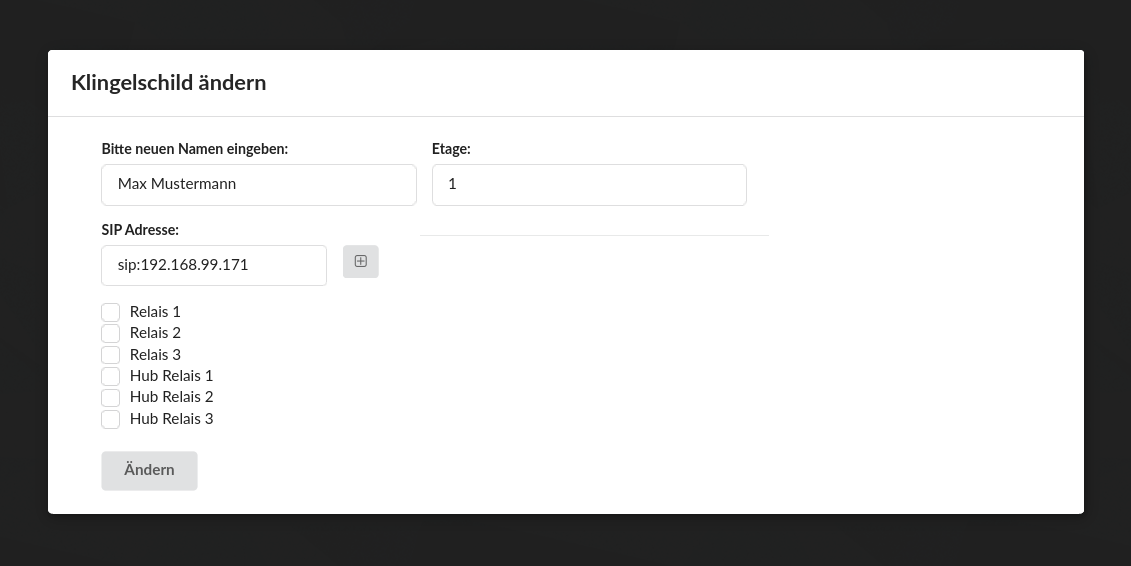
When the doorbell button is pressed on the ESENTA SIAS display, the i53W should now ring and show the video image.
Assigning a Video Key on the i53W
First, copy the H264 RTSP stream to the clipboard from the Camera > Streams subpage in the SIAS web interface:
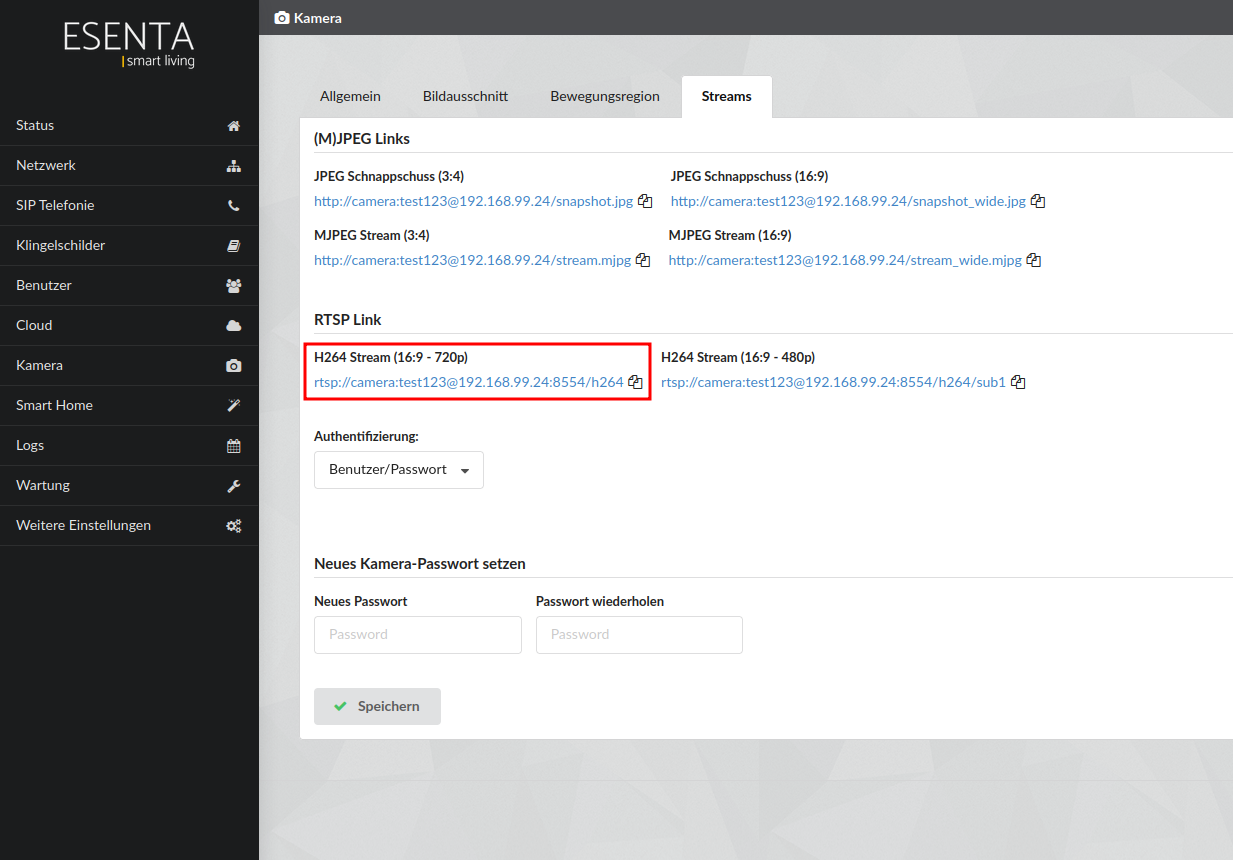
If ESENTA SIAS and the Fanvil i53W are on different subnets, "Rtsp Client Work Mode" must be enabled on the Fanvil i53W.
To do so, open the System > Configurations page
rtsp.txtDownload configuration file
- Save the rtsp.txt file above to your computer using the link above, then select it in the web interface via Select
- Press Import
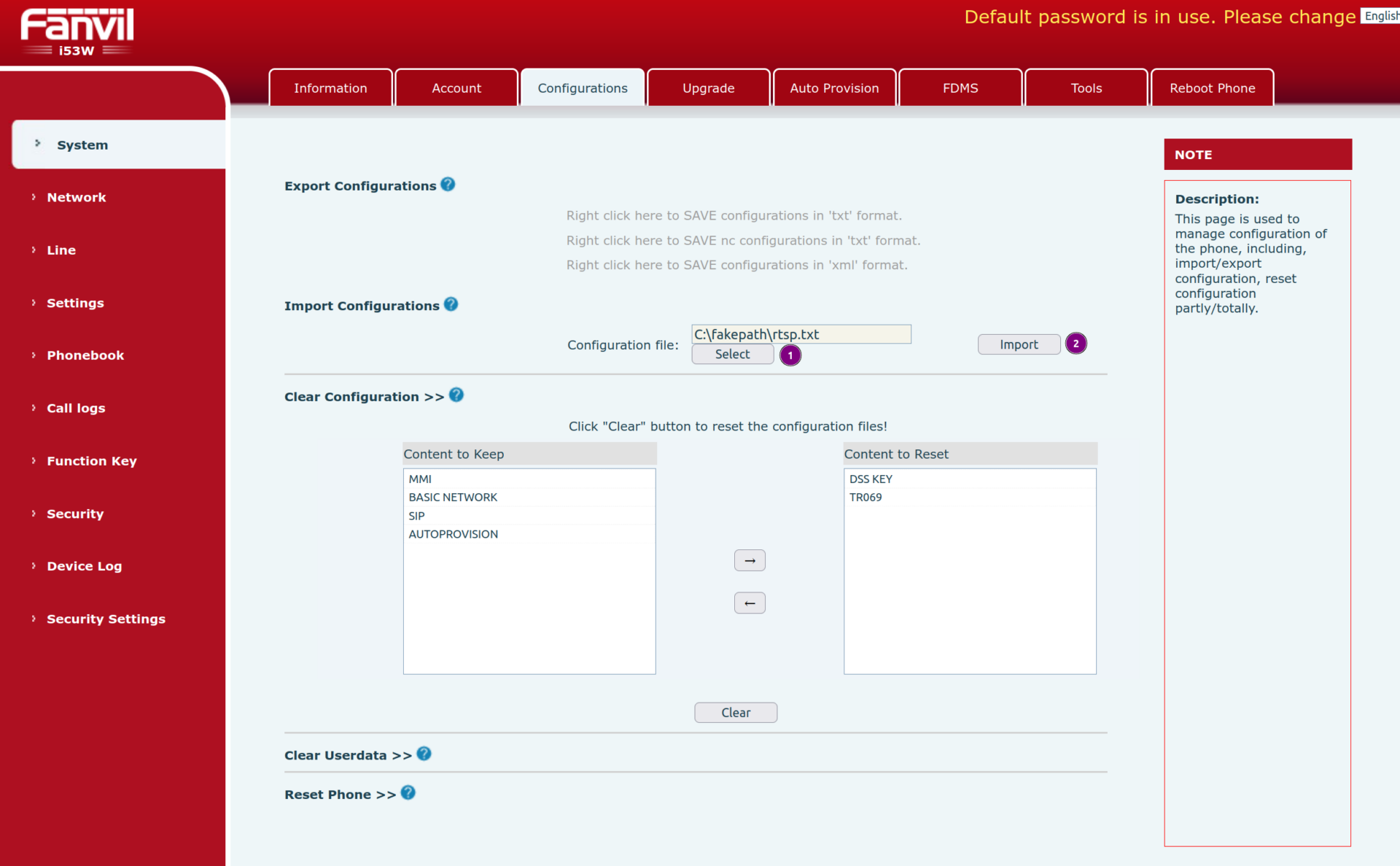
Now, in the Fanvil web interface, go to the Function Key subpage and follow these steps:
- For DSS Key 2, select URL as the Type
- Set a name, e.g. Camera
- Under Value, paste the RTSP stream from the clipboard
- Press Apply to save the settings
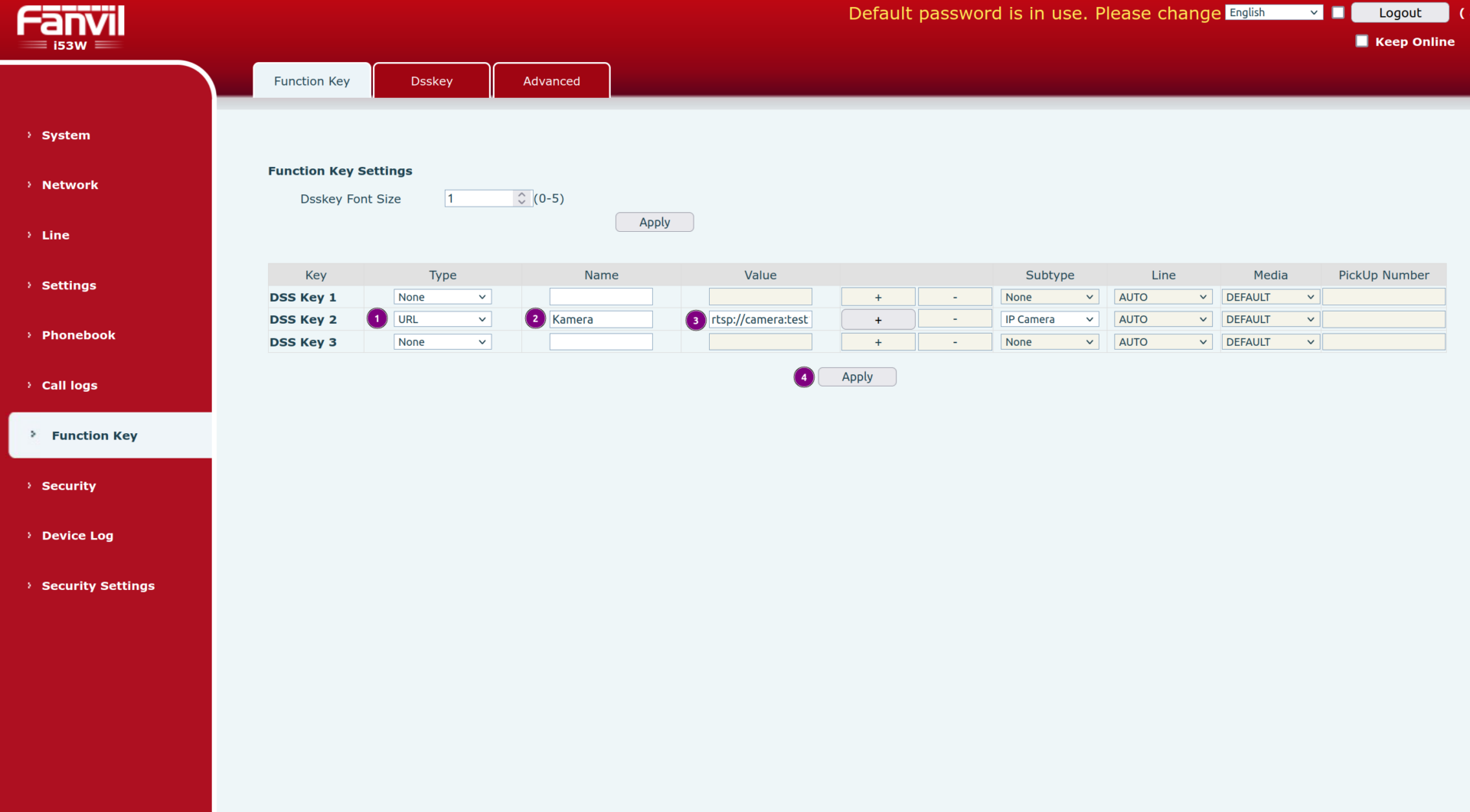
Now, pressing the physical camera button on the i53W will show the camera image from ESENTA SIAS.
Assigning an Open Button
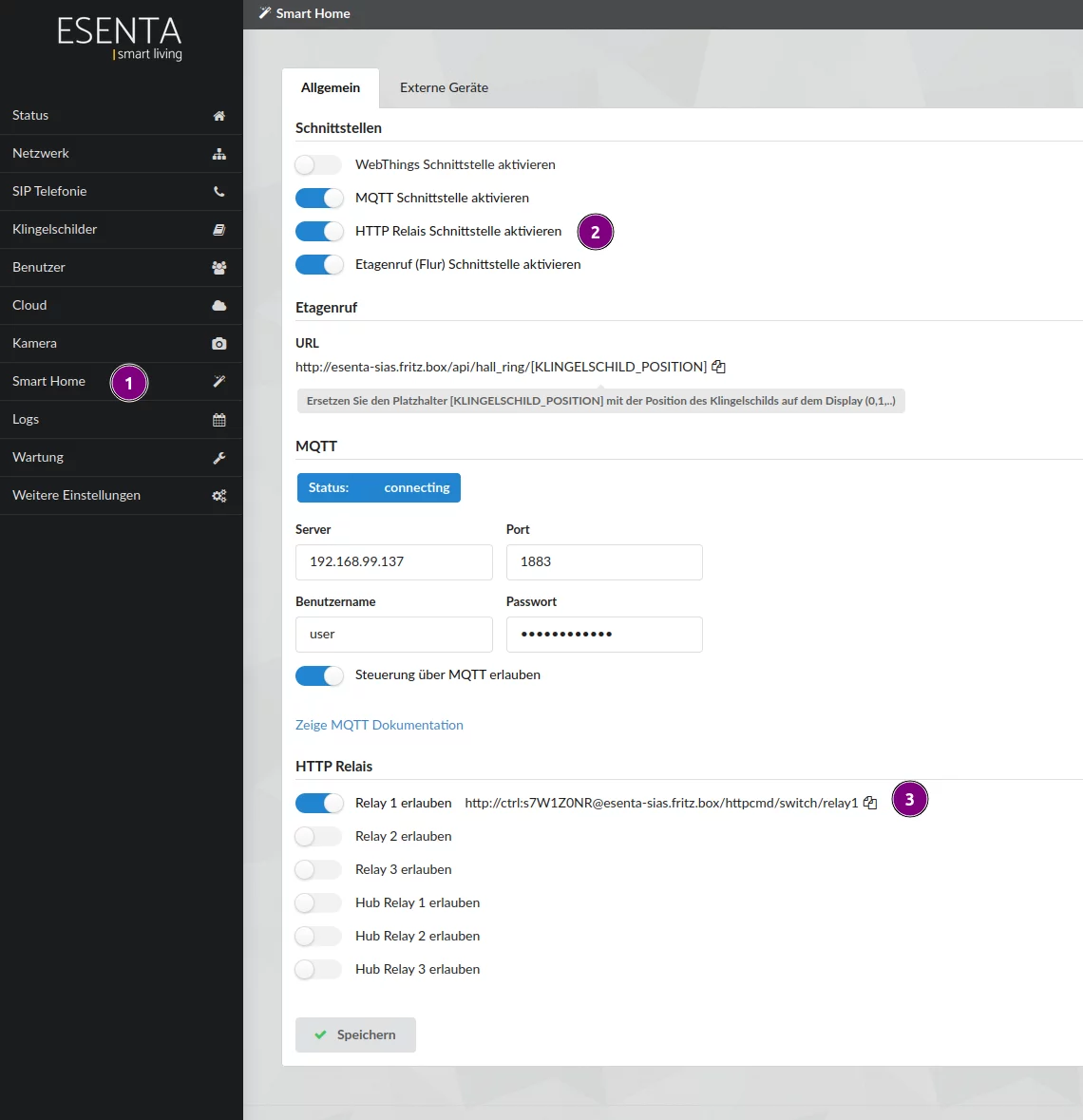
To trigger the door opener, ESENTA SIAS's HTTP relay interface can be used.
Proceed as follows:
- Go to the Smart Home subpage
- Enable the HTTP Relay Interface
- Enable Relay 1 (or whichever relay controls the door opener) and copy the URL to the clipboard
Now, in the Fanvil web interface, go to the Function Key subpage and follow these steps:
- For DSS Key 3, select Action URL as the Type
- Set a name, e.g. Open
- Under Value, paste the HTTP relay URL from the clipboard
- Press Apply to save the settings
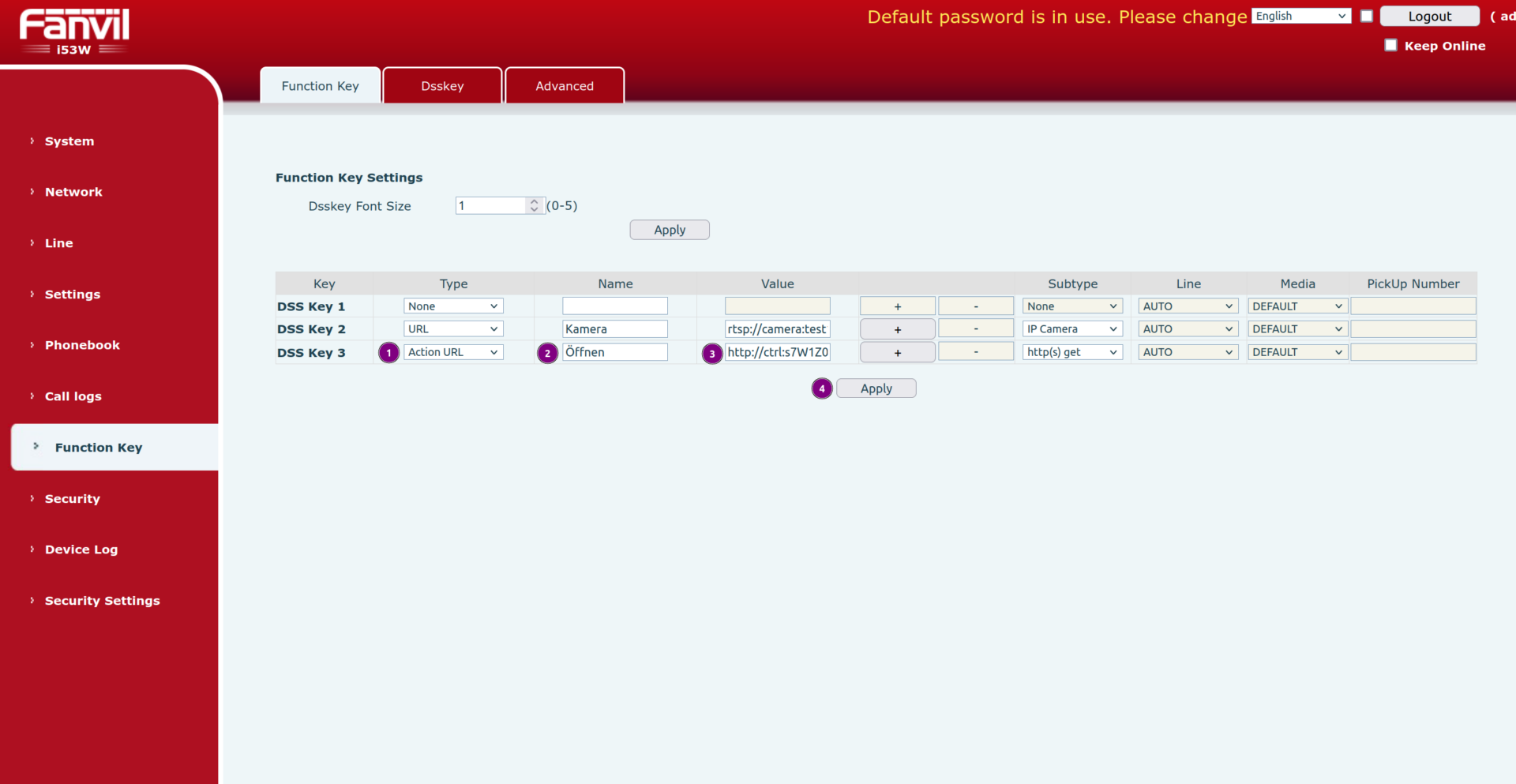
Now, pressing the physical key button on the i53W will switch the corresponding relay, i.e. the door opener, via ESENTA SIAS.