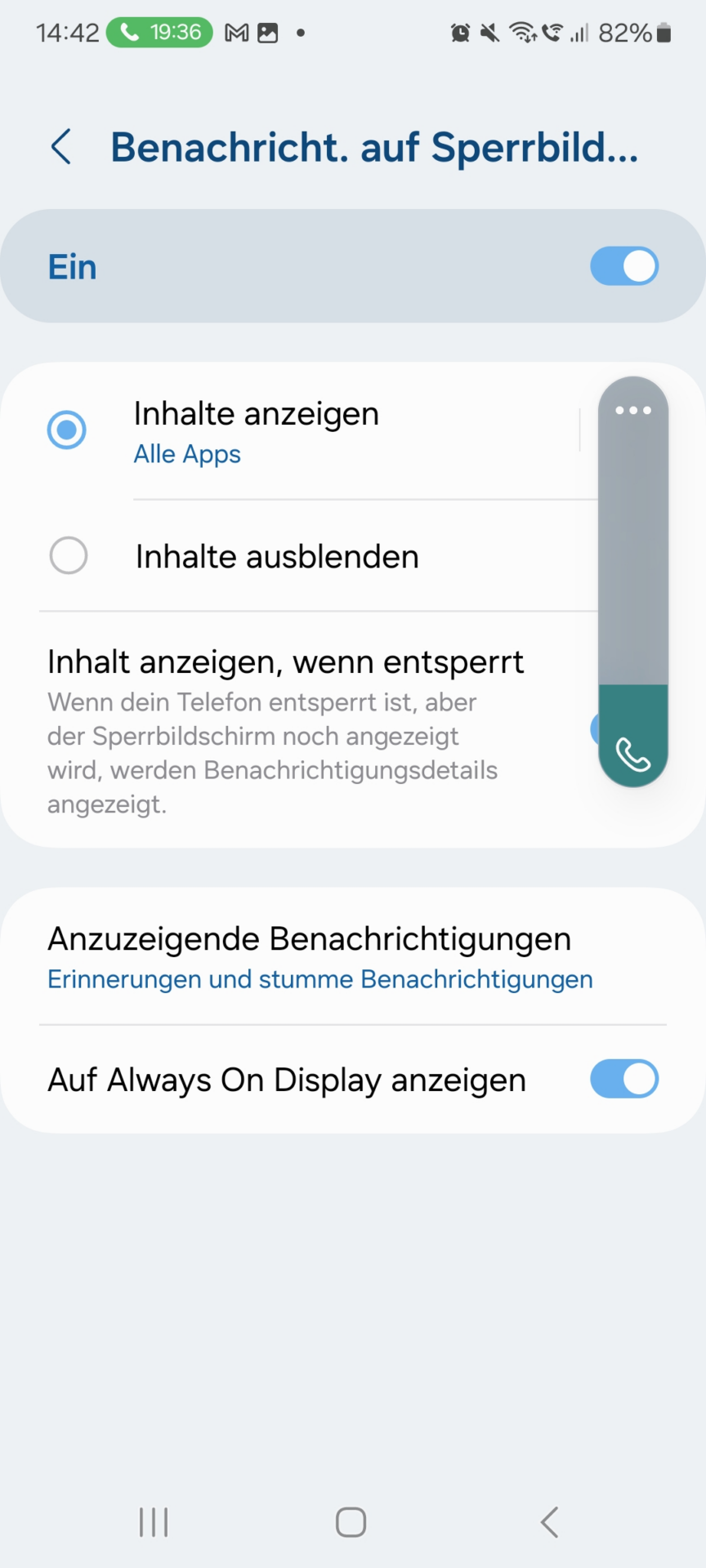
Check Power-Saving Settings
Check the power-saving settings on Android. Depending on the Android version, the menu structure may vary slightly.
Go to Settings > Device Care > Battery > Unmonitored Apps.
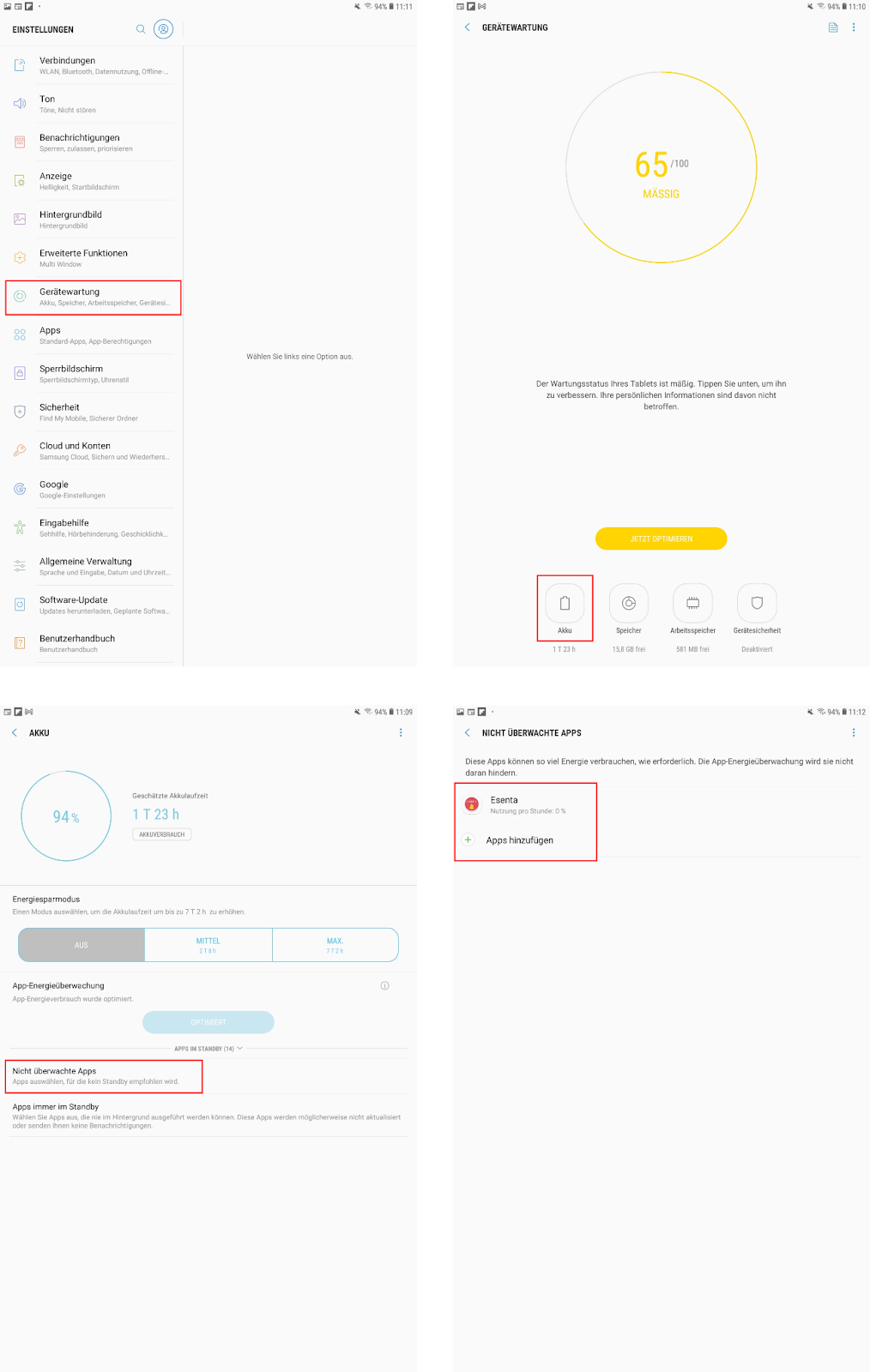
If power-saving is active, the ESENTA app should be added under "Unmonitored Apps".
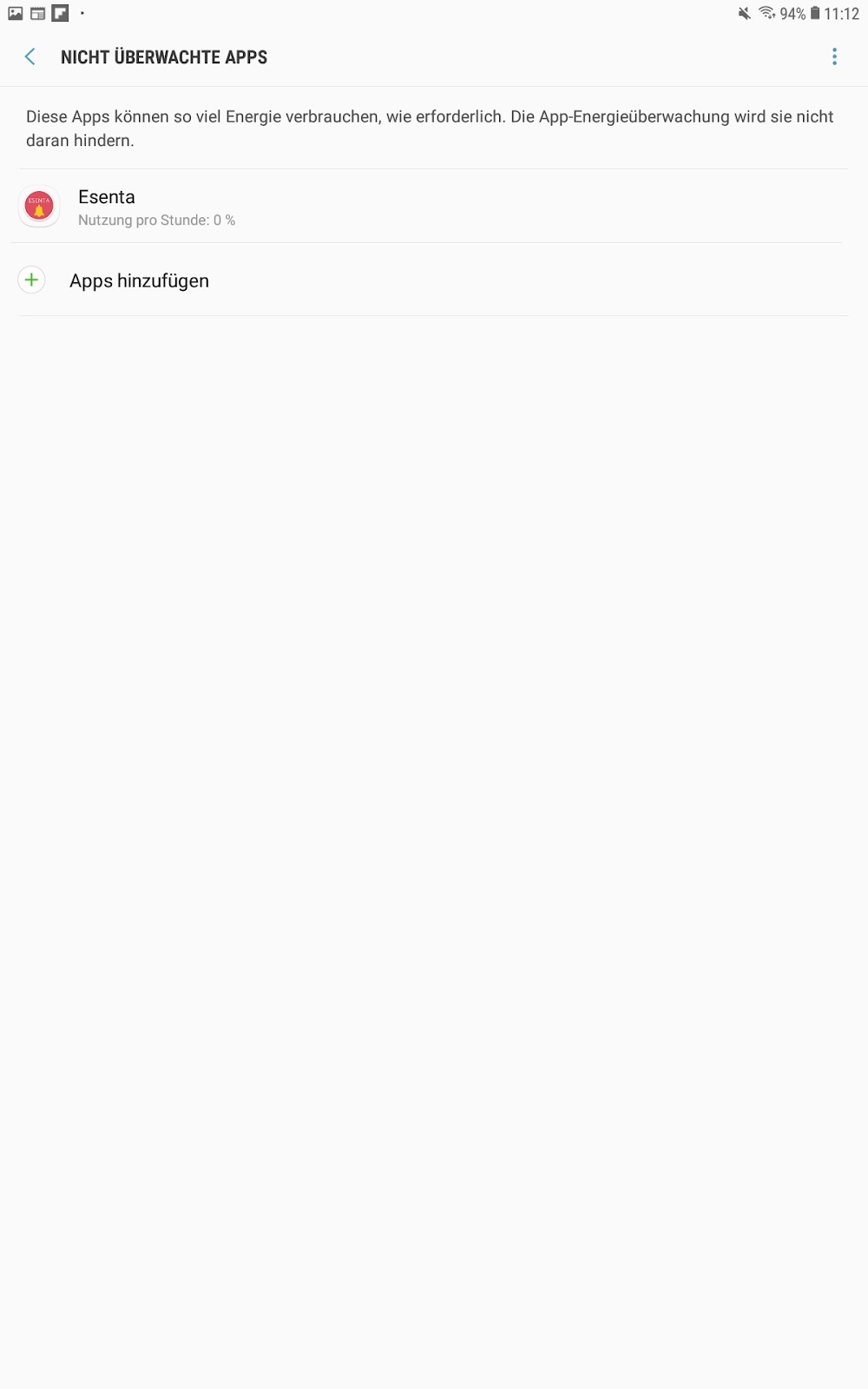
Also check that under Settings > Apps > ESENTA > Battery, the option "Unrestricted" is selected:
Retaining Permissions During Inactivity
Check the following setting so the app keeps working even after a longer period of inactivity.
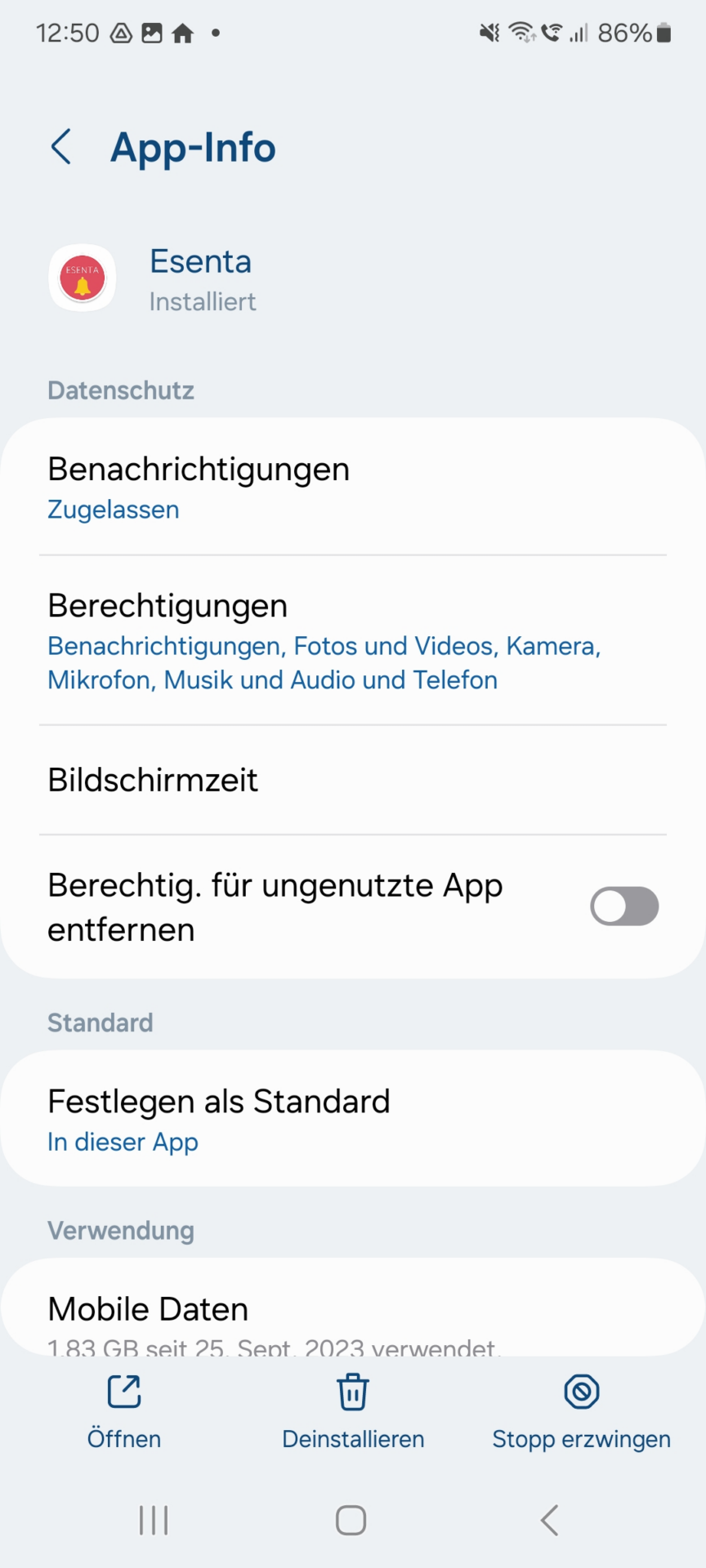
Under Settings > App > ESENTA, the option "Remove permissions if app isn't used" must be disabled:
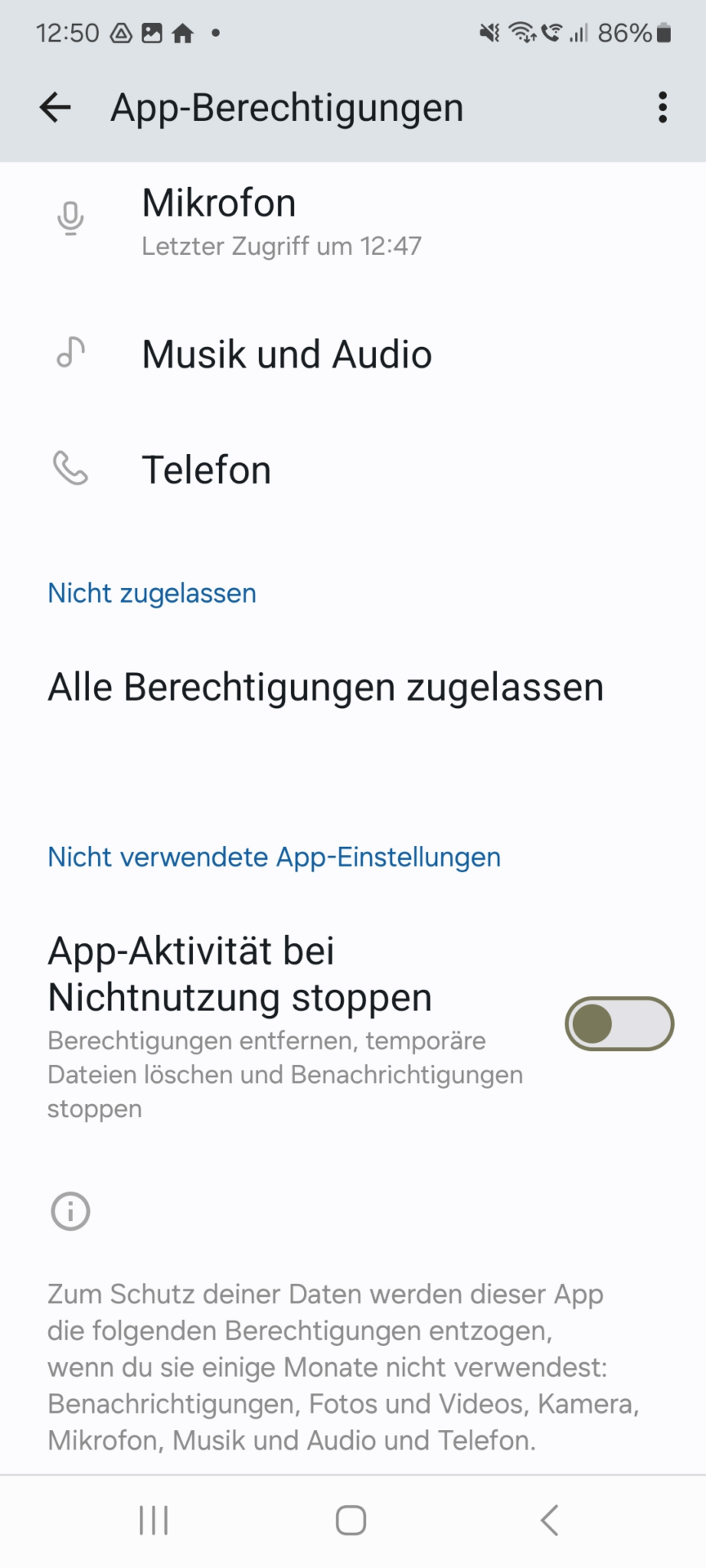
Furthermore, under app Permissions, the option "Pause app activity if unused" must be disabled:
Granting Foreground Permission
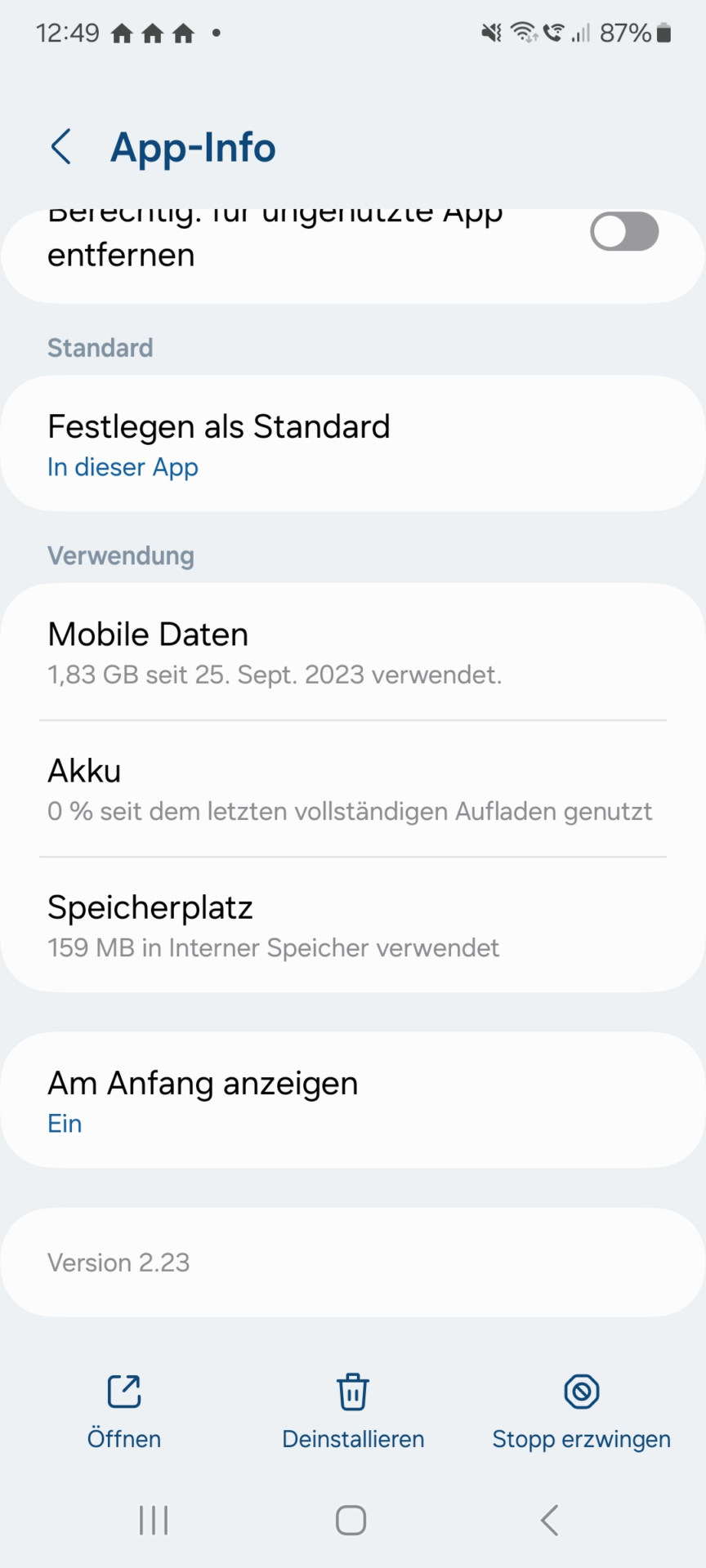
For the ESENTA app to be able to automatically appear in the foreground, under Settings > App > ESENTA, the option "Display over other apps" must be enabled:
Notifications on the Lock Screen
If notifications are only missing on the lock screen, you can check the following setting:
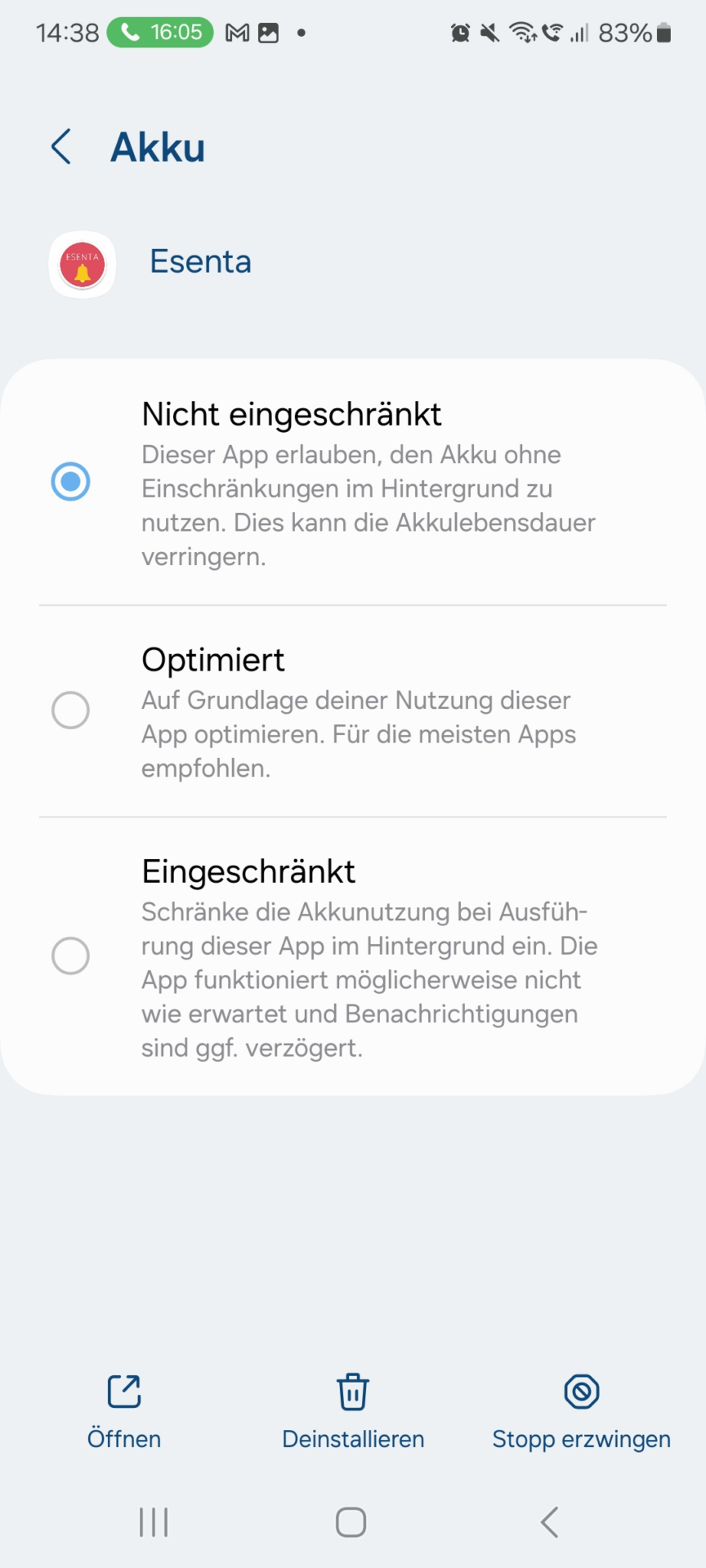
Go to Settings > Notifications > Notifications on lock screen.
Make sure On is enabled, and that under Show content, All apps or the ESENTA app specifically is selected.